HACC Gen working in Moodle LMS
3. Course Finalize
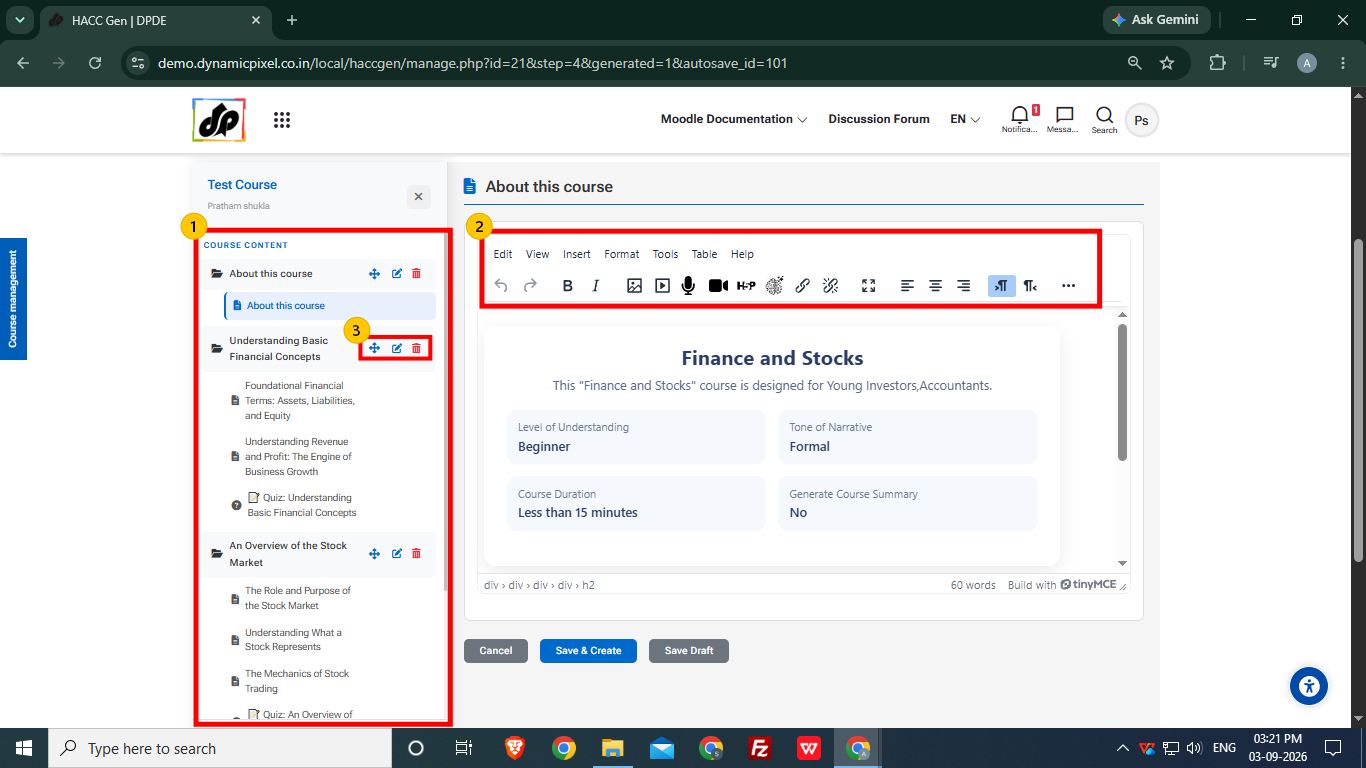
- The final course structure is generated for user to review/edit.
- The user can edit a particular page content using the tool bar.
- A particular topic and the pages inside the topic can be renamed/removed if required and sequence of topics and pages can also changed.
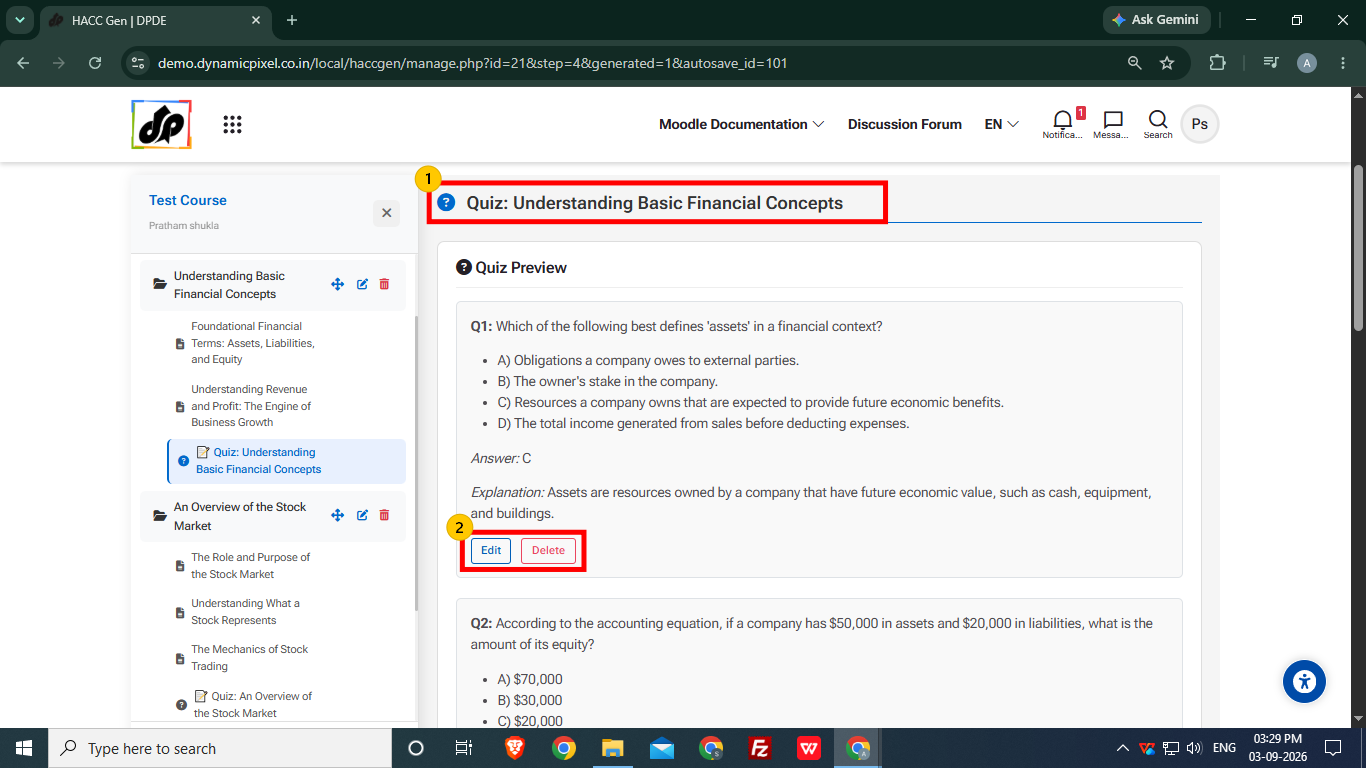
- The user can preview the quiz section and the questions in it.
- A particular quiz question can be edited or removed as per requirement.
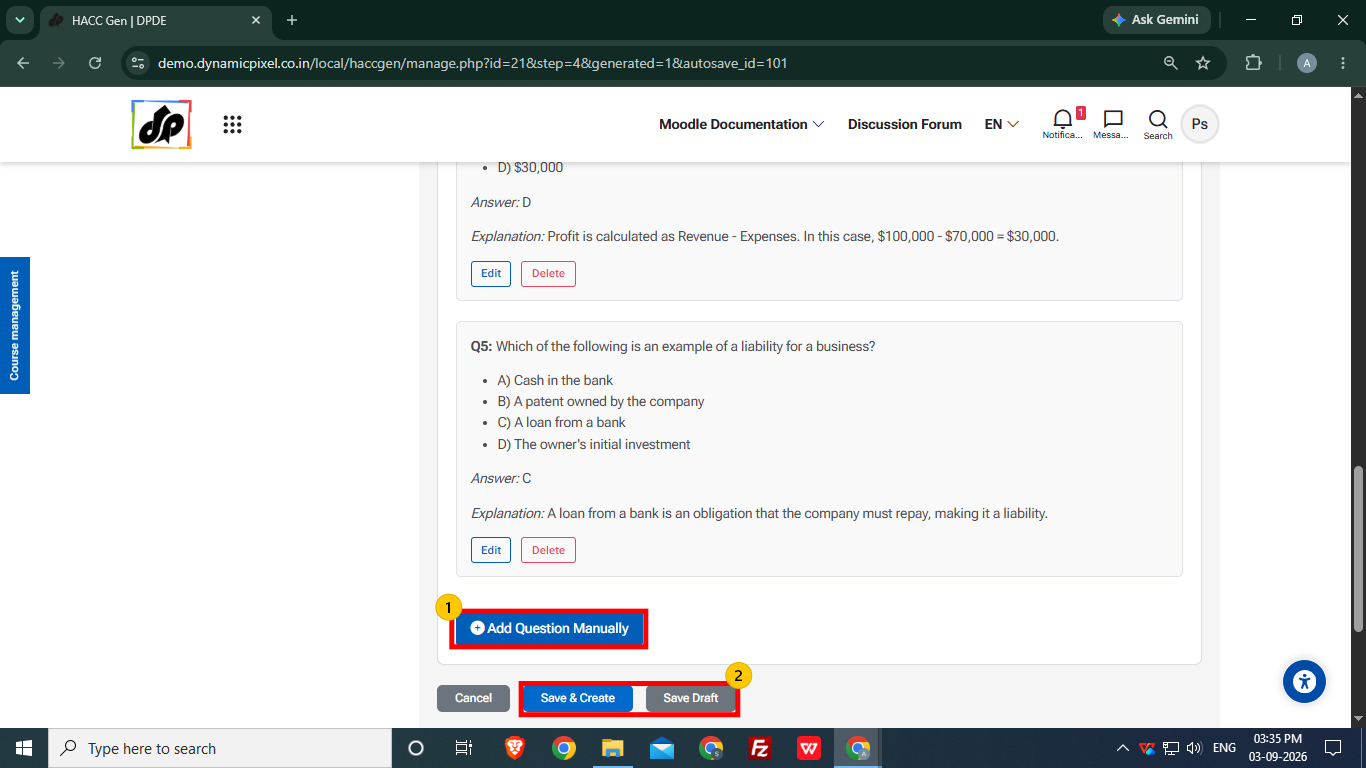
- User can also add question using Add Question Manually option.
- After reviewing, choose the saving option.
-
- Save and Create- It is used to final save the course and add it to the course section.
- Save Draft- It is used create a draft of the course which can later be accessed using Manage Draft Data option.
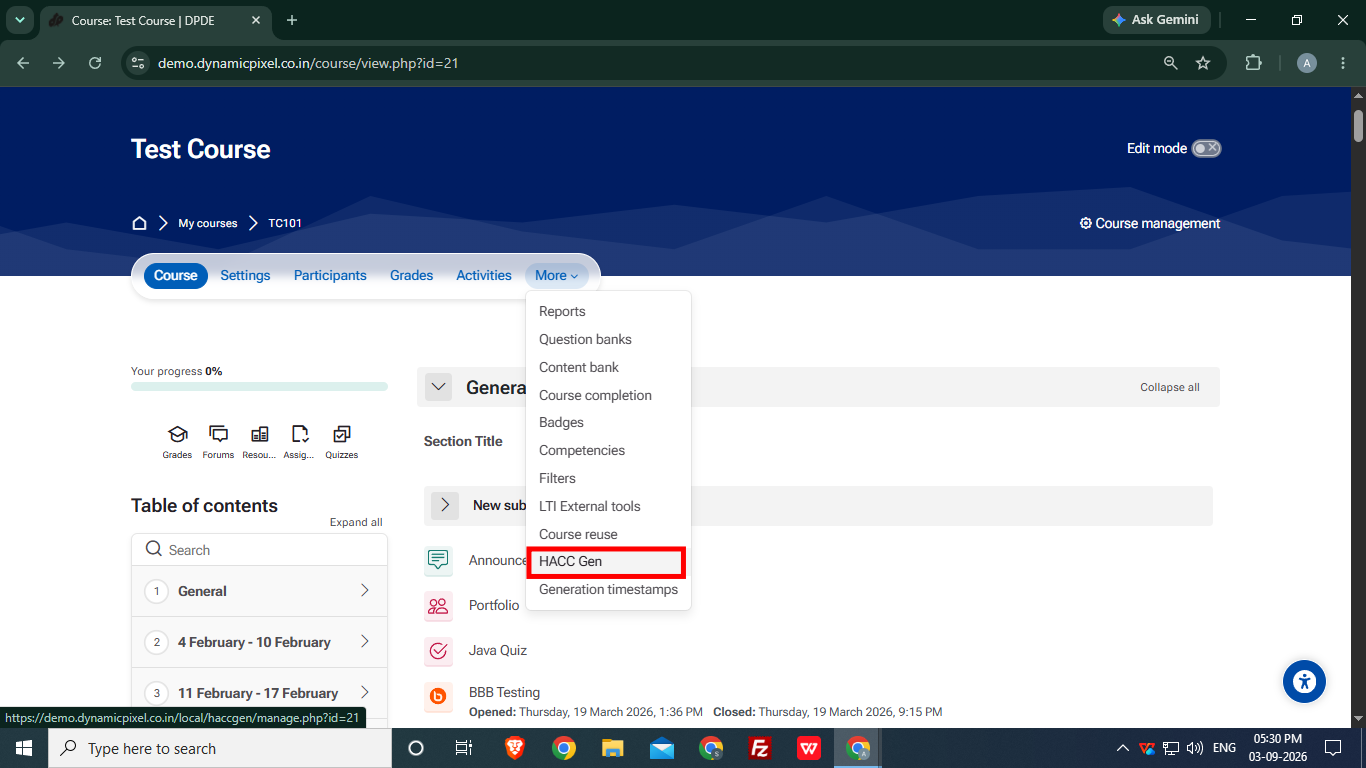
After saving the course in drafts, the user will be redirected to the course navigation and structure.
Select HAC Gen in the More option again.
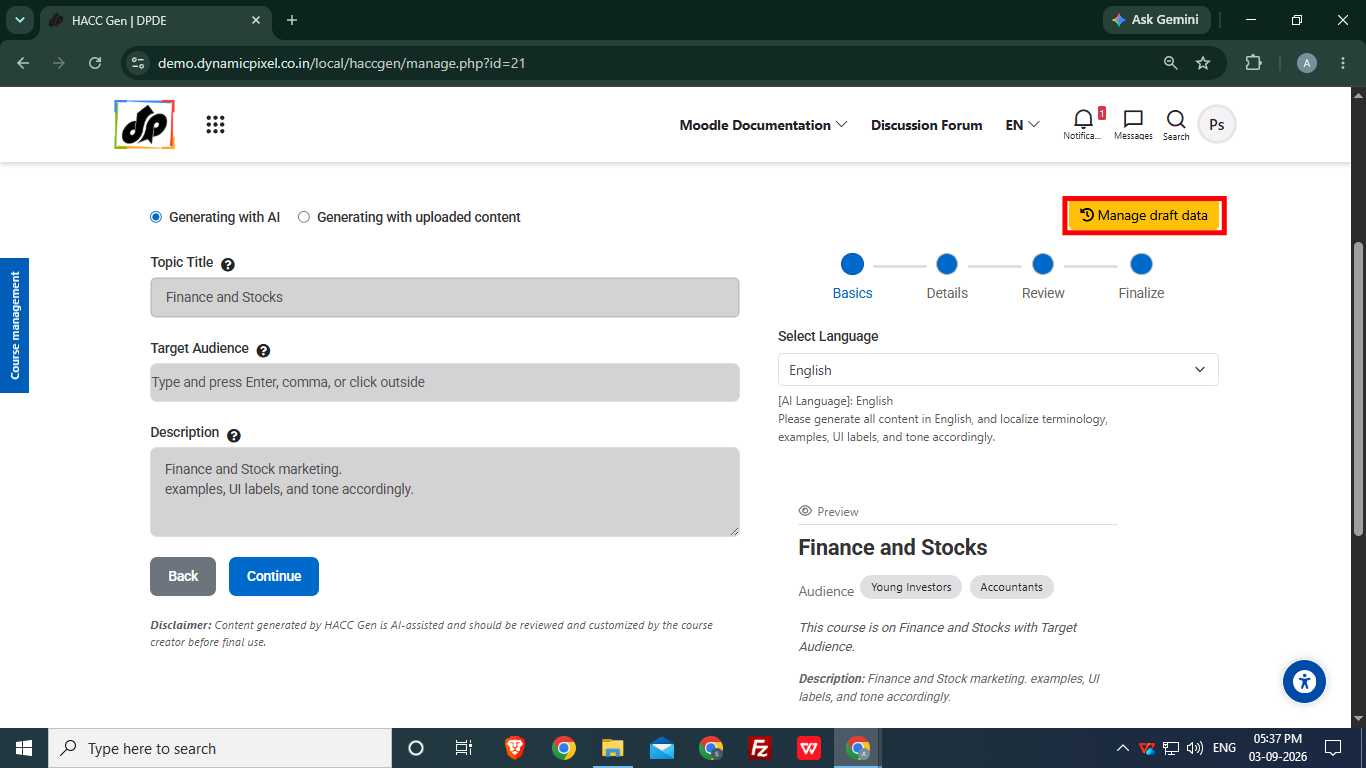
Select Manage Draft Data option.
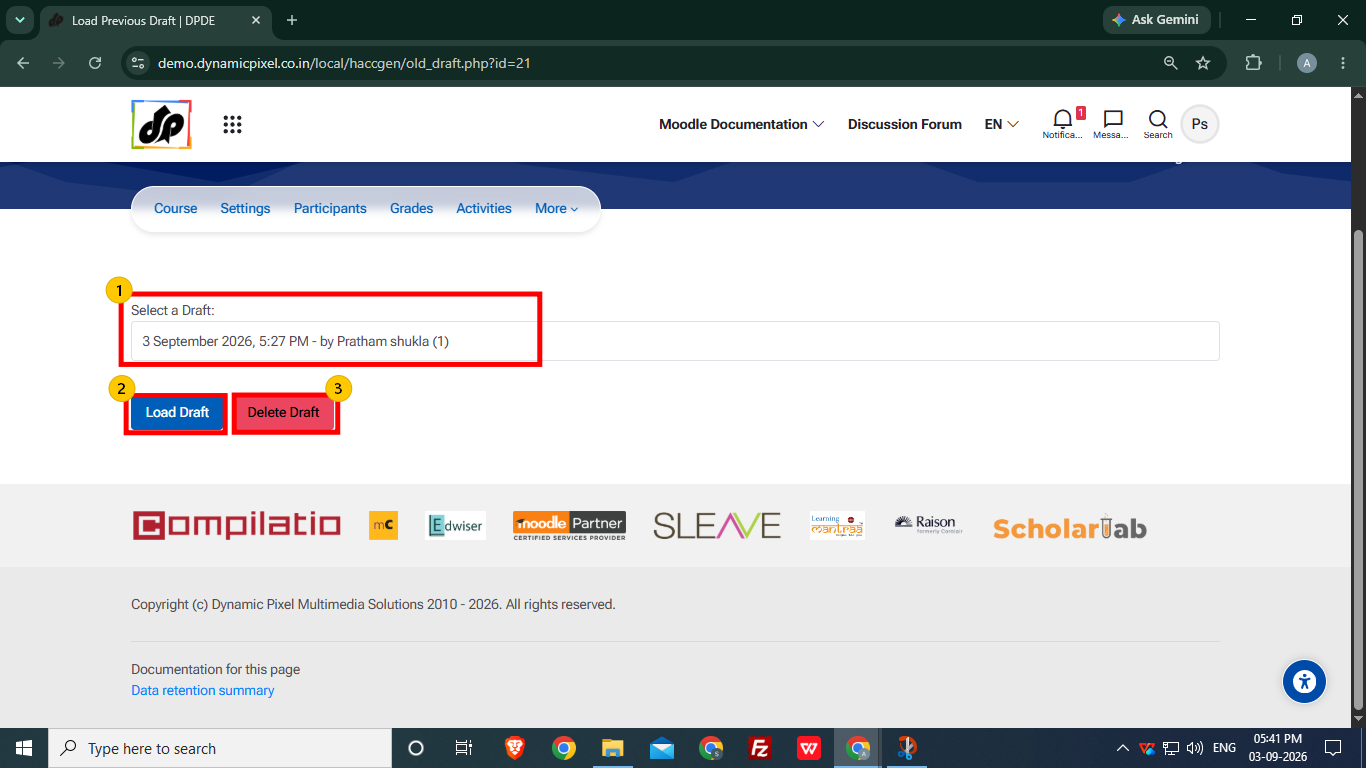
- User can select the saved draft to load or delete it.
- Load Draft option allows user to load the course structure for further editing or modification before the final save.
- To remove the selected draft, click Delete Draft option