Teacher: User Manual
5. My Courses
Navigation Path: Dashboard → My courses
This screen shows all courses where you are enroled as a teacher or manager. You can access course content, participants, and settings from here.
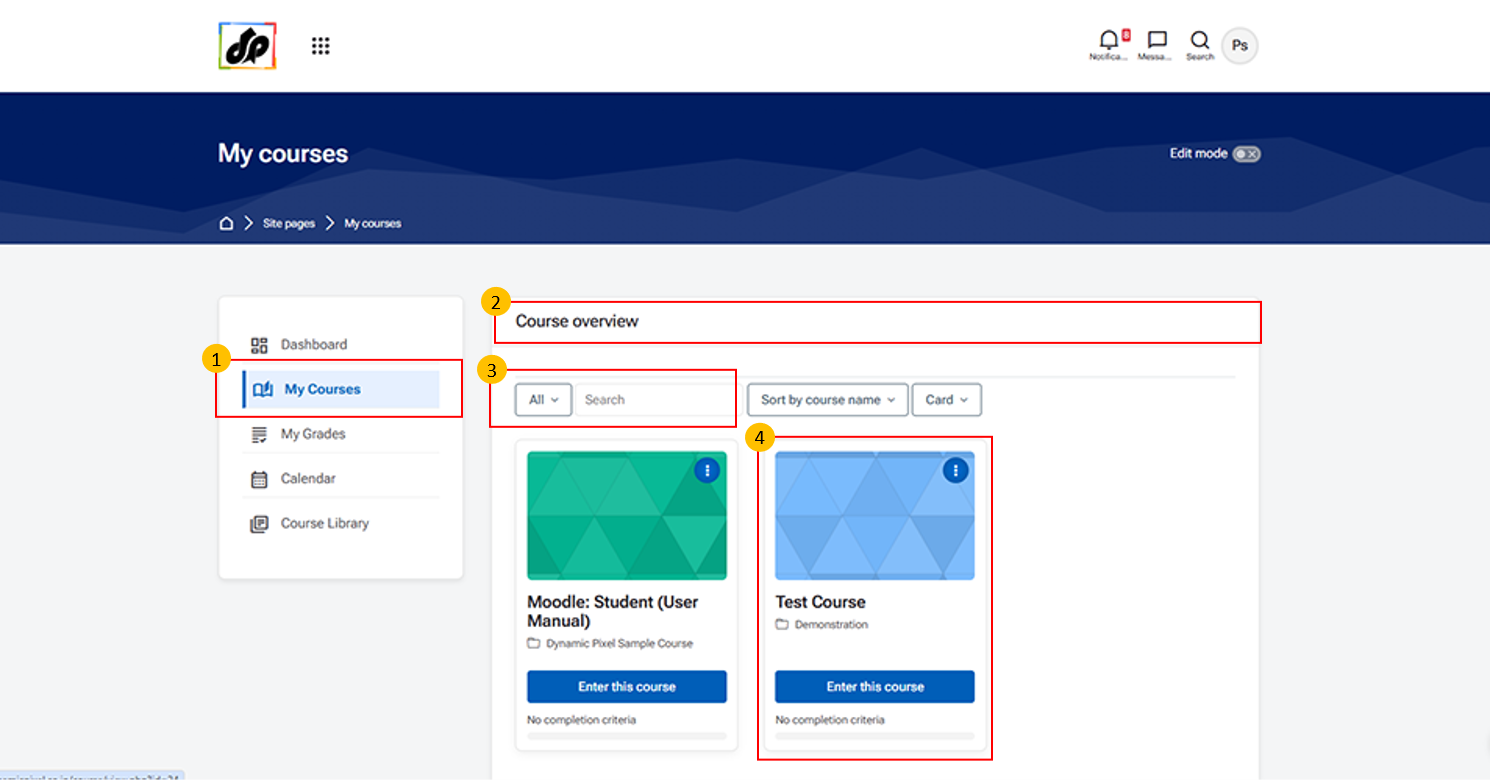
- My Courses (Navigation Panel)
-
Click on “My Courses” from the left navigation panel to view all the courses assigned to you.
-
- Course Overview Section
-
This section displays the Course Overview, where all your enroled or assigned courses are listed.
-
- You can also use filters and search options to find specific courses.
-
Course Cards
- Each course is displayed as a course card showing: Course name
-
Click on “Enter this course” to open and manage the selected course.