Teacher: User Manual
11. Course Setting
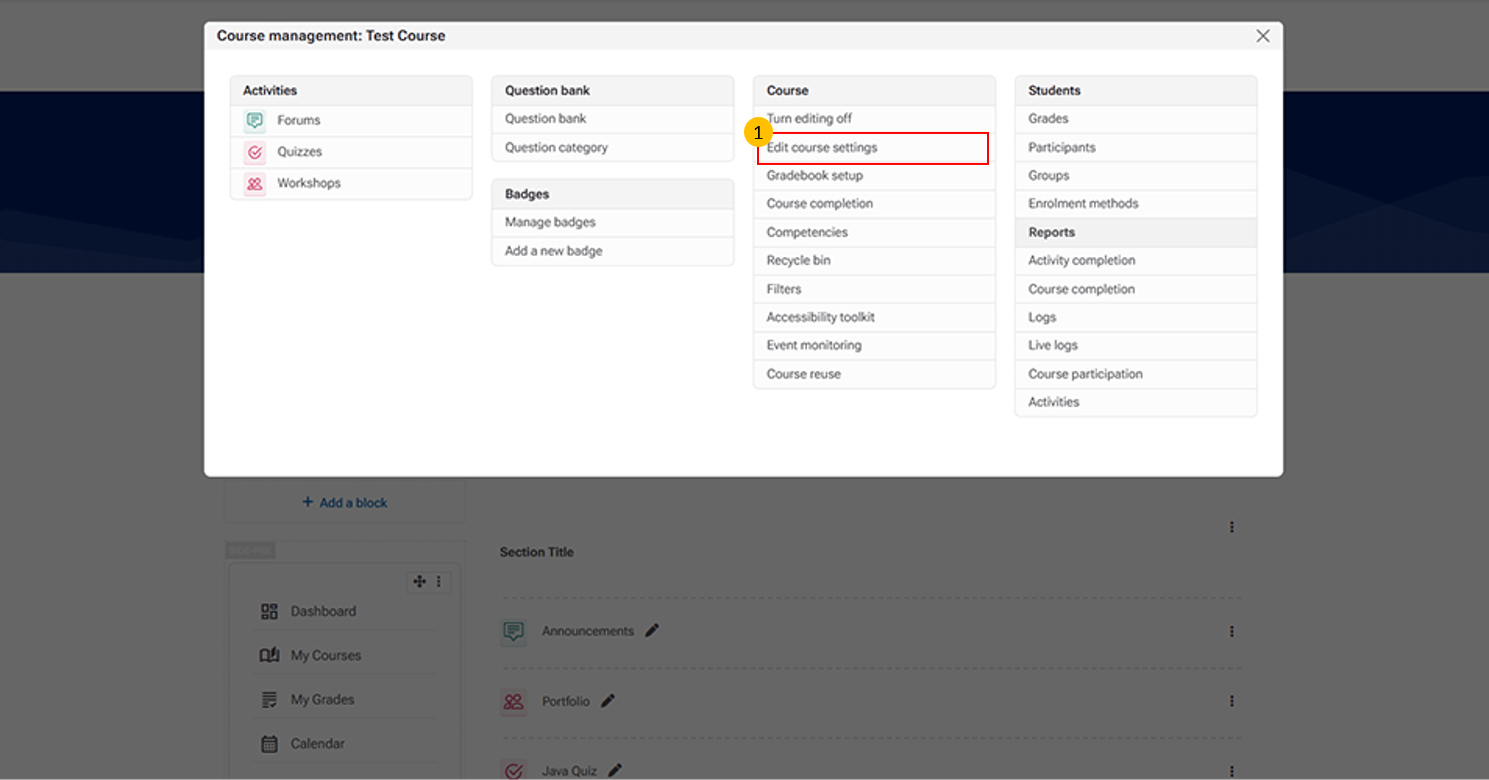
- Edit Course Settings
-
This option allows instructors to modify and update course details.
-
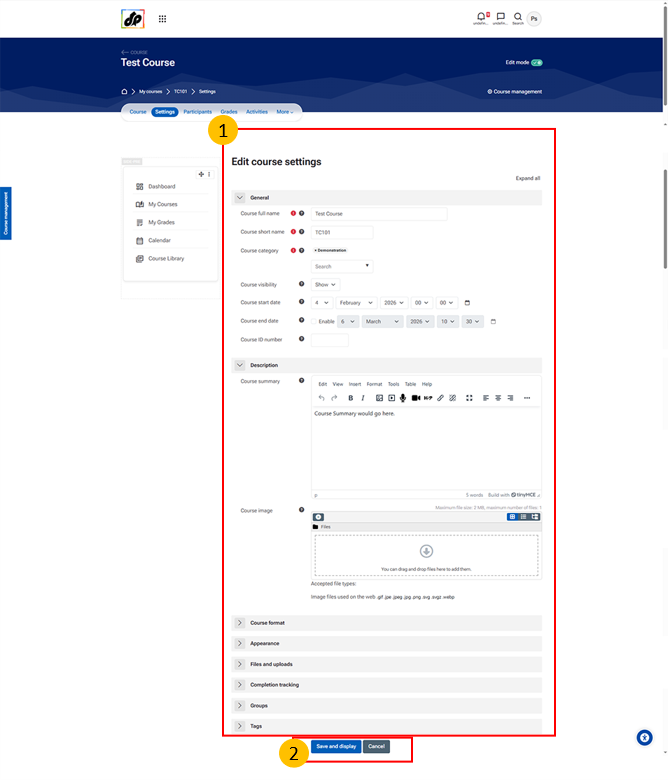
- Edit Course Settings
-
This section allows instructors or administrators to configure the overall course setup and properties.
-
It includes options such as:
-
-
Course name and short name – Used for course identification
-
Course category – Organizes the course within the LMS
-
Visibility settings – Controls whether the course is available to learners
-
Course start and end dates – Defines the course duration
-
Course ID number – Used for administrative tracking
-
Summary and course image – Provides an overview and visual identity
-
Format and appearance – Determines the course layout and display
- File upload settings – Defines limits for file submissions
-
Completion tracking – Enables monitoring of learner progress
- Groups and role renaming – Manages collaboration and customizes role names
-
-
-
-
Save and Display Button
-
This button saves the changes made to the course settings and displays the updated course.
-