Teacher: User Manual
12. Profile Management & Logout
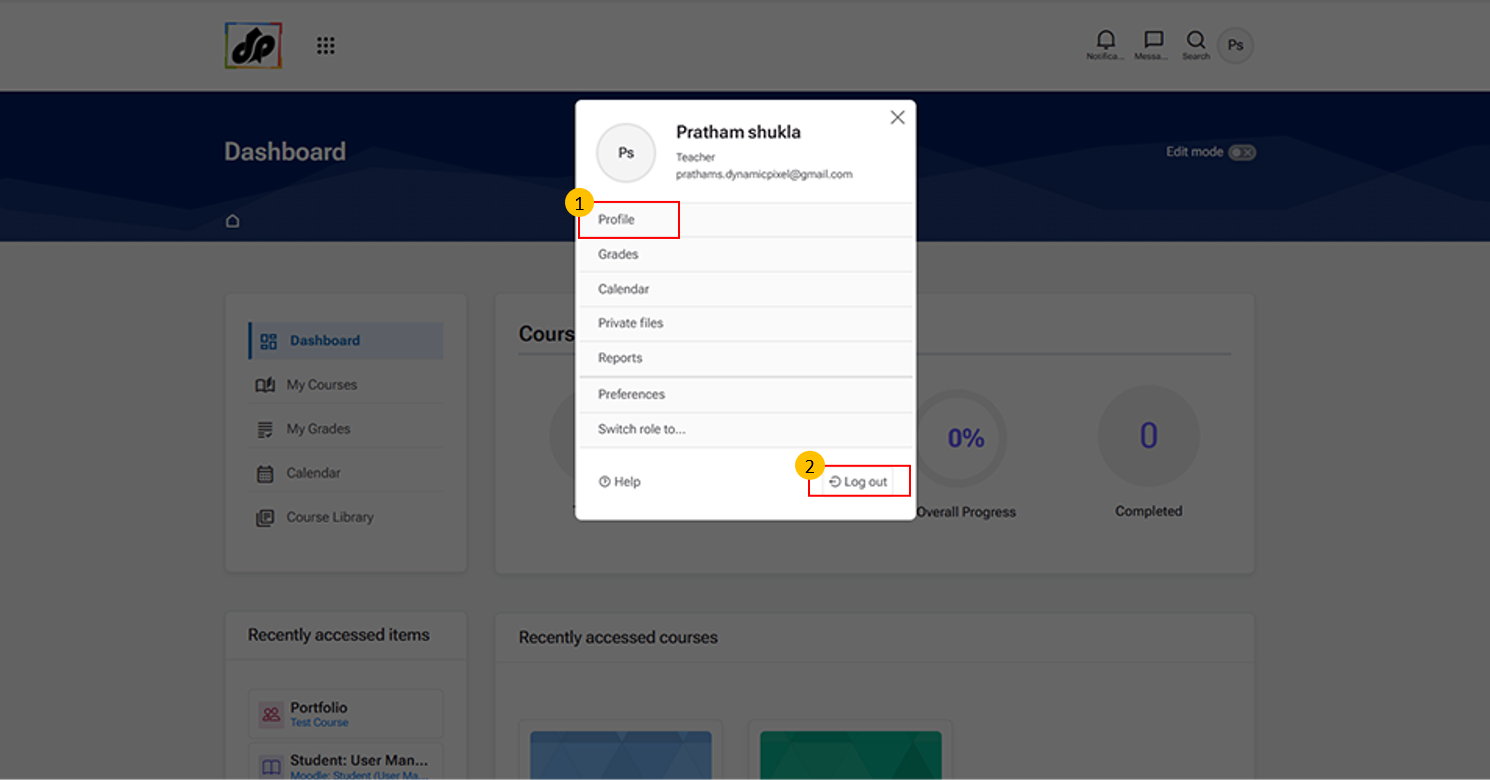
- Profile Option
-
Clicking “Profile” opens the user’s profile page, where learners and teachers can view their personal information.
-
-
Logout Option
-
Click “Log out” to securely sign out of your account. This ensures that your session is closed and prevents unauthorized access.
-
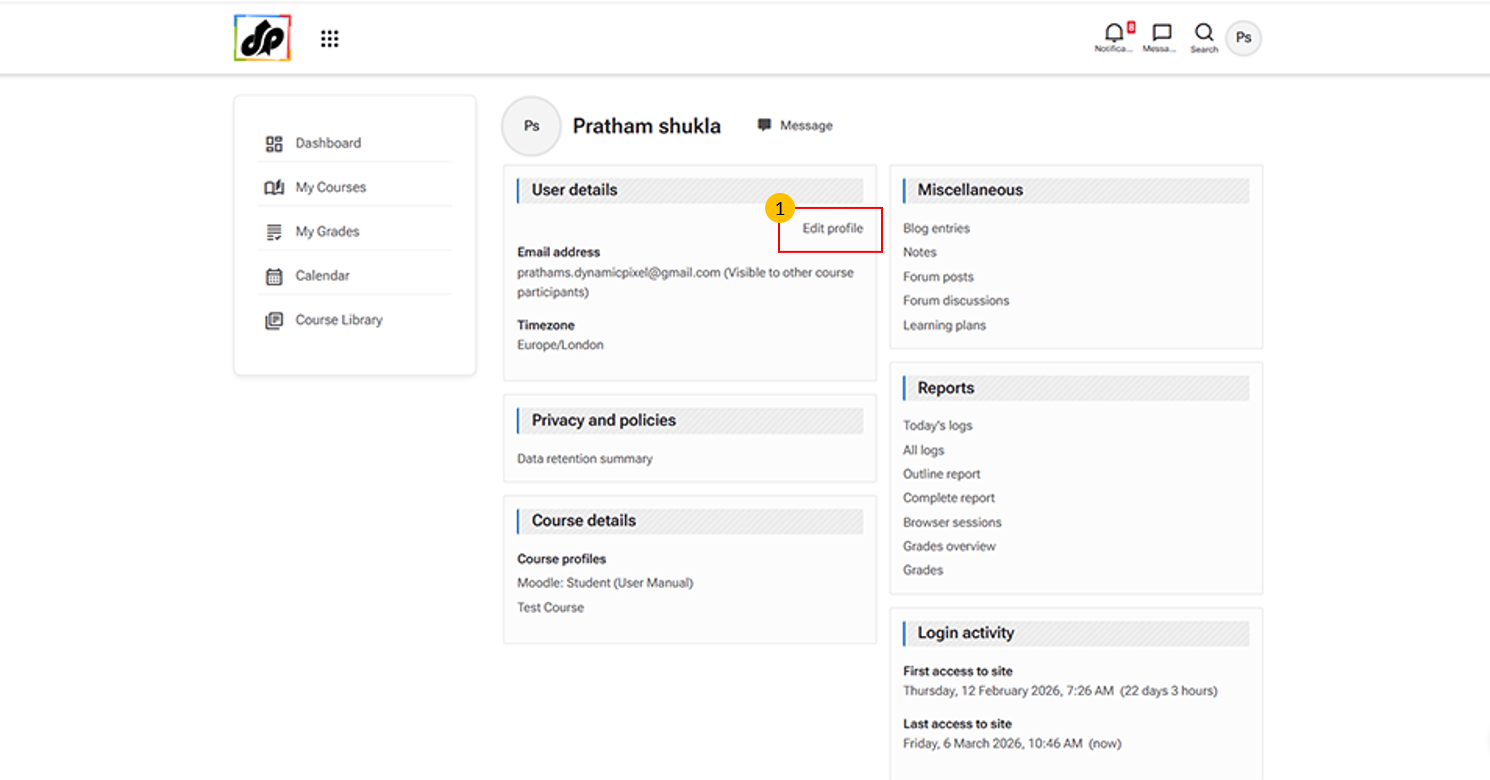
- Edit Profile Button
-
This option allows users to update their personal information within the learning management system.
-
You can use it to:
-
Update contact details (e.g., email address, time zone, and other personal information)
-
Change profile picture and description
-
-