Teacher: User Manual
8. Adding Activities and Resources
8.1. Assignment
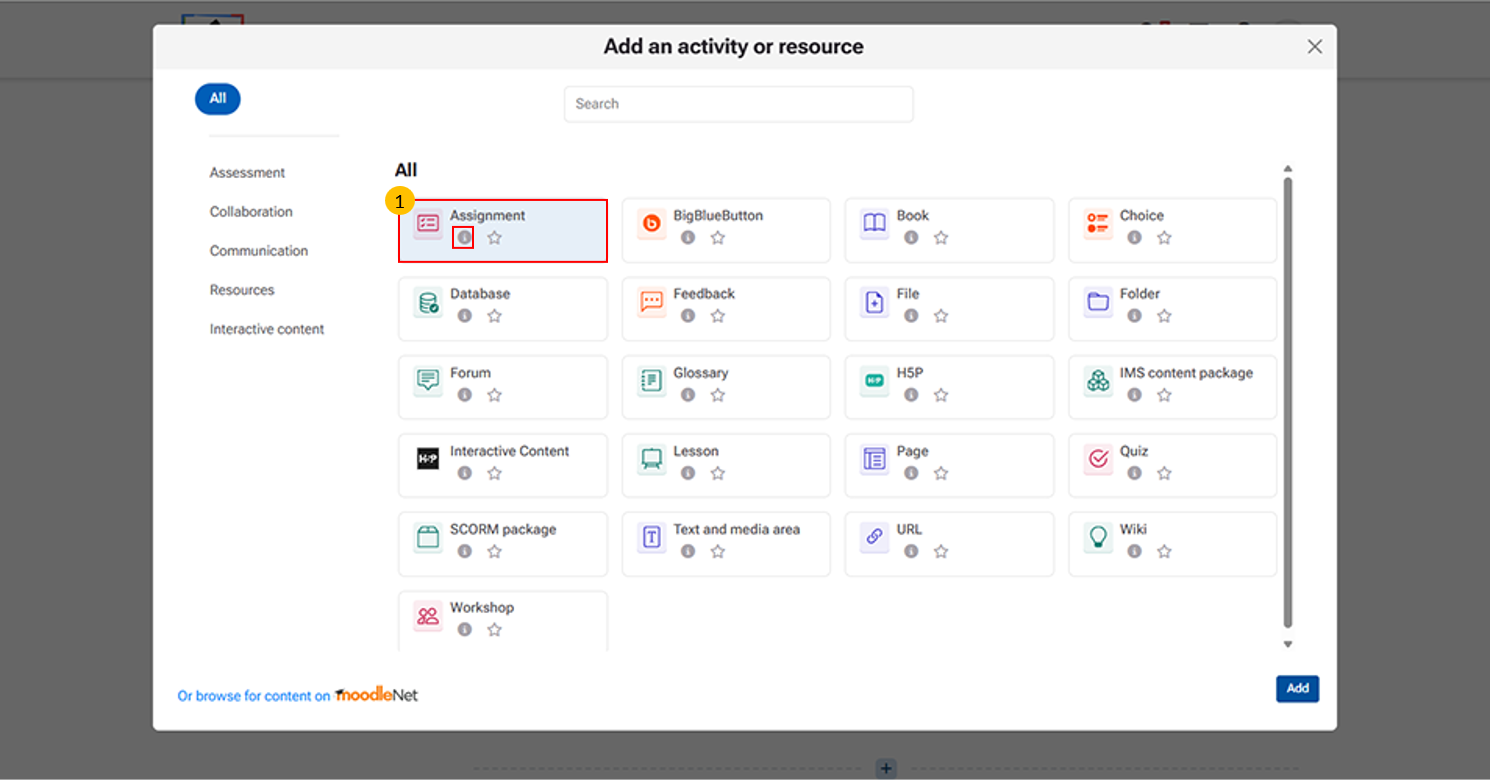
Assignment activity allows instructors to collect work from students, review it, and provide feedback.
“i” icon provides quick access to additional information about each activity or resource. It may include:
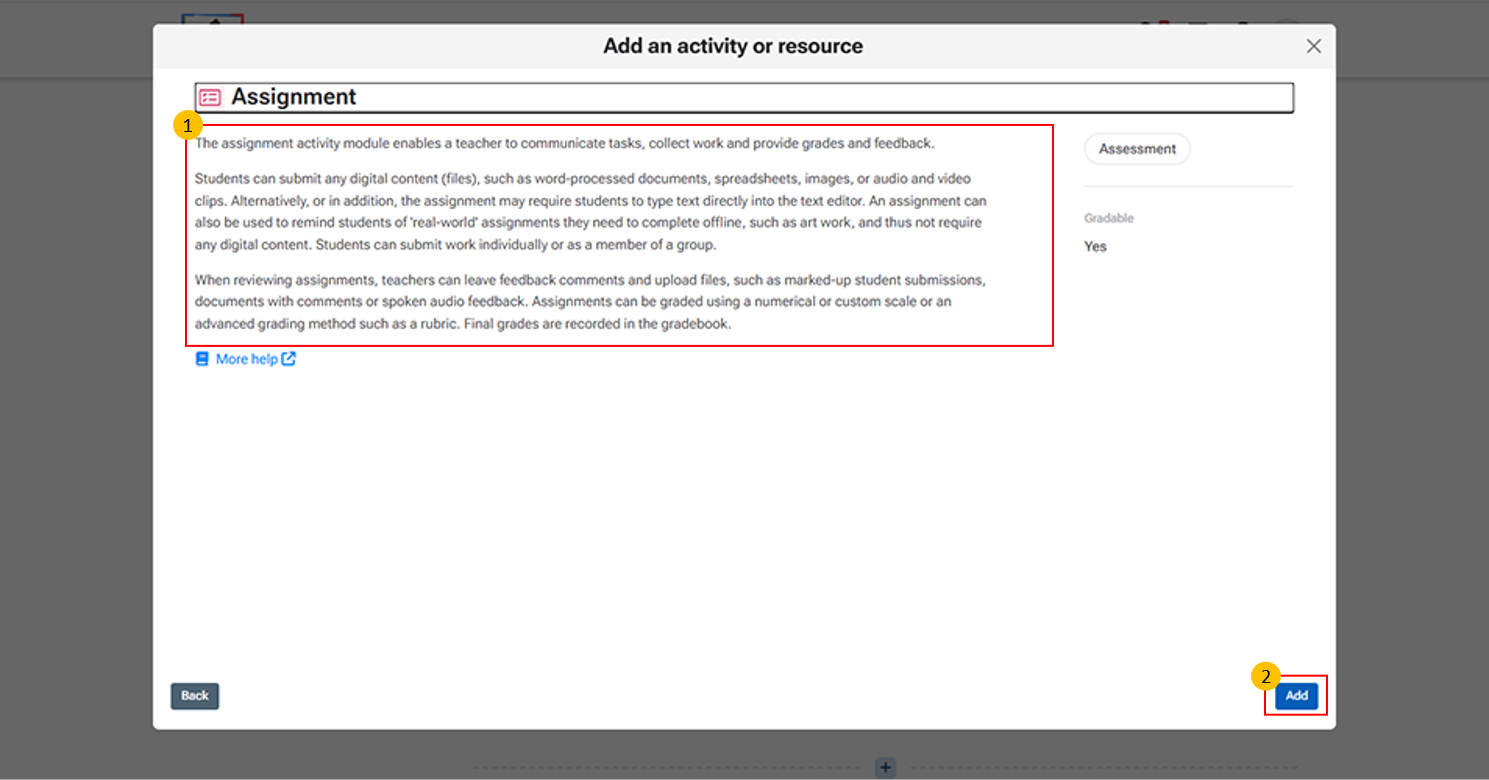
This section provides detailed information about the Assignment activity module in Moodle.
Add Button: This button is used to confirm the selection of an activity or resource and insert it into the course.
Click "More help" to open the official Moodle LMS help page with detailed information on the Assignment activity, including its features and settings.
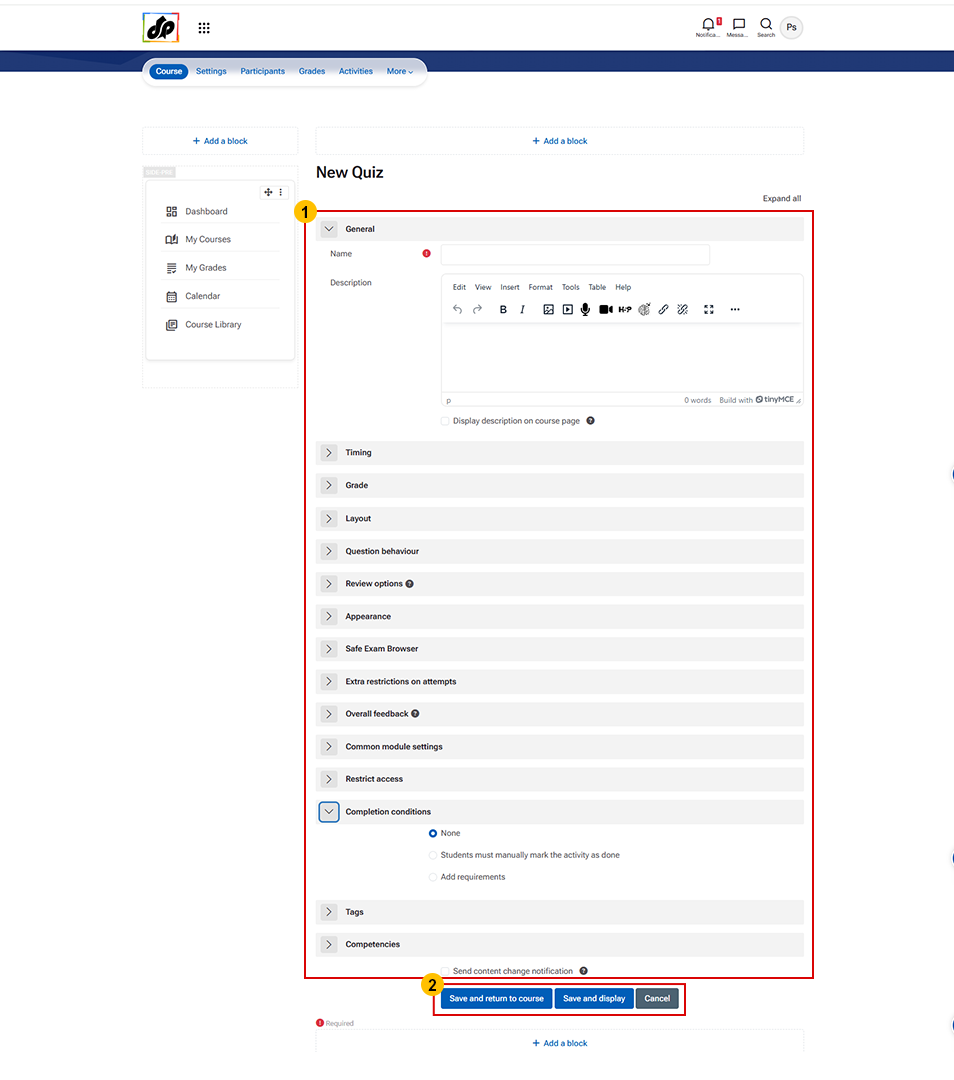
- Assignment Creation Form
- This section provides detailed information about the Assignment activity module in Moodle.
- This section is used to configure all assignment details.
- Enter the Assignment Name and add a Description or instructions.
- Use Additional Files to upload reference materials.
- Set Availability dates such as start date, due date, and cut-off date.
- Choose Submission Types (file upload, online text, etc.).
- Configure Submission settings, Feedback, and Grading options as required.
- You can also set Restrictions, Notifications, and Completion conditions.
- Save and return to course – Saves and goes back to the course page
- Save and display – Saves and opens the assignment
- Cancel – Discards changes