Teacher: User Manual
8. Adding Activities and Resources
8.6. SCORM Package
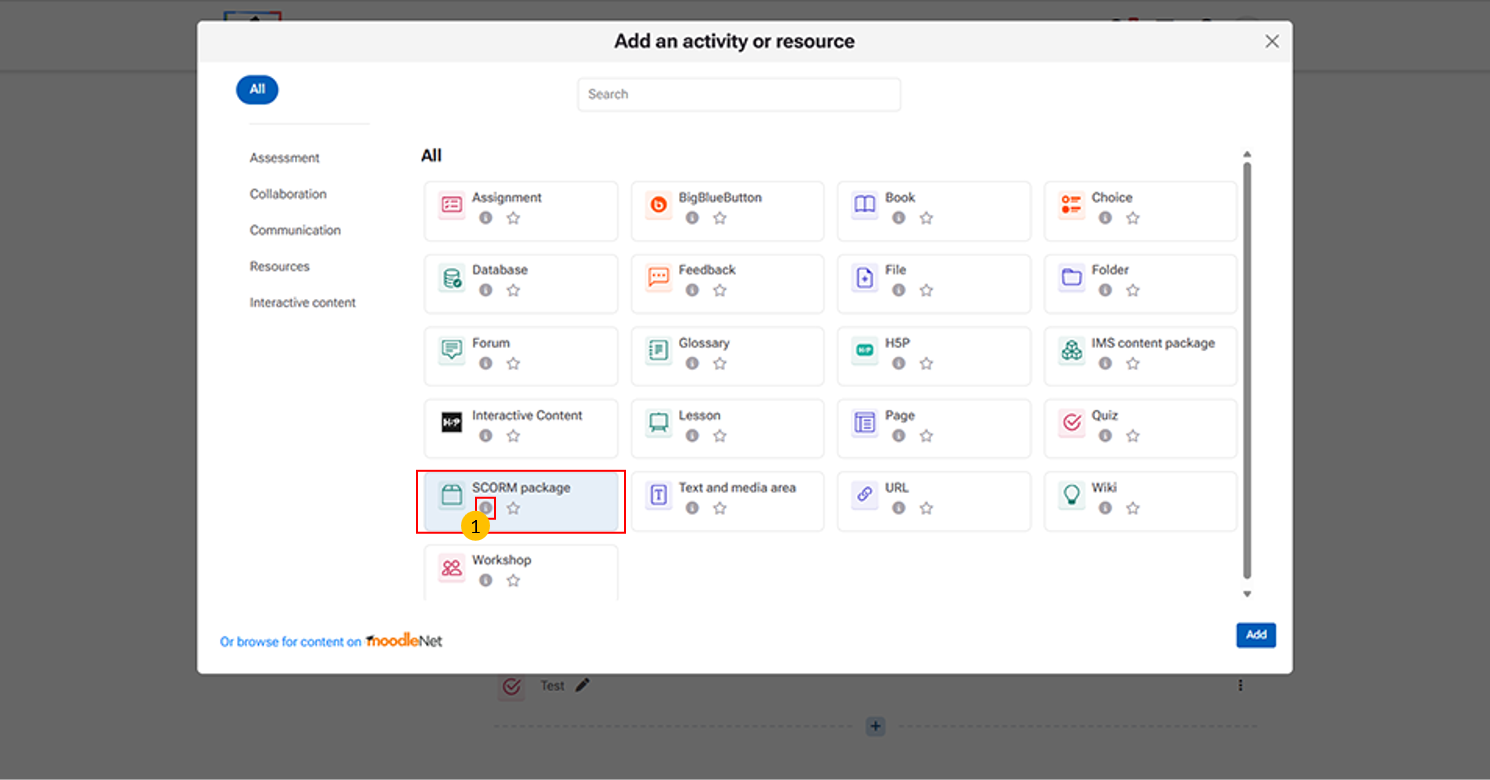
Allows teachers to upload and deliver standardized e-learning content (SCORM/AICC packages).
“i” icon provides quick access to additional information about the SCORM package activity.
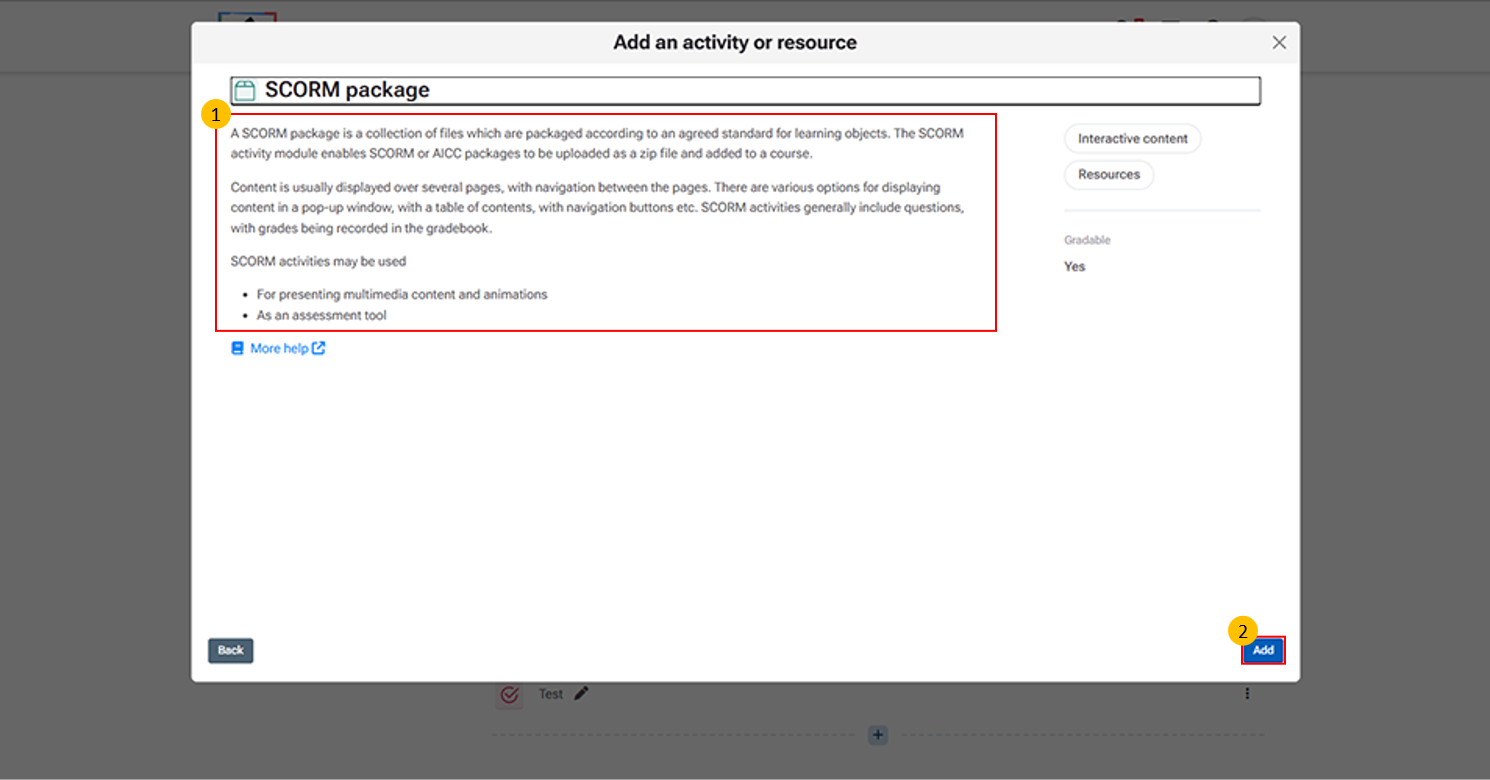
This page essentially shows the overview of SCORM functionality and provides the entry point for adding it into a course.
Add button → Confirms selection and opens configuration for uploading the SCORM file.
Click "More help" to open the official Moodle LMS help page with detailed information on the SCORM activity, including its features and settings.
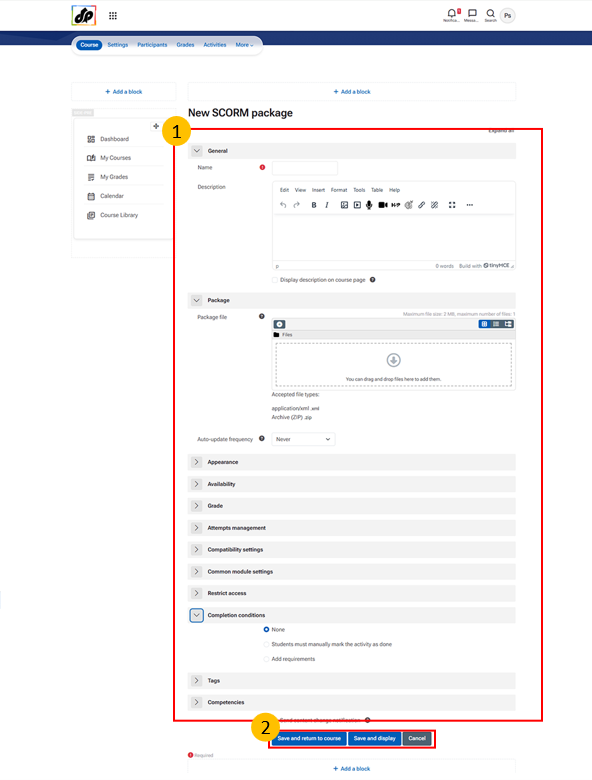
Steps for Creating a SCORM Package Activity
- Enter a Name → Title of the activity students will see.
- Add a Description → Provide instructions or context (optional).
- Upload Package File → Use Choose a file to upload the SCORM/AICC .zip package.
- Configure Settings → Adjust appearance, availability, compatibility, grading, and attempts.
- Set Completion Rules → Define activity completion and restrictions if needed.
- Add Tags/Competencies → Helps organize and link to learning outcomes.
- Save → Use Save and return to course or Save and display to finalize.