Teacher: User Manual
10. Grade
10.1. Grade Report
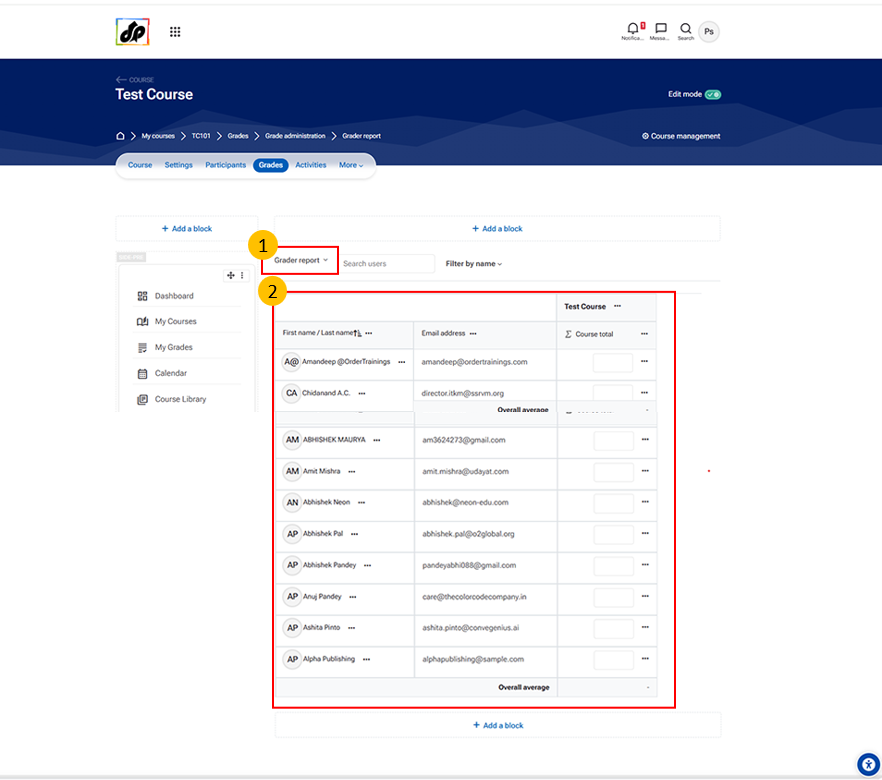
- Grader Report Tab
- The Grader Report allows teachers to view and manage student grades in a tabular format.
-
It displays:
- List of students (rows)
- Grade items like assignments, quizzes (columns)
-
This is the default and most commonly used grading interface.
- Student Grades Table
- This section shows a complete overview of grades for all students.
- Key elements:
- Student Name Column
- Displays enrolled students in the course
- Grade Columns
- Each column represents an activity (Assignment, Quiz, etc.)
- Shows marks obtained by each student
- Editable Fields
- Teachers can enter or update grades directly
- Course Total Column
- Displays the overall grade of each student
- Student Name Column