Course Creation on KnowxBox: User Manual
4. Completion Settings for Quiz
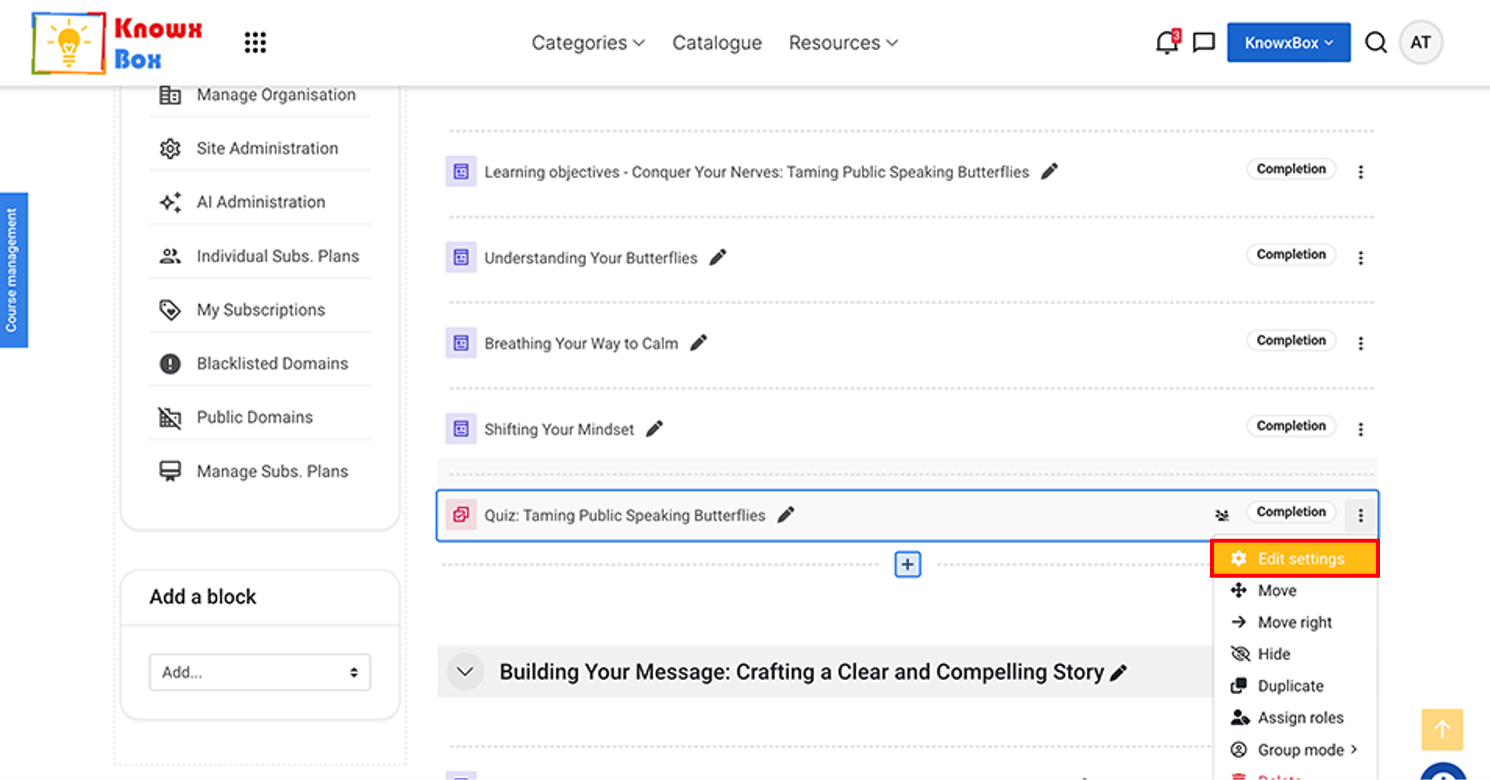
Click on three dots then Edit setting.
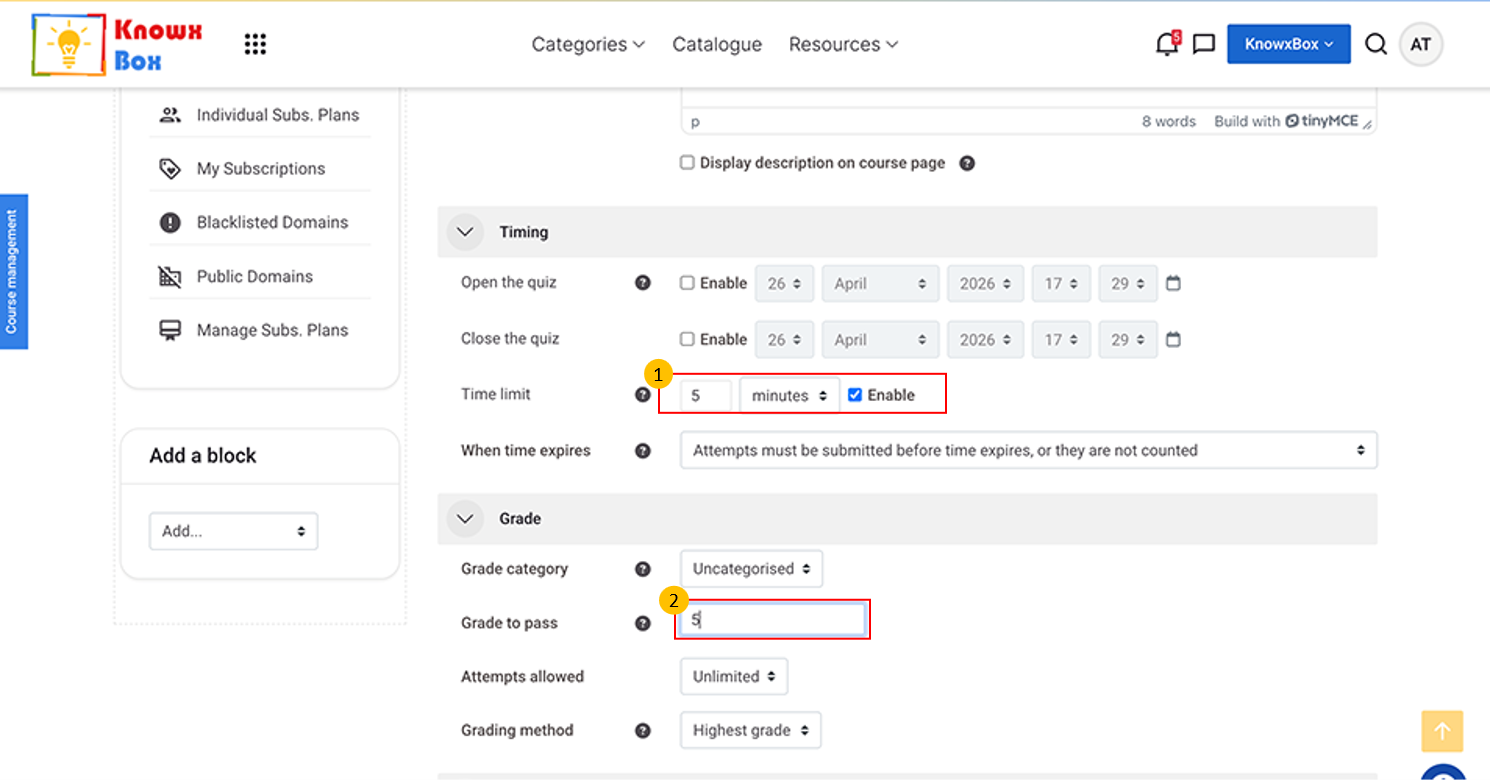
Click on Timing, set the quiz time limit from dropdown to 5 minutes then check Enable.
Click the “Grade” dropdown and set the passing grade to 5.
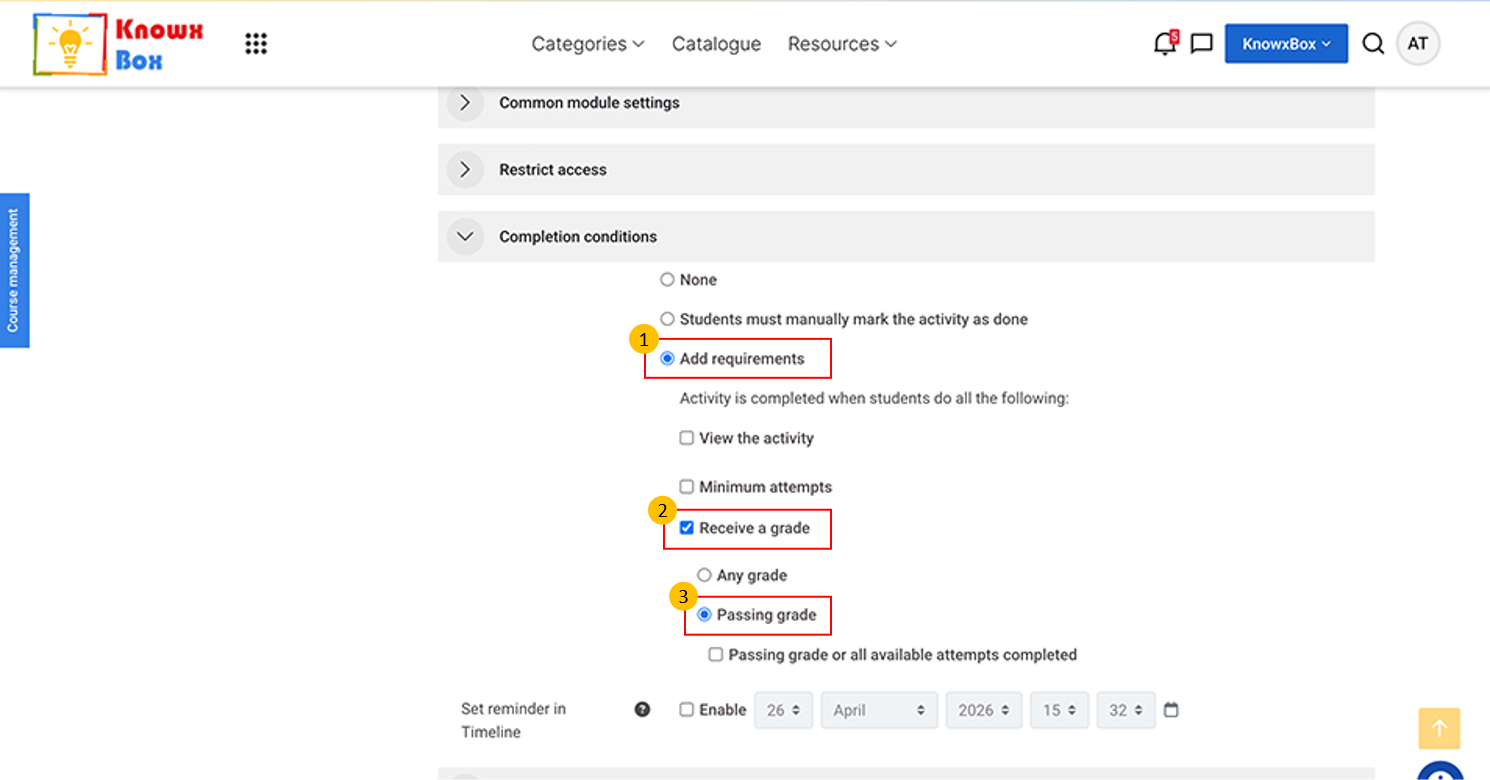
Click on Completion conditions
Select Add Requirements -> Receive a grade -> Passing Grade.
Fix this setting to all quiz activities.
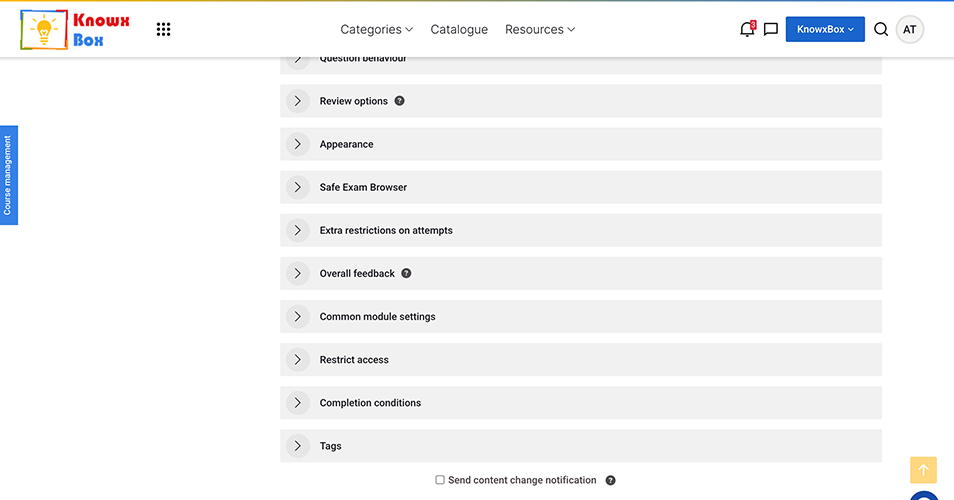
Click on Save and display.