Course Creation on KnowxBox: User Manual
6. Setting up Restriction Access to each Topic
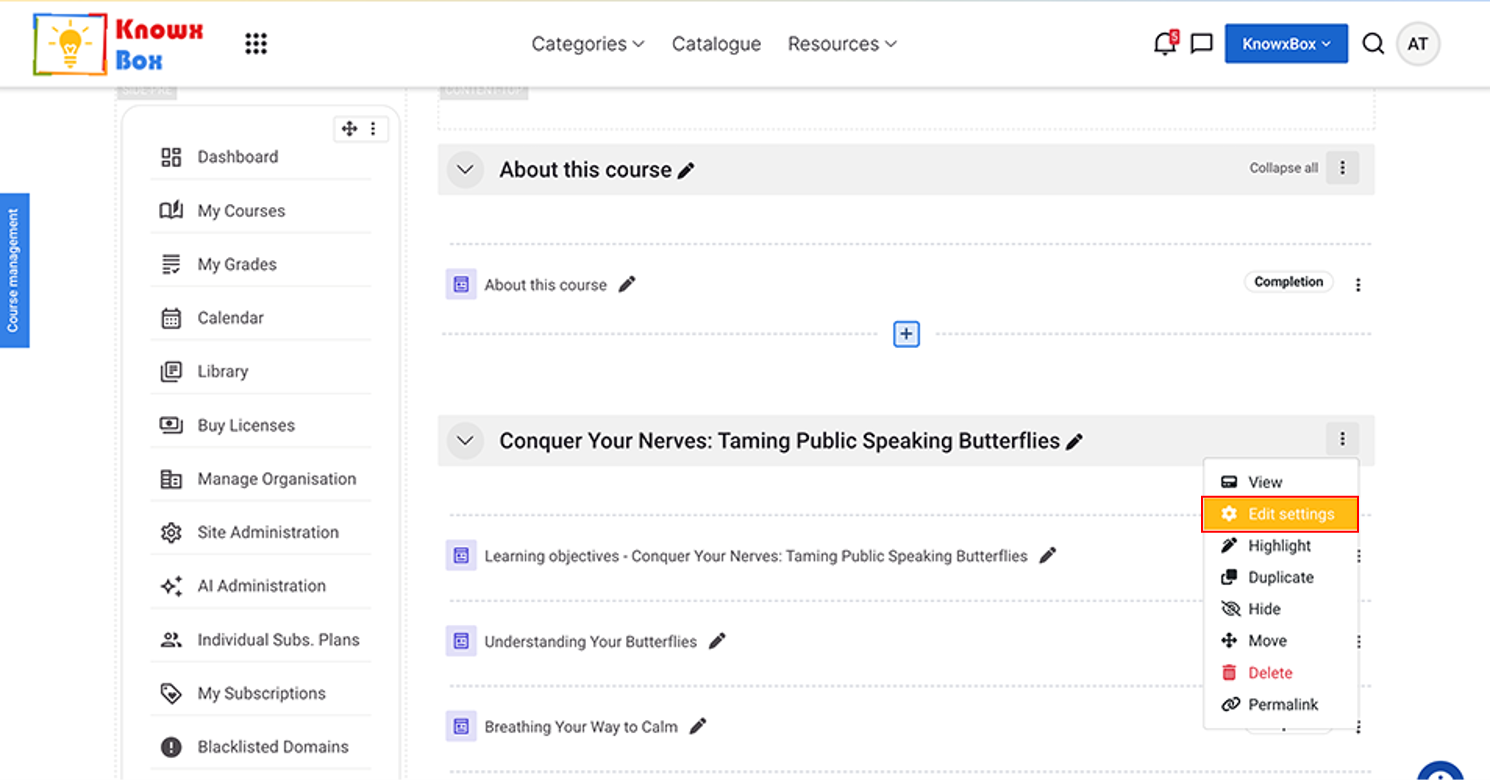
Go to the course, select the topic and click on Edit setting.
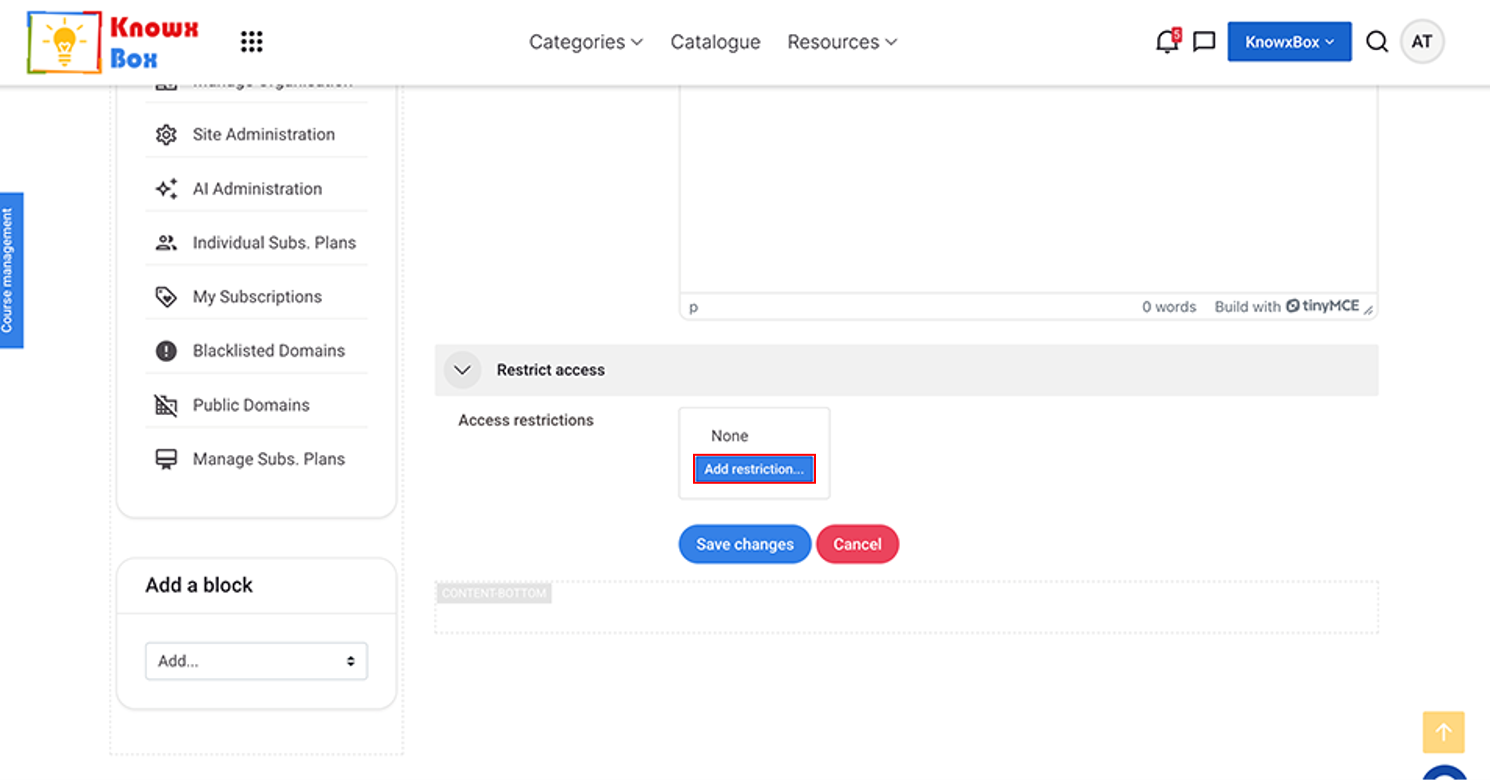
Select Restriction Access dropdown and Click Add Restriction.
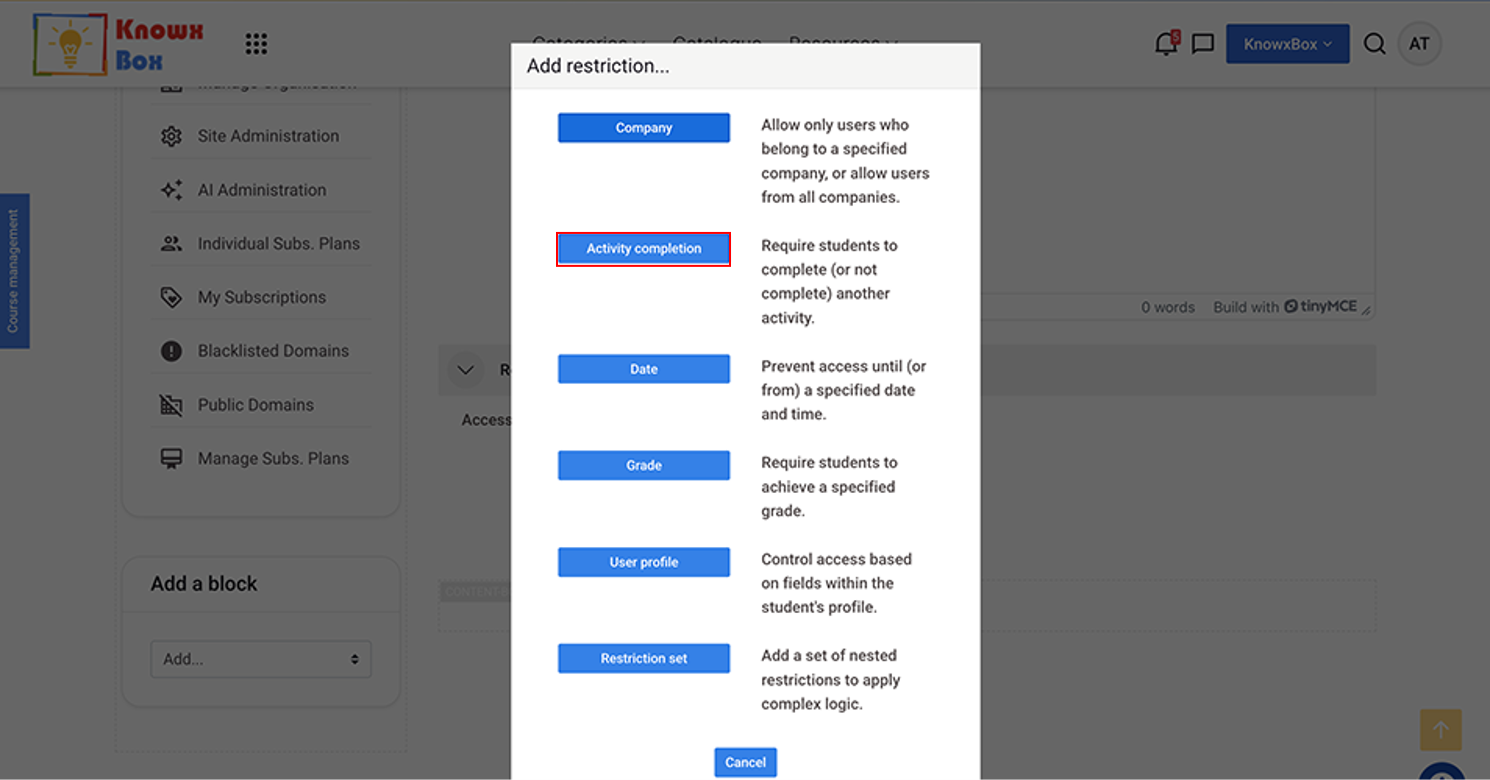
Click Activity Completion.
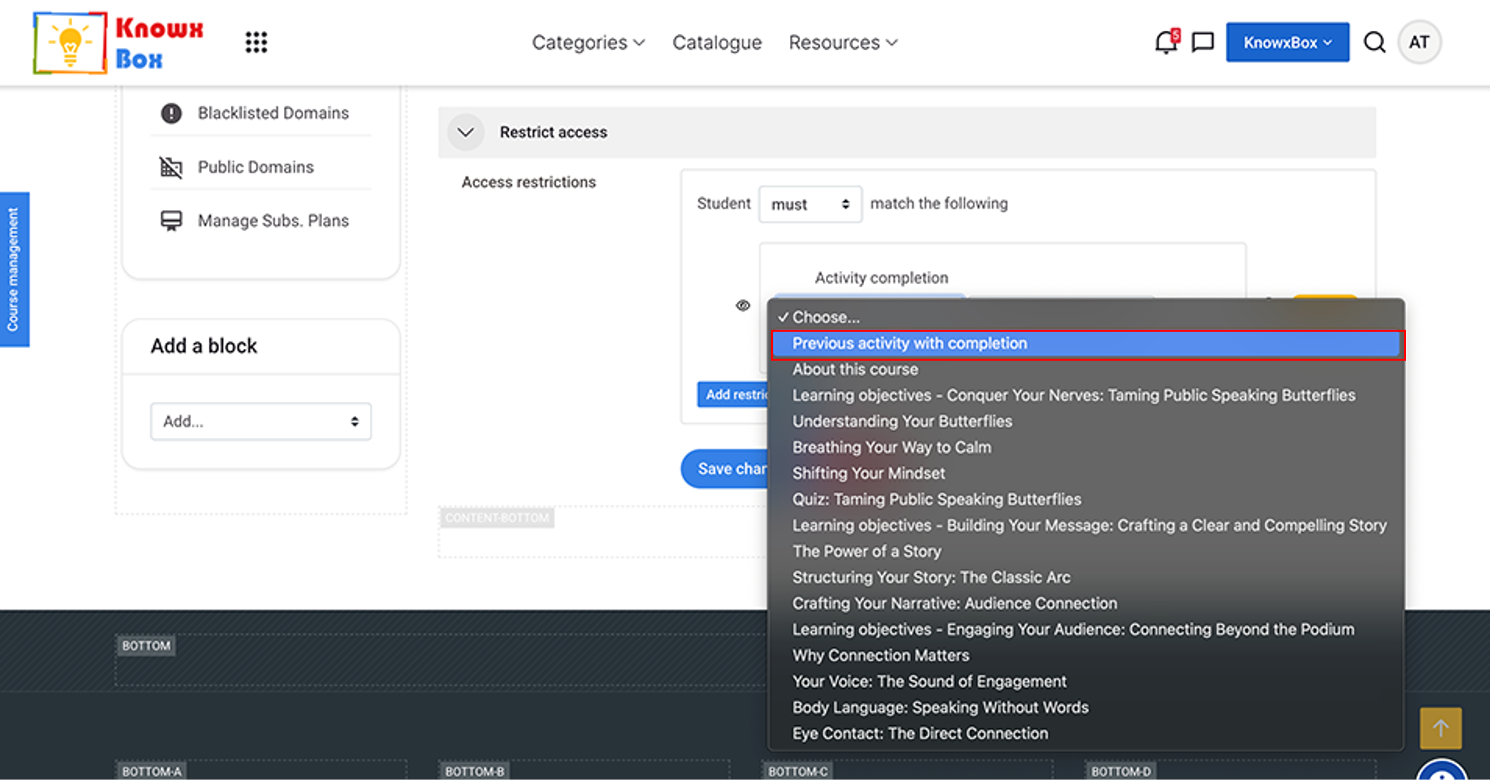
Click on choose dropdown and Select Previous Activity with Completion.
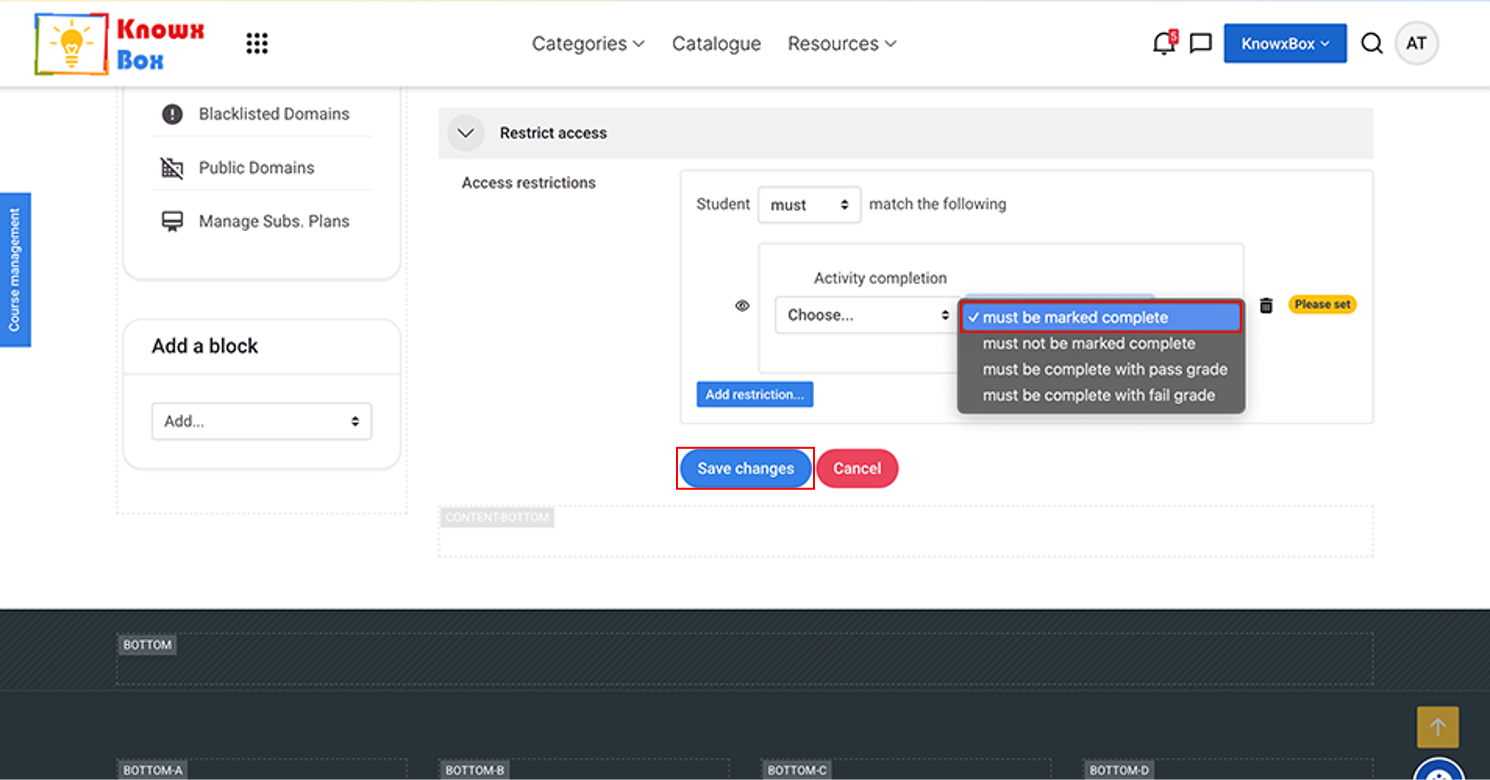
Previous activity with completion must be marked complete.
Click Save changes and return to the course.