Course Creation on KnowxBox: User Manual
5. Add Teacher to a Course
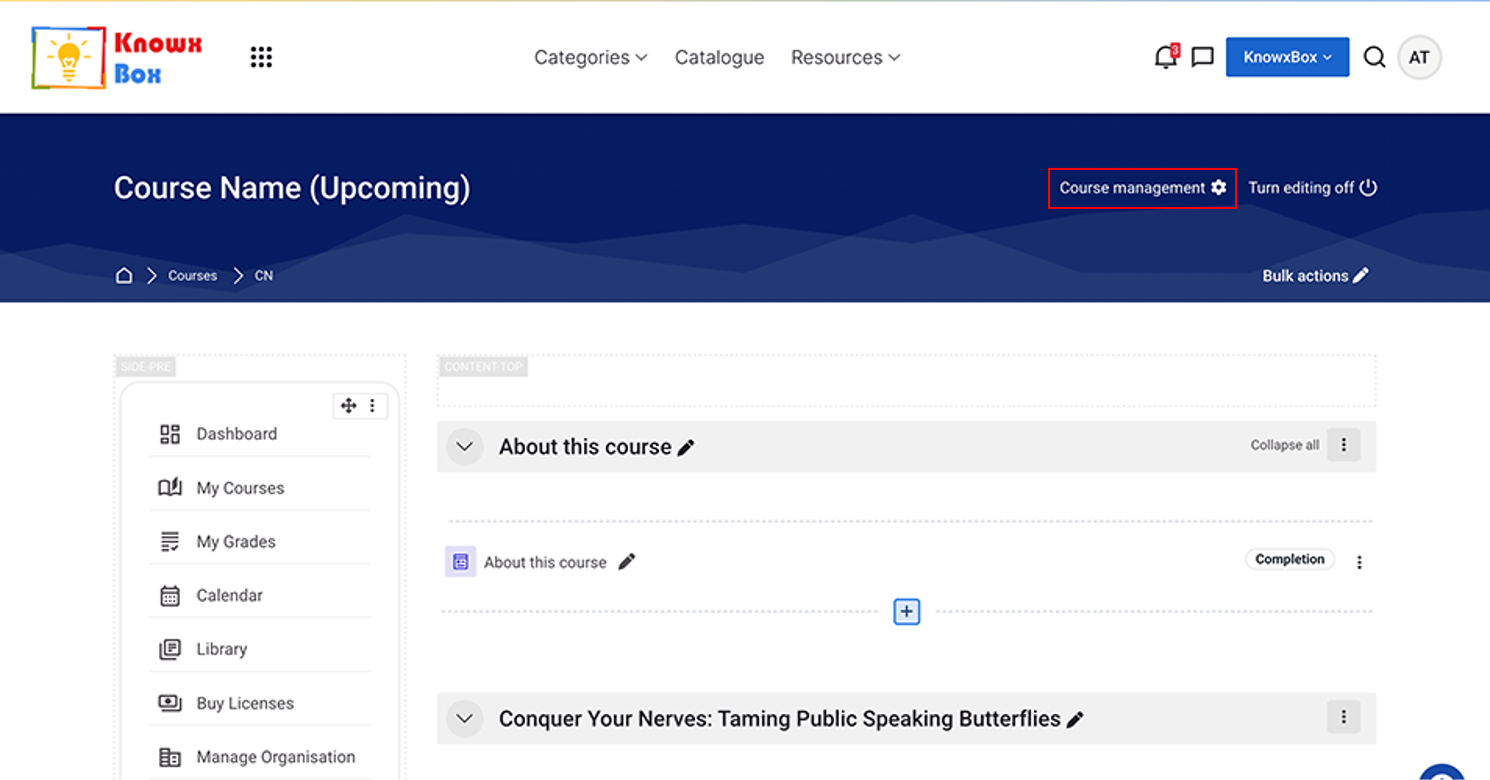
Click on Course Management.
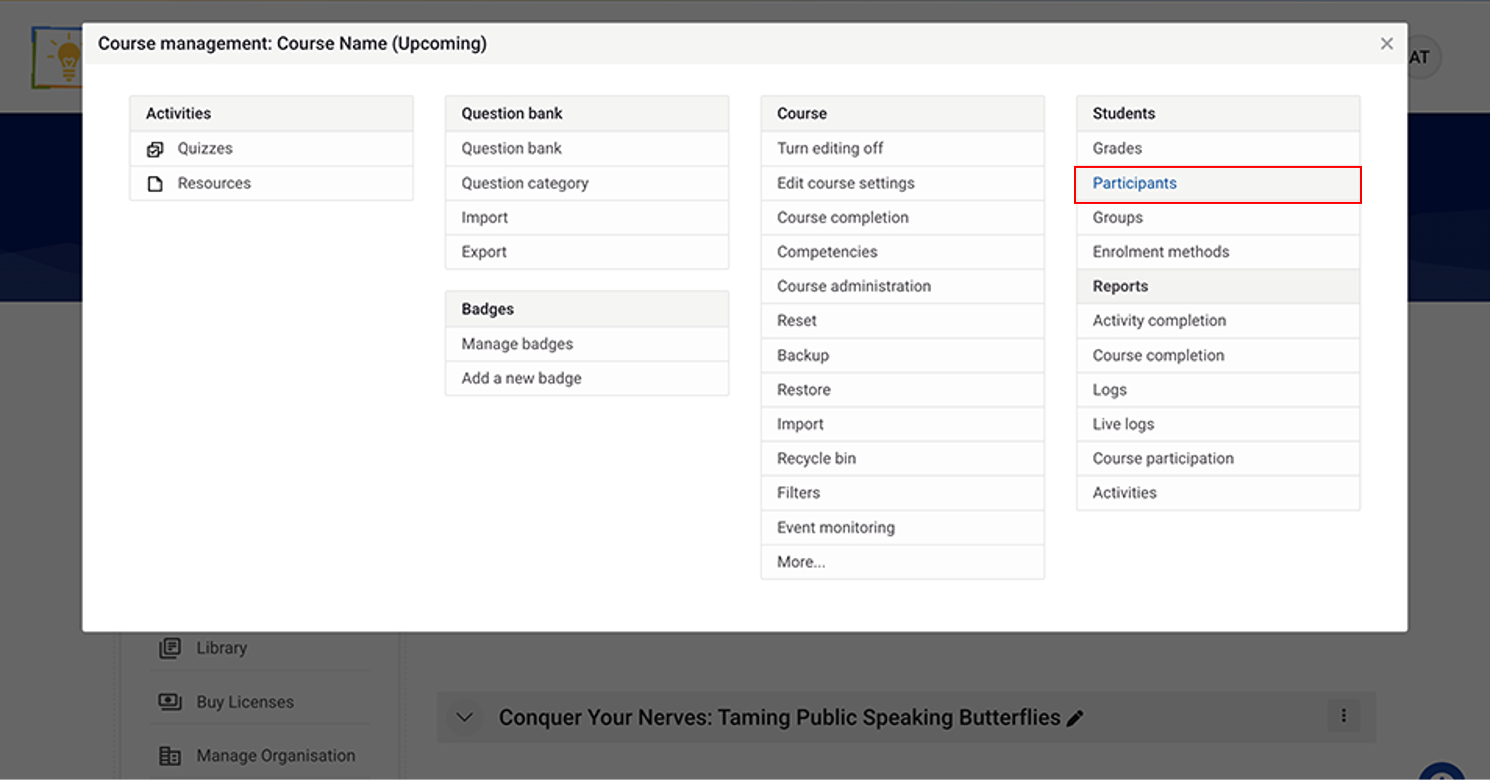
Click Participants.
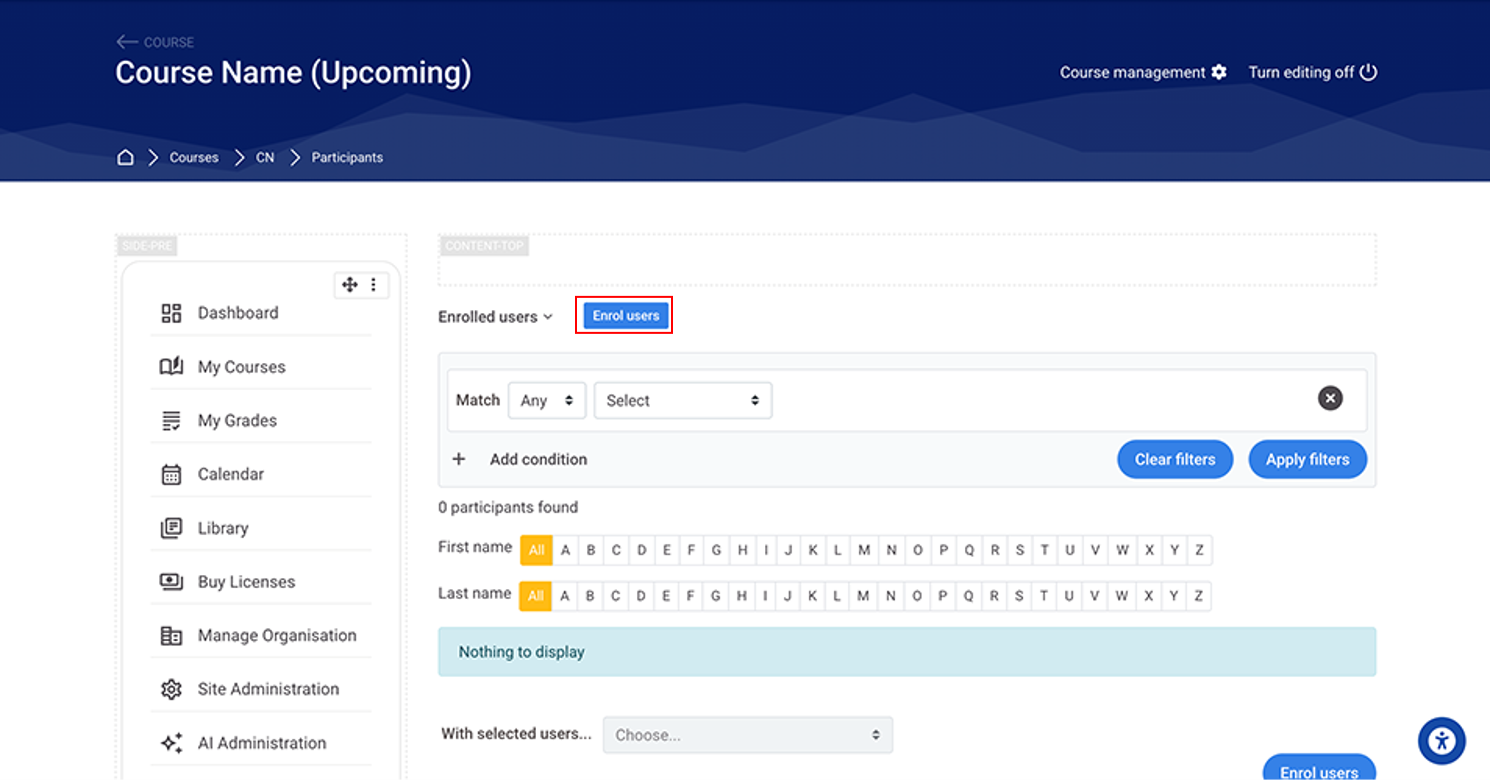
Now, enroll the User.
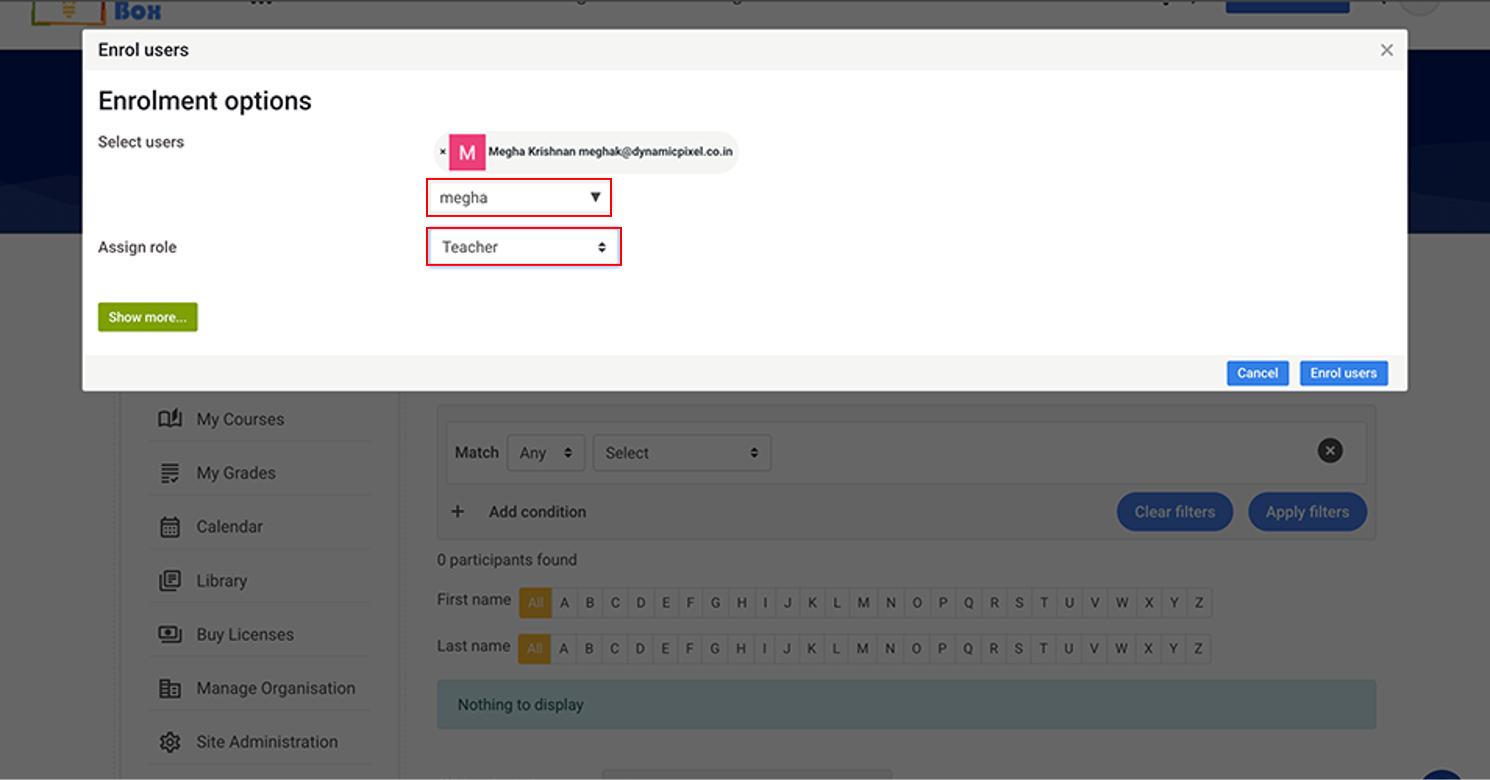
Select the user, assign the Teacher Role and click on Enrol users.
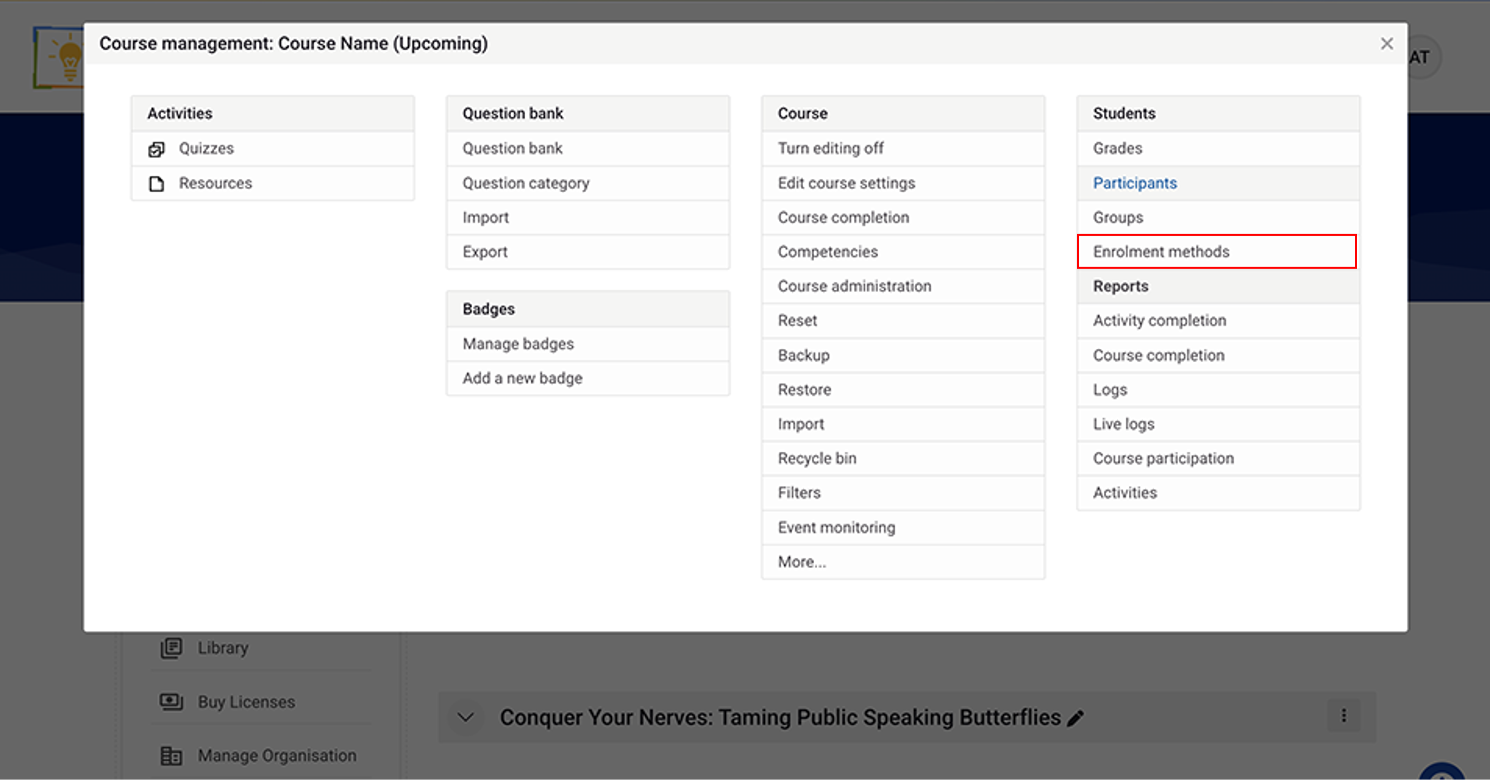
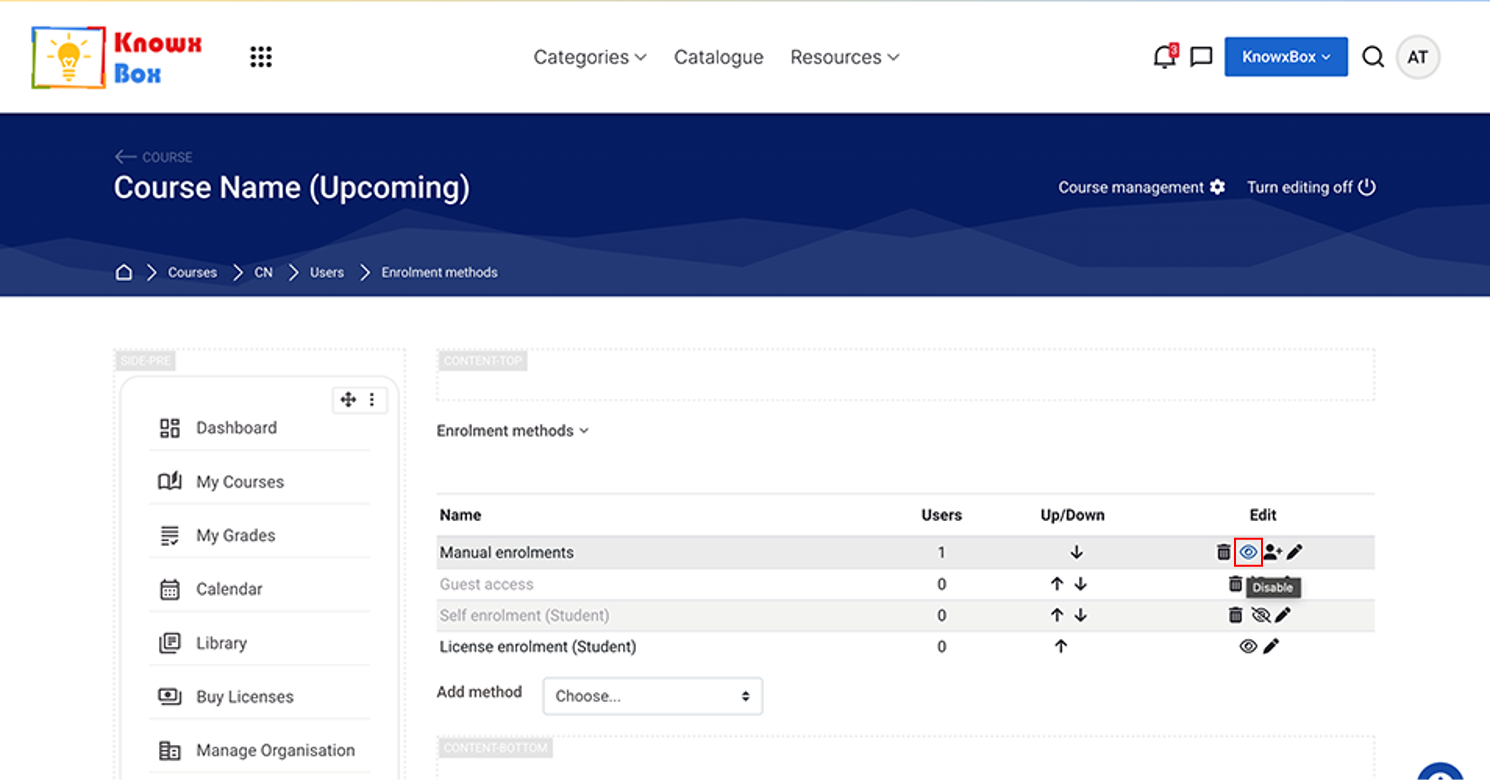
Click on Enrolment methods
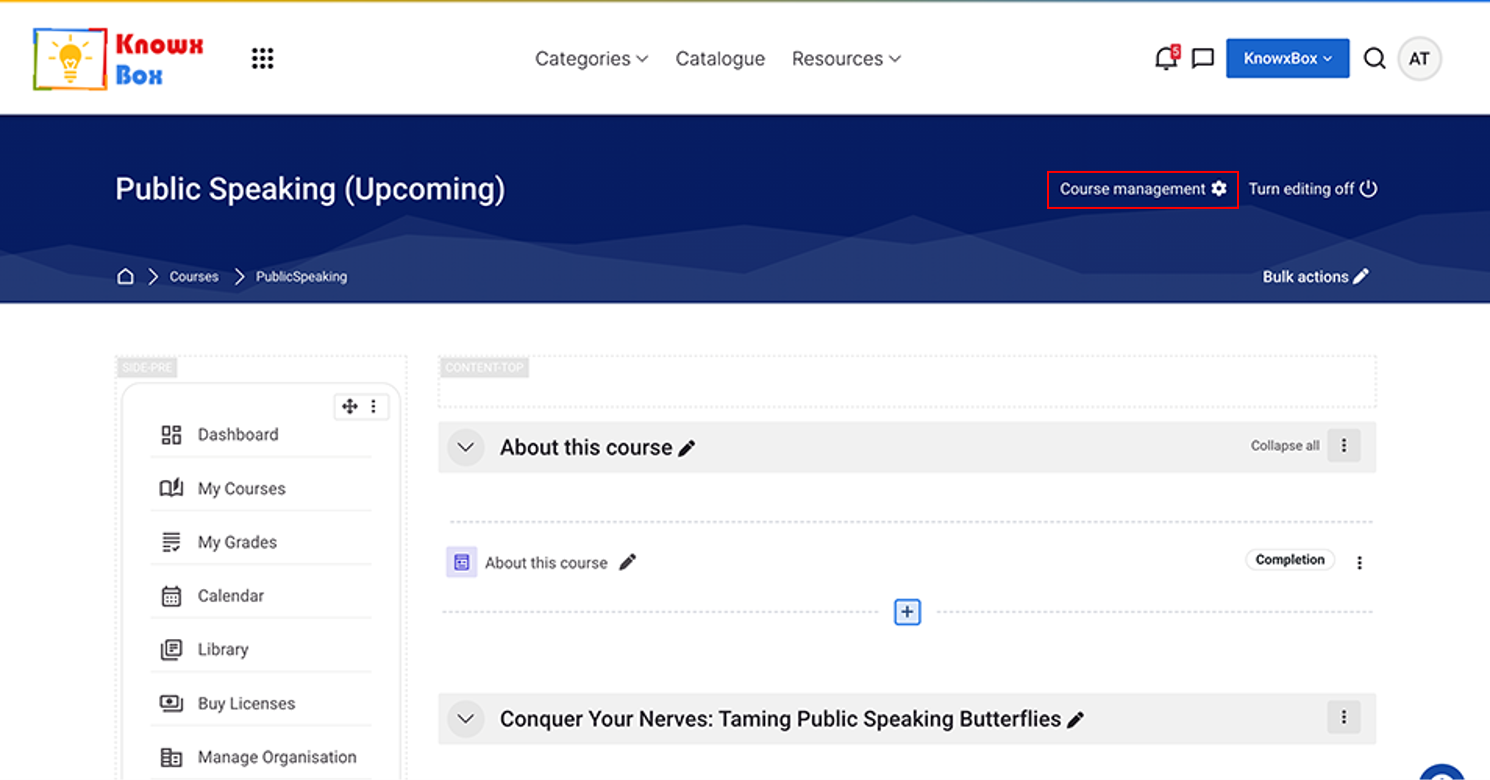
Click on Course Management
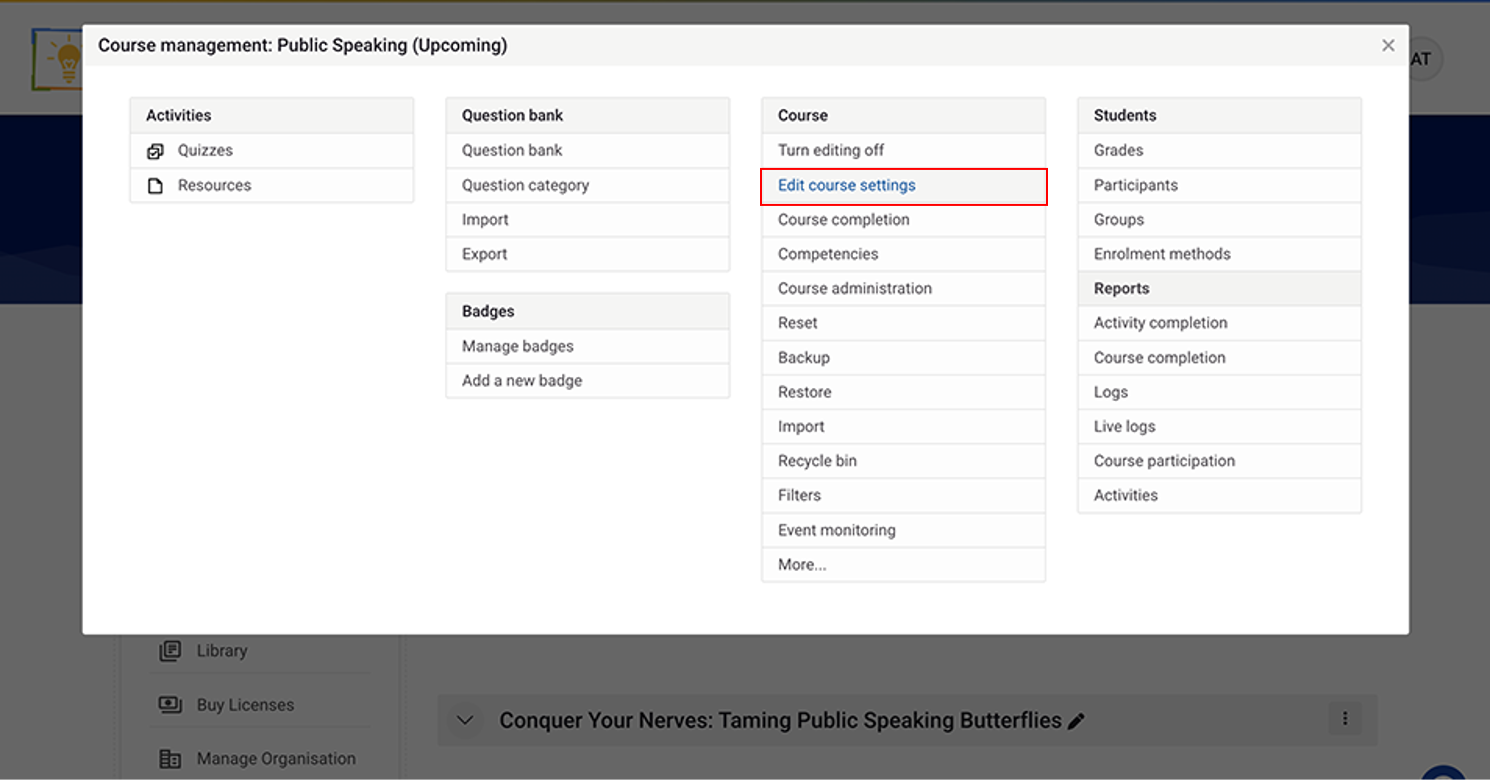
Now, click on Edit course setting.
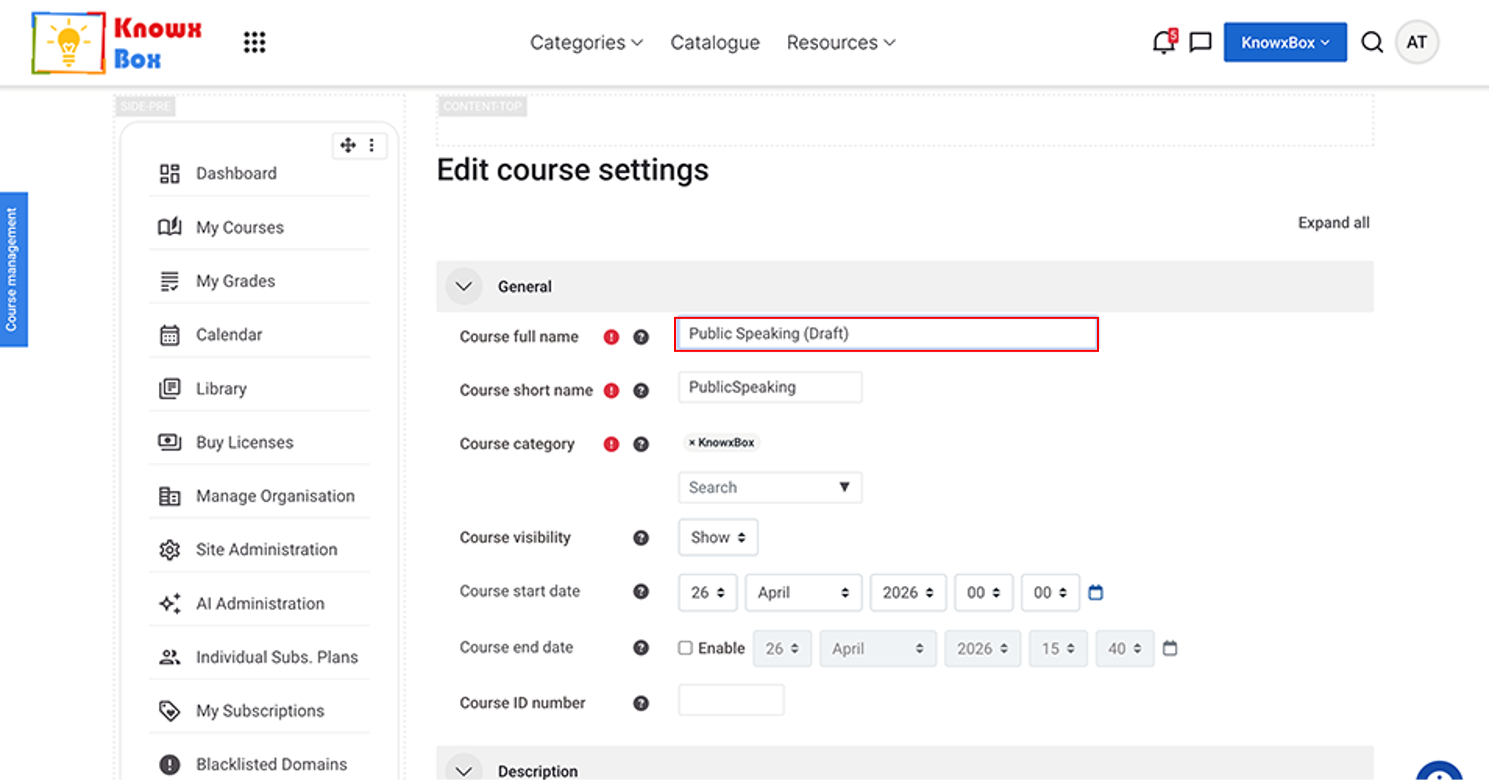
Change the status of the course to Draft.
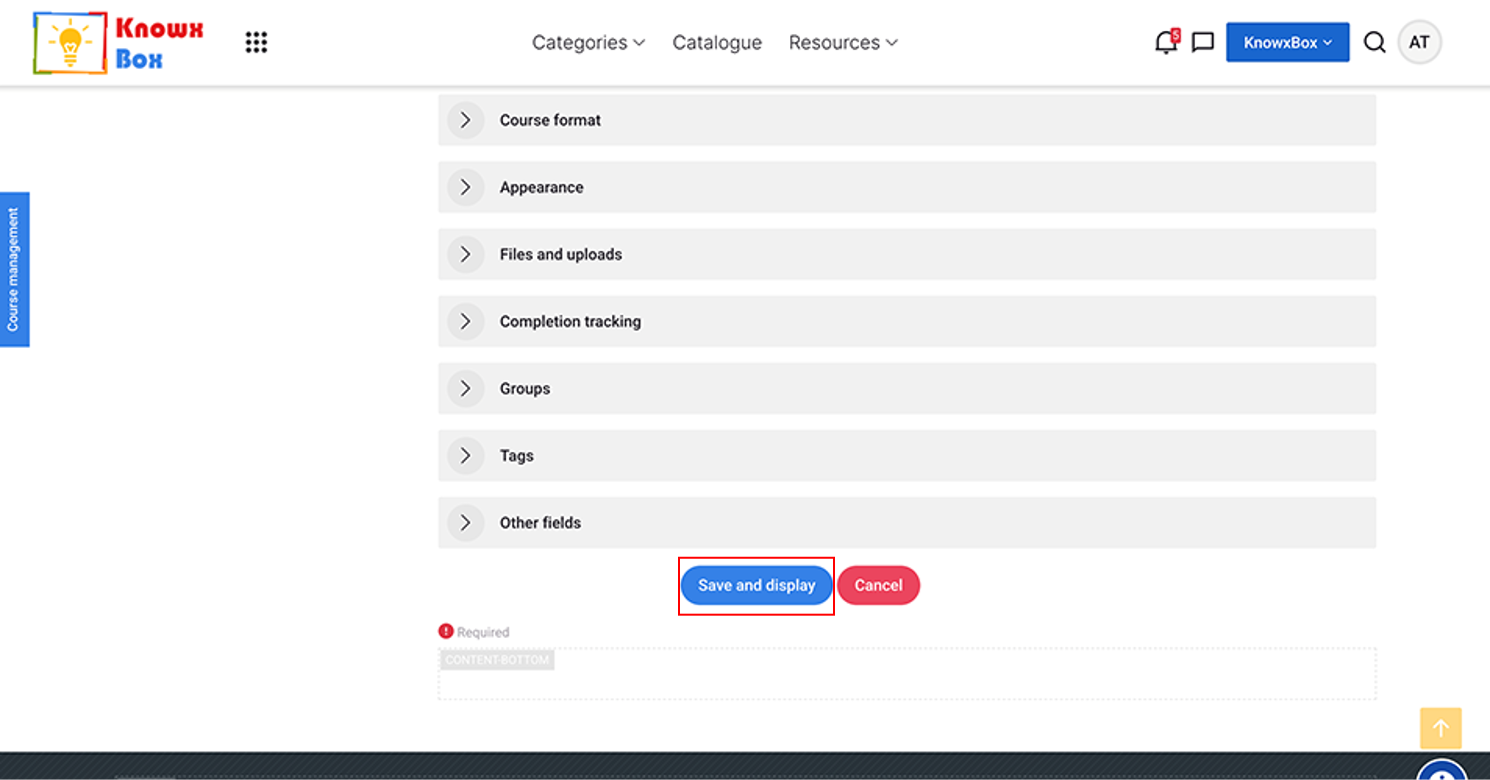
Click Save and display