Course Creation on KnowxBox: User Manual
10. Course Enrolment Options before Go-Live
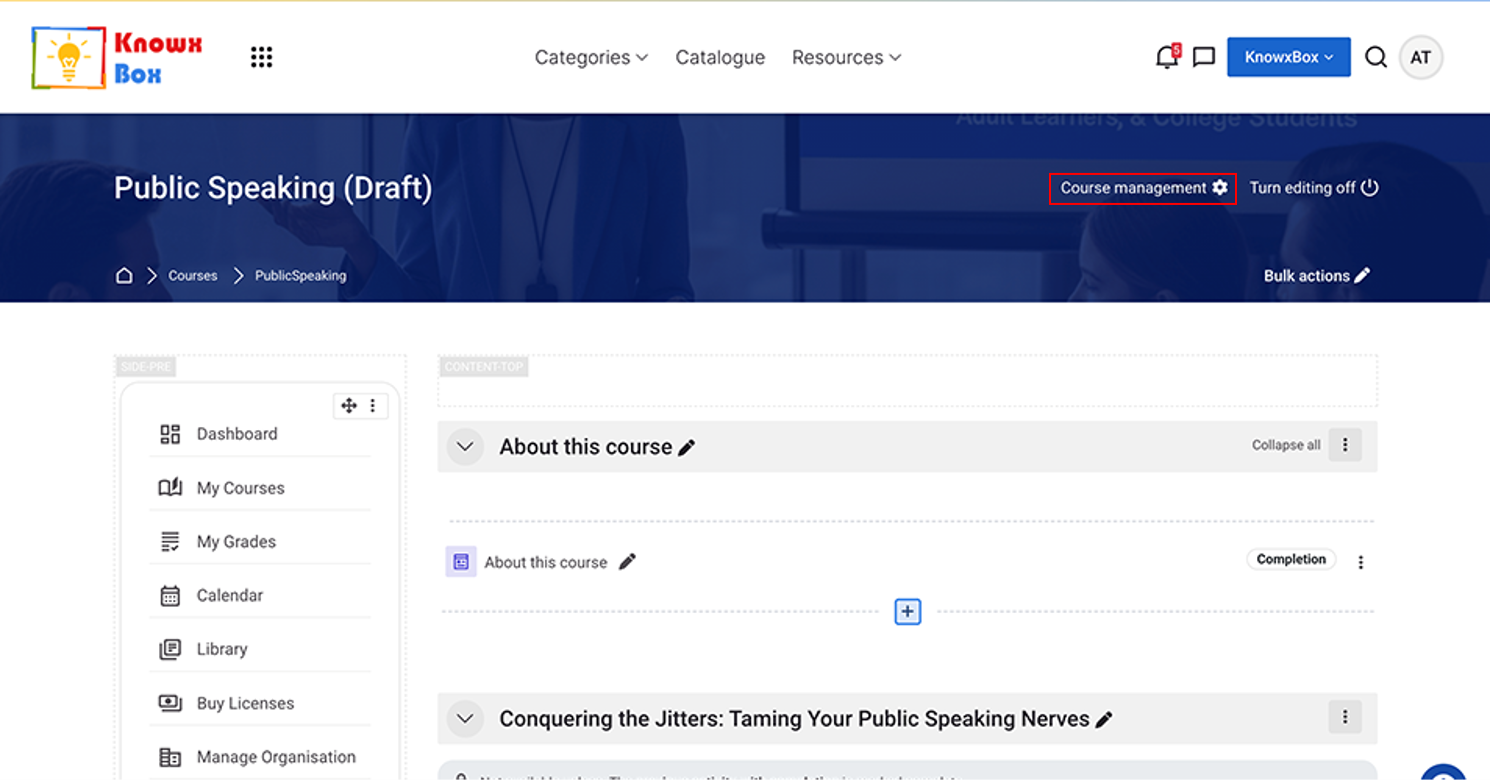
Click on Course management.
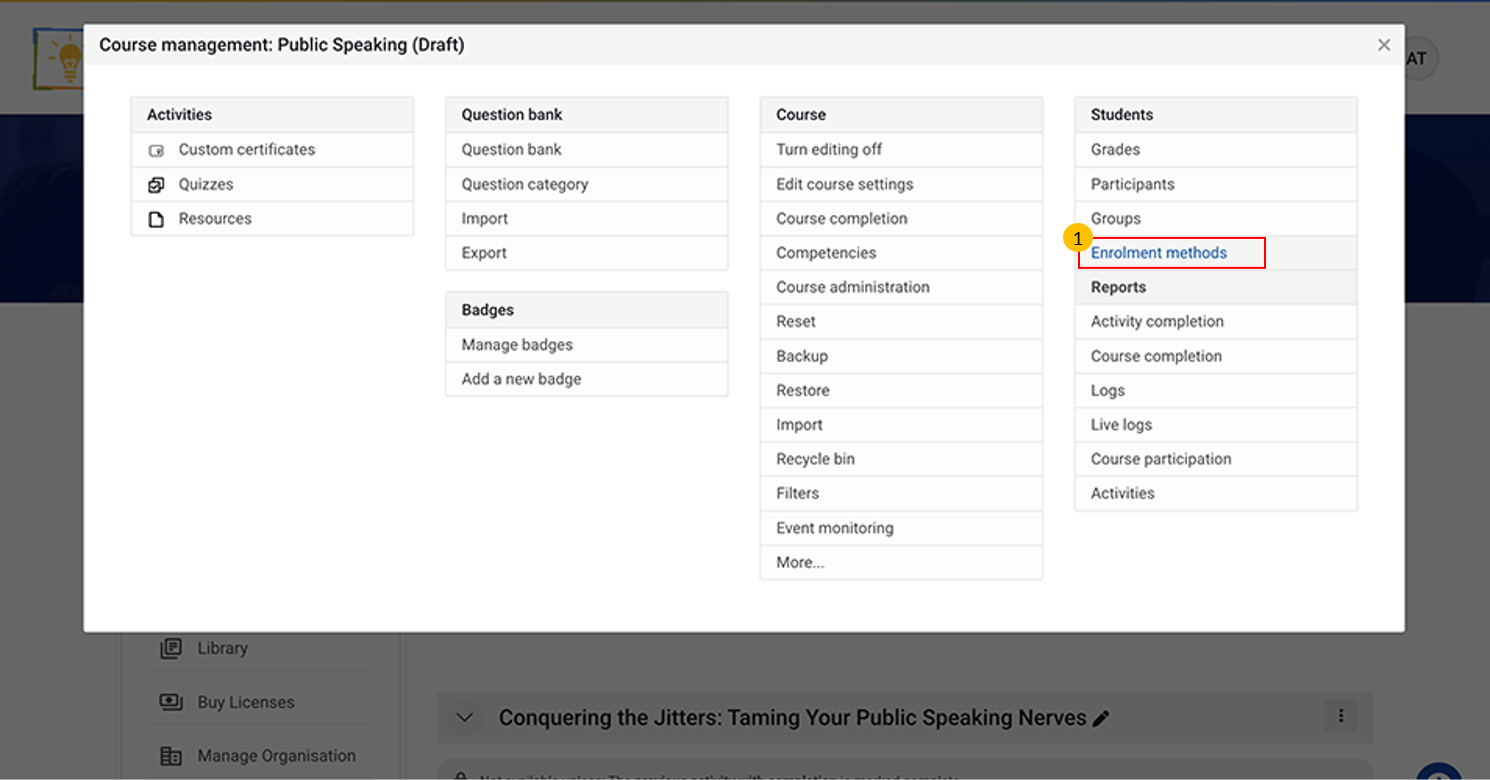
Click on Enrolment methods.
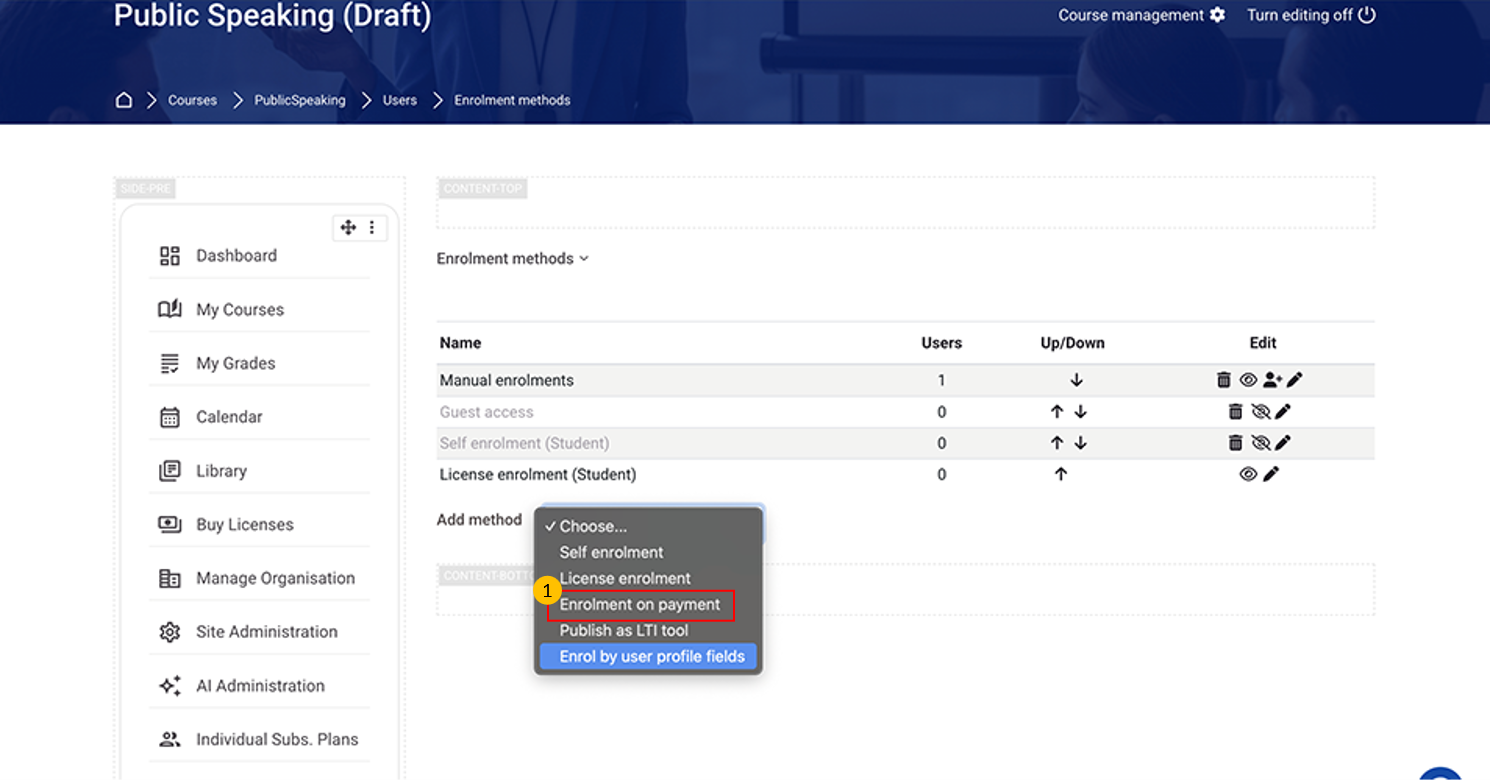
Select Enrolment on payment from dropdown.
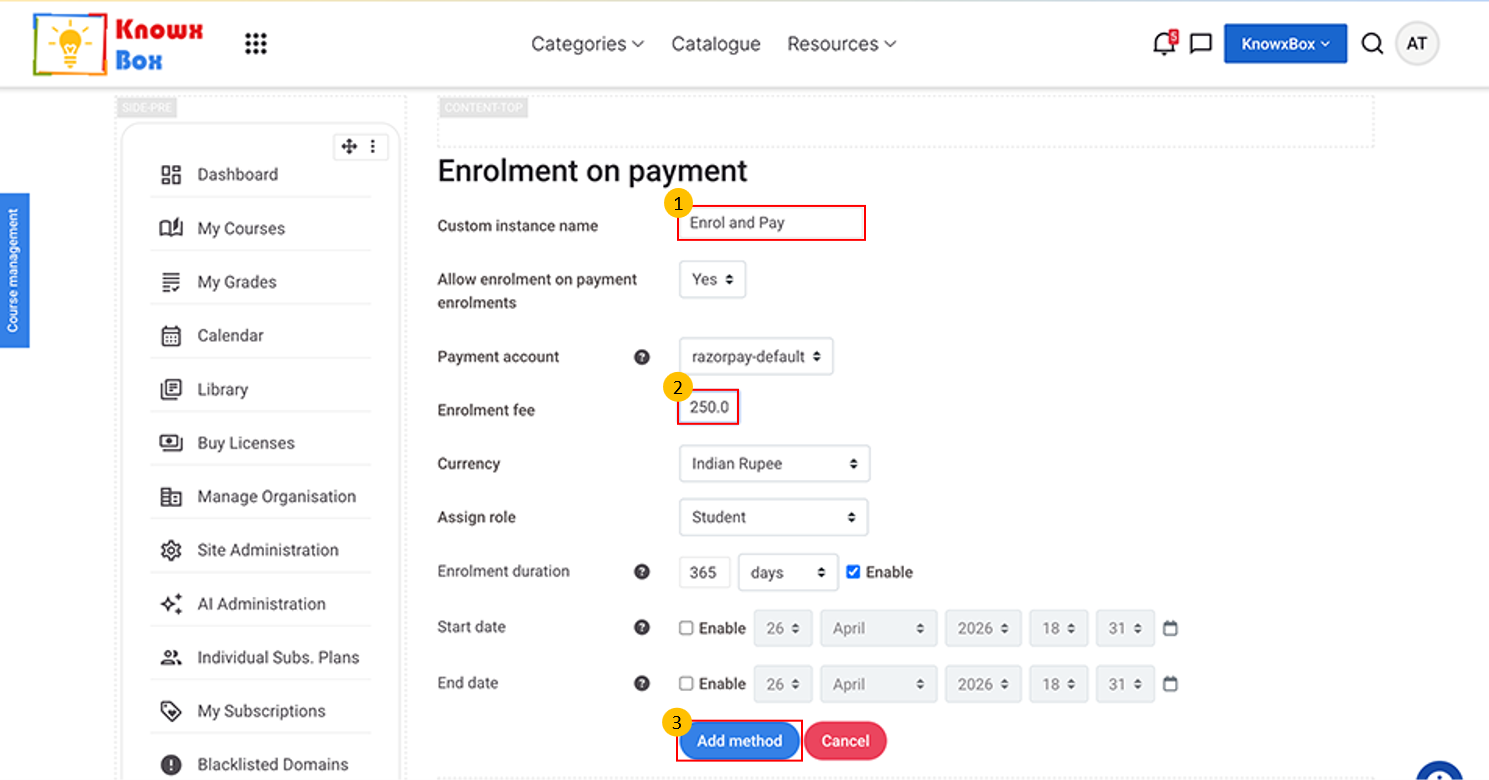
Fill the Custom instance name and Enrolment fee then click on Add method.
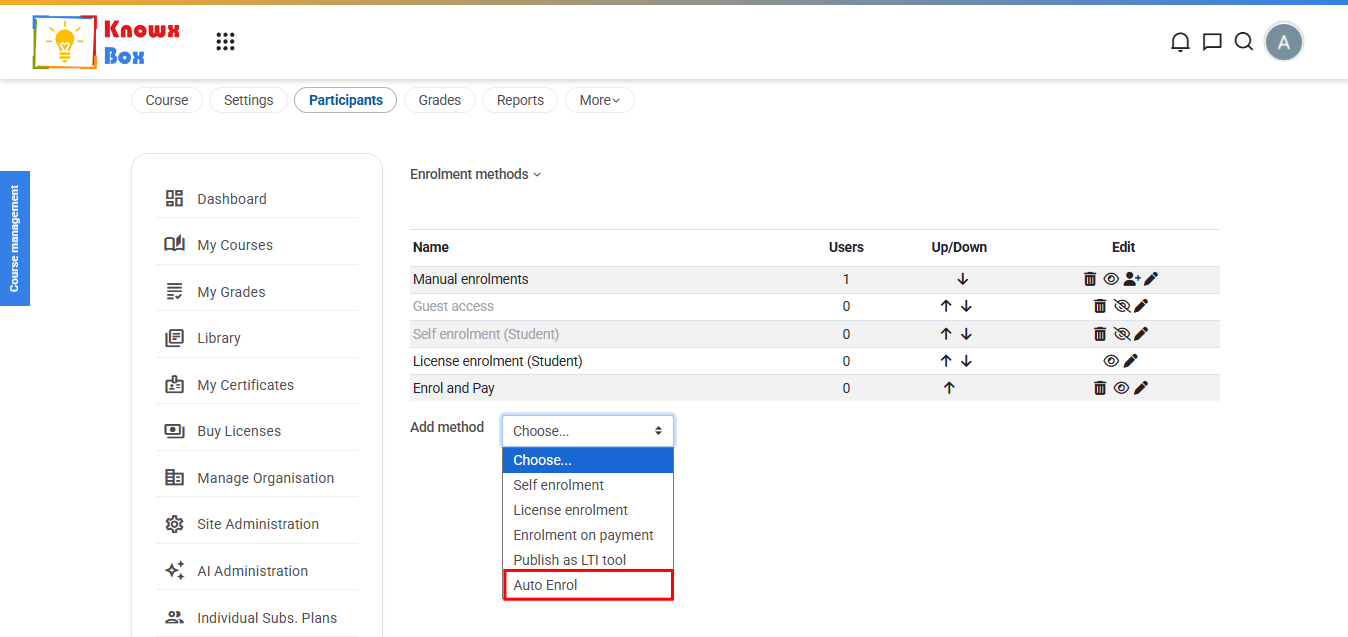
You can also select Auto Enrol option from add method dropdown.
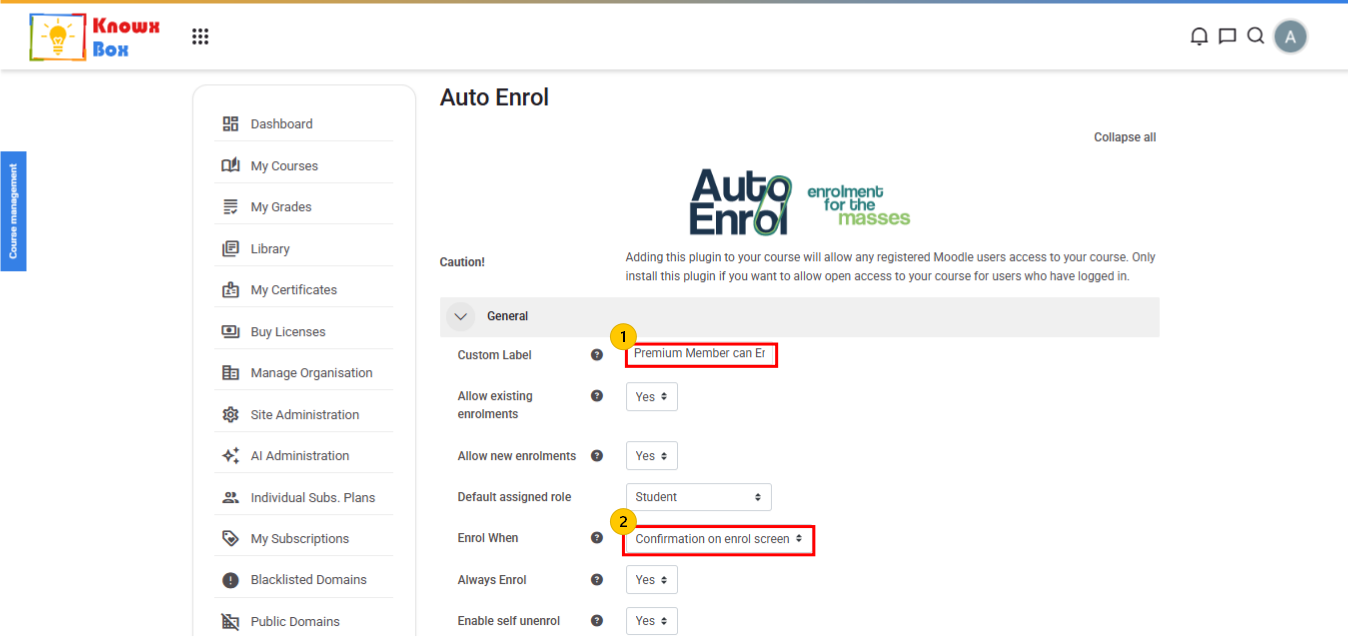
- Add Custom Label for Auto Enrol method.
- Set Enrol When to Confirmation on Enrol Screen.
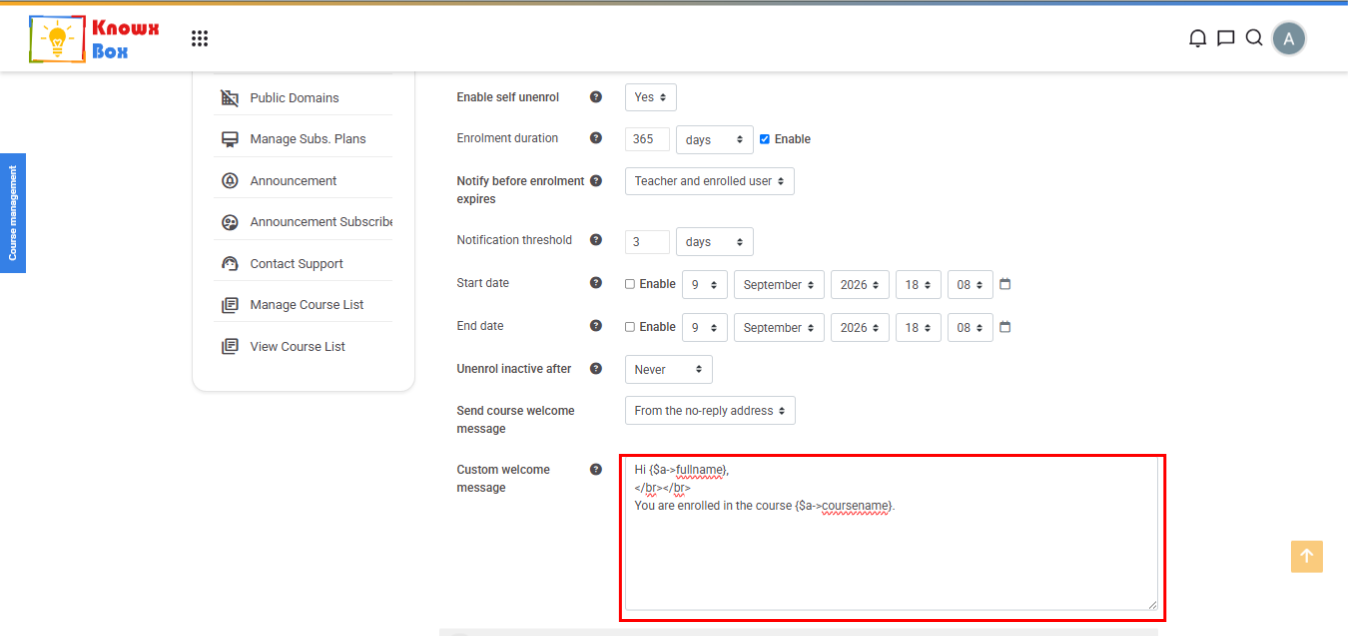
Provide Custom Welcome Message for the users.
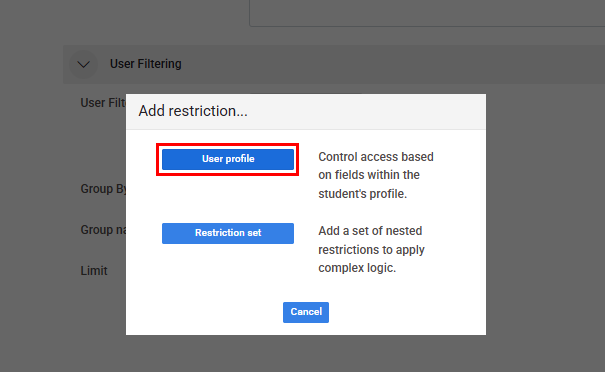
In User Filtering Field, add restriction in User Profile.
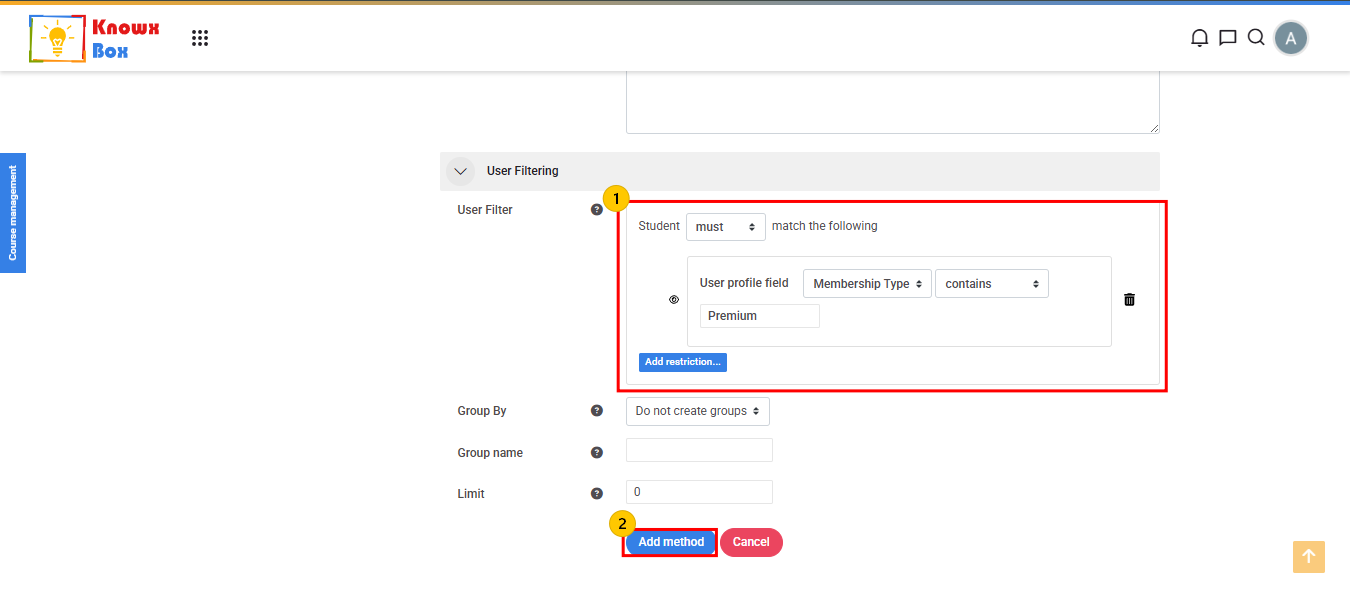
- Set the required restrictions for Premium Users.
- After setting up restriction, click on Add Method.