HACC Gen working in Moodle LMS
2. Creating Course Content using HACC Gen.
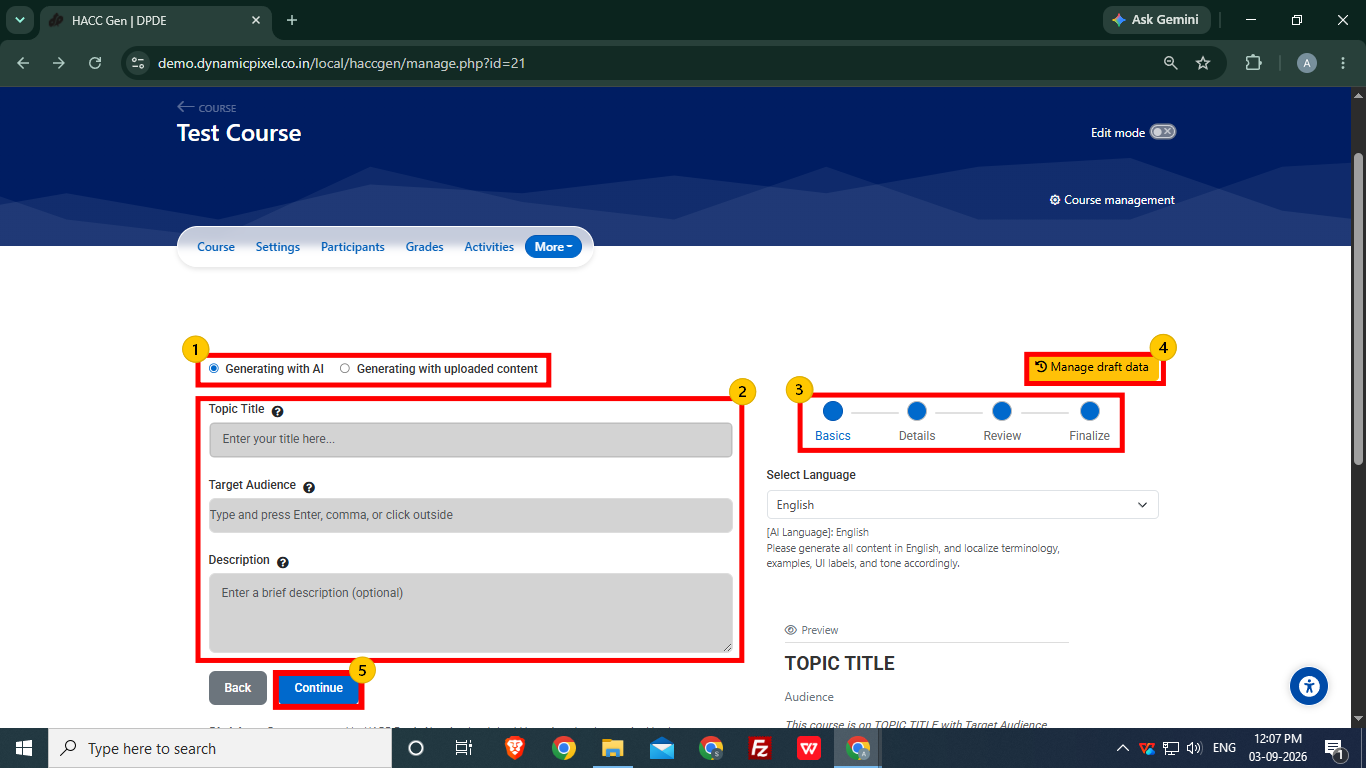
- Two options are available to create course content:
- Generating with AI
- Generating with uploaded content
Select “Generating with AI” (default option).
- Enter the basic details to define the type of content you want,
- Topic Title- Enter the topic of the course.
- Target Audience- Set the audience accordingly as the content will be generated with reference to the target audience.
- Description (Optional)- Adding the description is not mandatory, but user can add according to requirements.
- The course content creation is divided into 4 parts, i.e., Basics, Details, Review and Finalize.
- Drafts of the created course can be accessed using Manage draft data option.
- Click Continue to proceed to the next step.
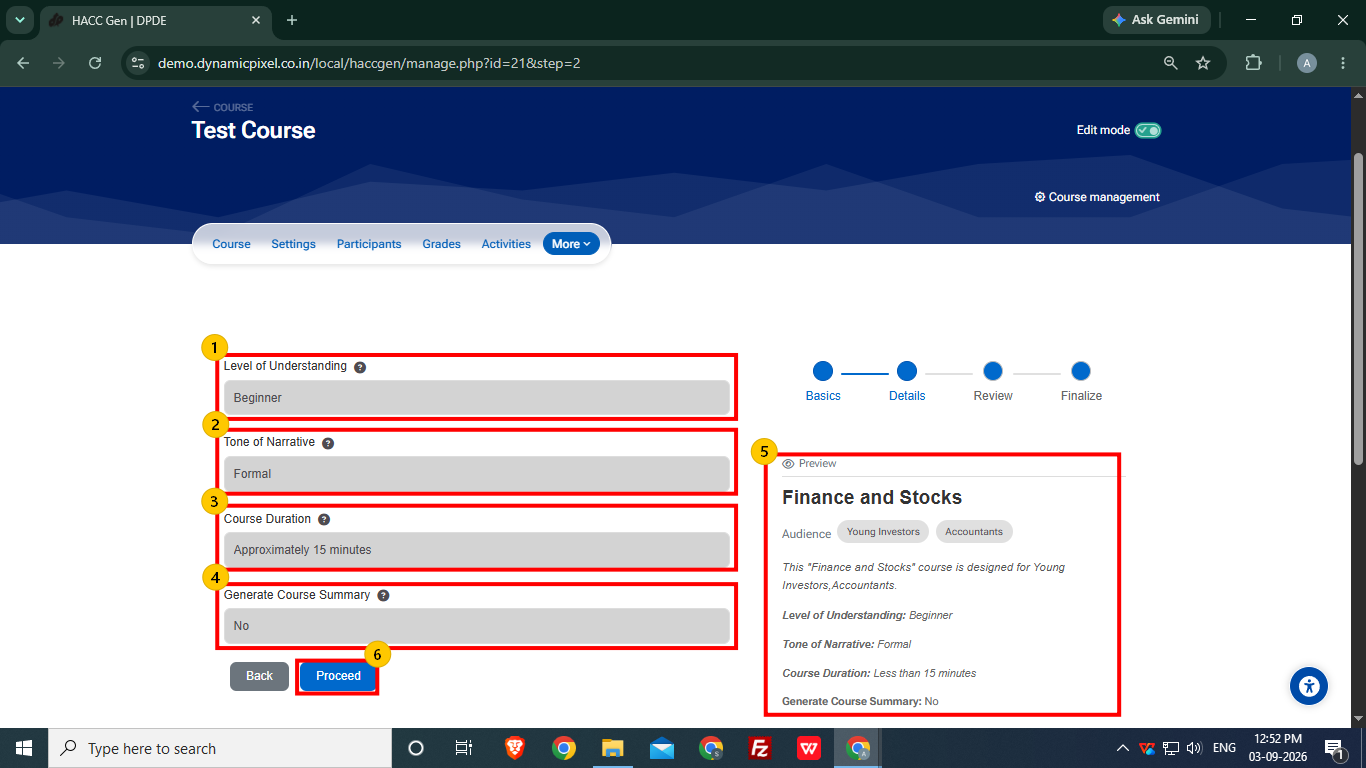
Set the details for the course content.
1. Select the Level of Understanding
-
- Beginner
- Intermediate
- Advanced
2. Select the Tone of Narrative
-
- Formal
- Conversational
- Engaging
3. Set Course Duration
-
- User set duration of course from approximately 15 minutes to 120 minutes.
4. Generate Course Summary (Optional)
-
- User can choose whether to generate the course summary or not.
5. User can view the content outline at the preview section after adding the required information.
6. After setting up details, click Proceed.
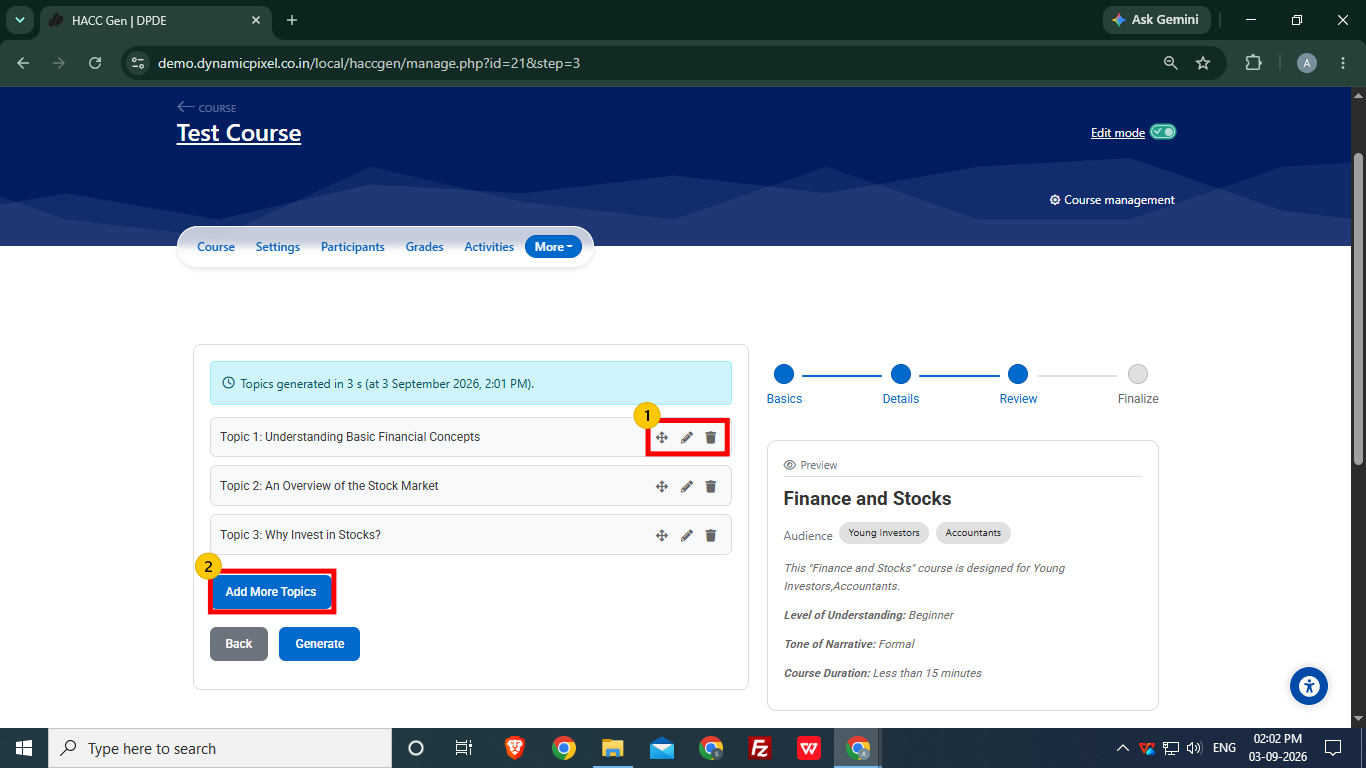
This is Review Section
- User can edit or remove a particular topics and sequence of the topics can be changed.
- User can more topics using Add More Topics option.
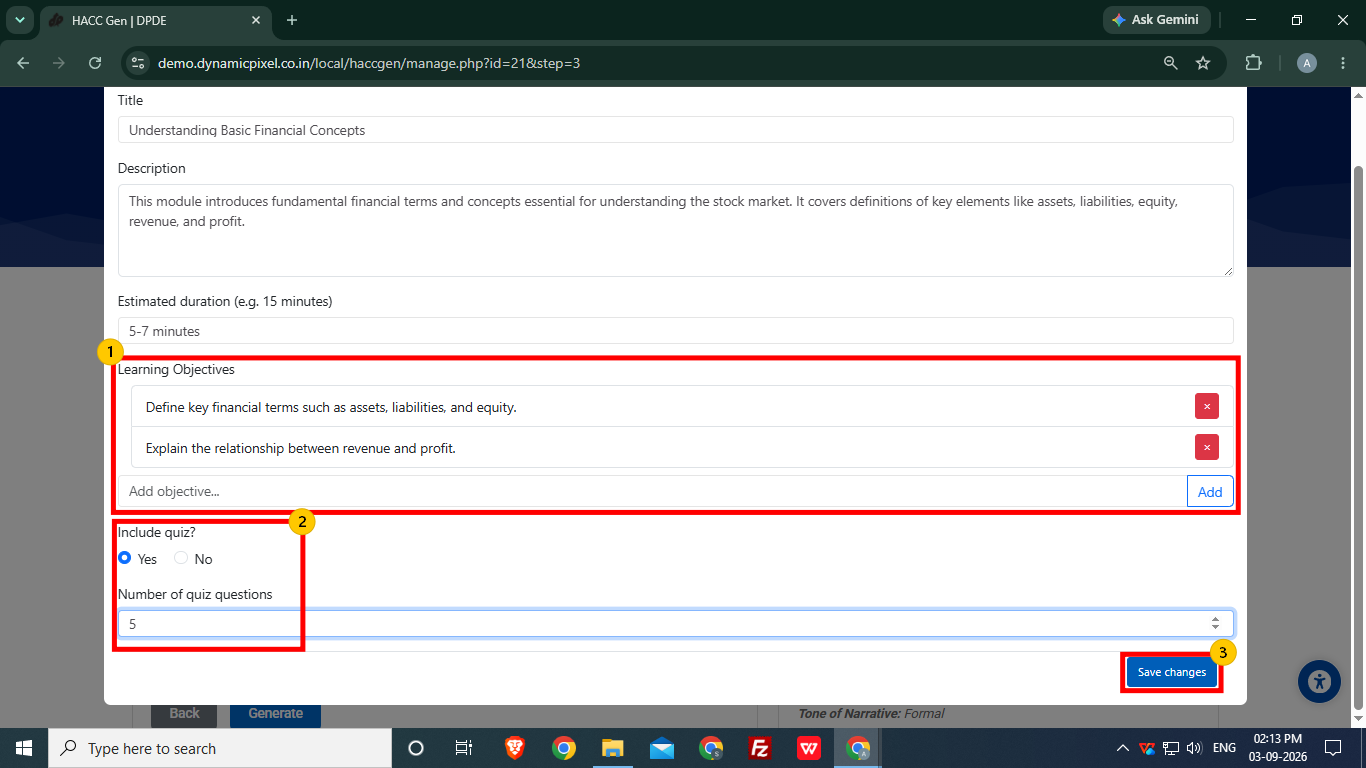
- The Learning Objectives can be edited/removed by users and more objectives can also be added.
- The user can select yes in Include Quiz option to add quiz questions with content and number of quiz questions can be set. User can set up to 20 questions.
- After reviewing the topic, click Save Changes.
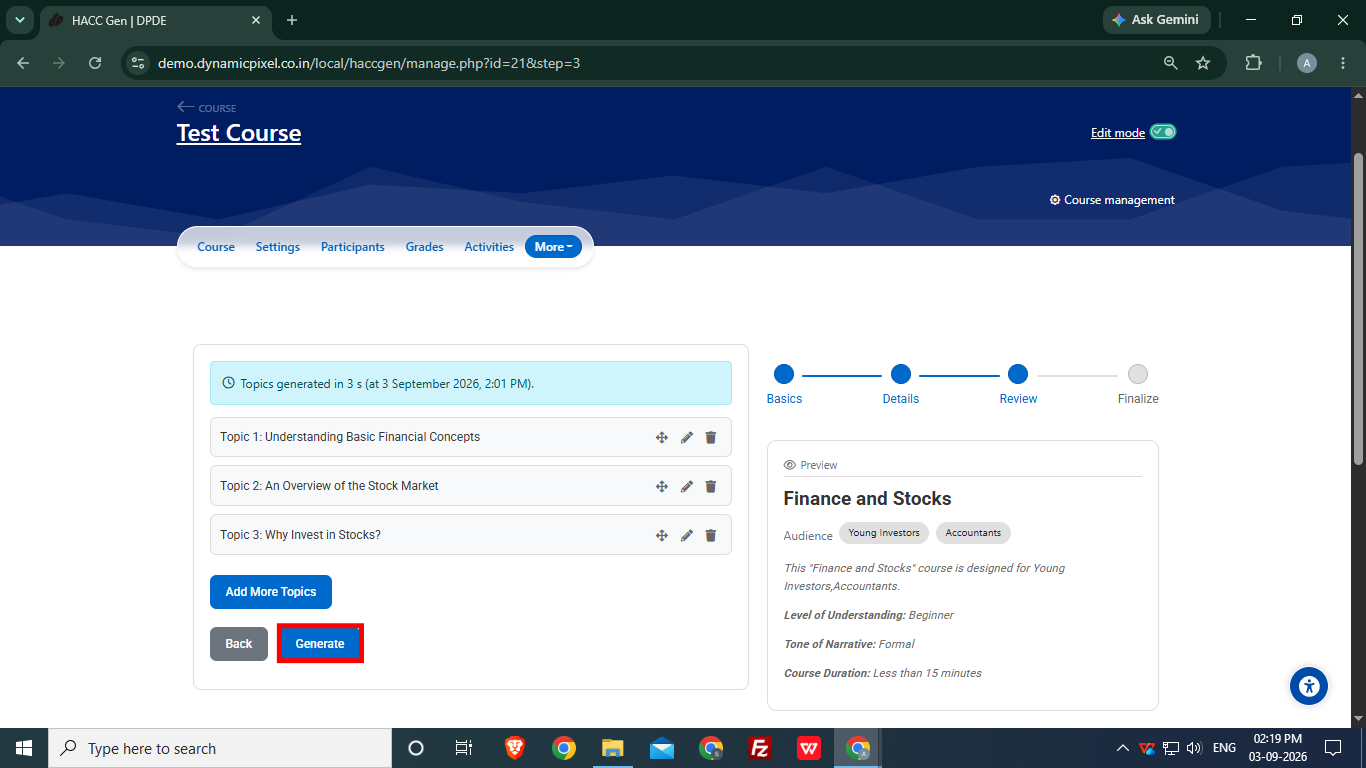
After reviewing the topics, click Generate to start generating the course content.