Text size
Line height
Text spacing
Navigation Path: Dashboard → My courses
This screen shows all courses where you are enroled as a teacher or manager. You can access course content, participants, and settings from here.
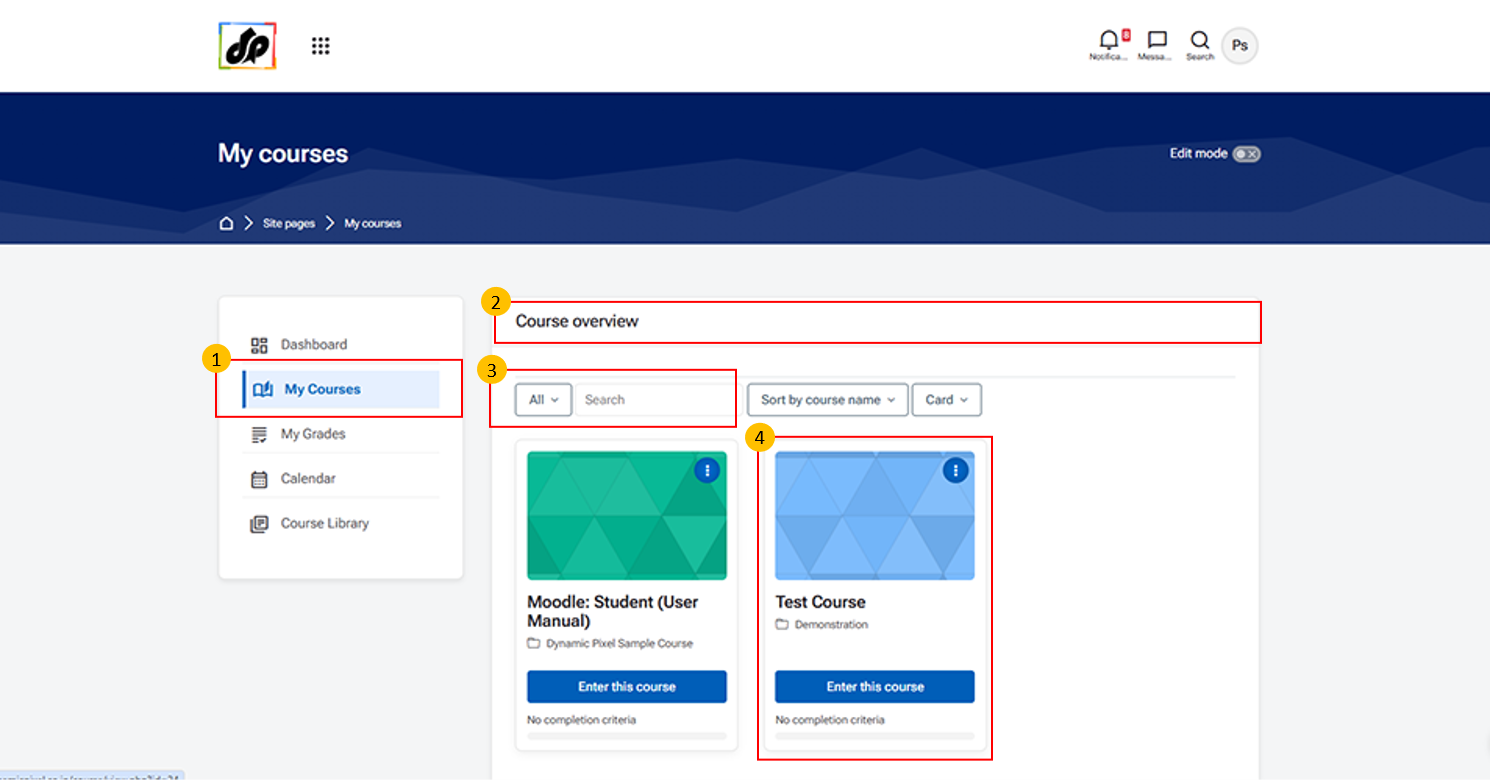
Click on “My Courses” from the left navigation panel to view all the courses assigned to you.
This section displays the Course Overview, where all your enroled or assigned courses are listed.
Course Cards
Click on “Enter this course” to open and manage the selected course.