Text size
Line height
Text spacing
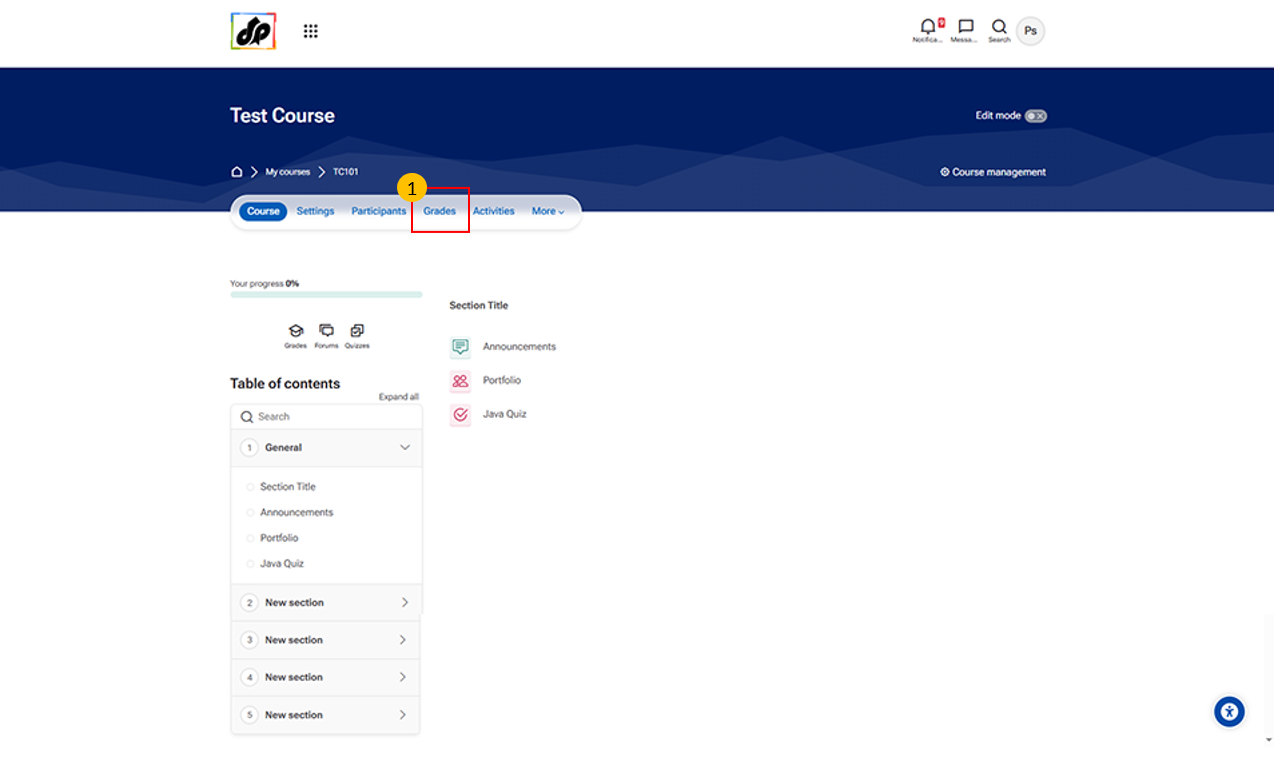
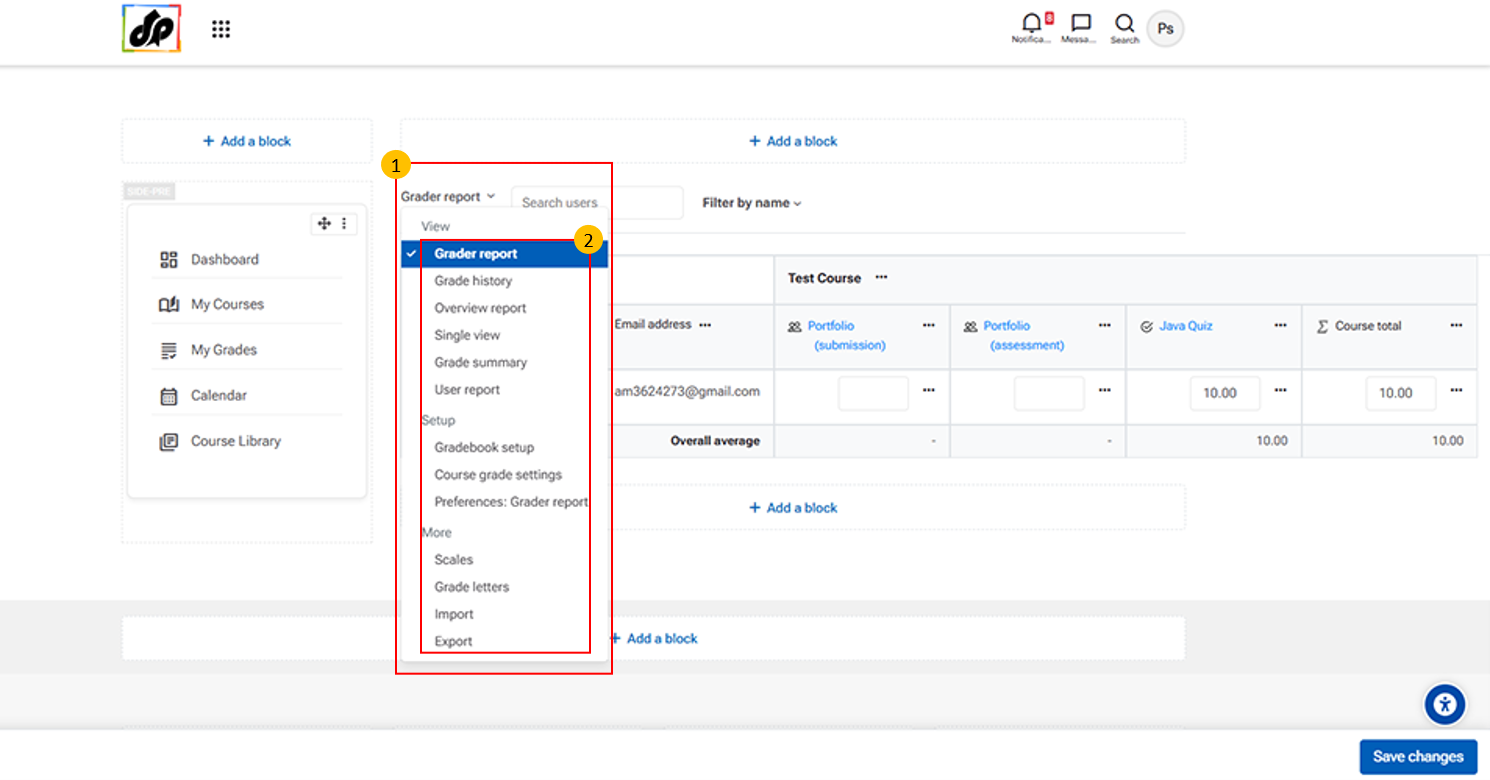
This menu allows teachers to access different gradebook views and management tools.
It includes options such as:
Grader report – Provides an overview of all student grades
Single view – Focuses on one student or one activity
Grade history – Shows records of past grade changes
Overview report – Summarizes grades across courses
Gradebook setup – Configure grade categories, items, and calculations
Import/Export – Import or export grade data
Use this menu to view, manage, and analyze student performance within the course.