Text size
Line height
Text spacing
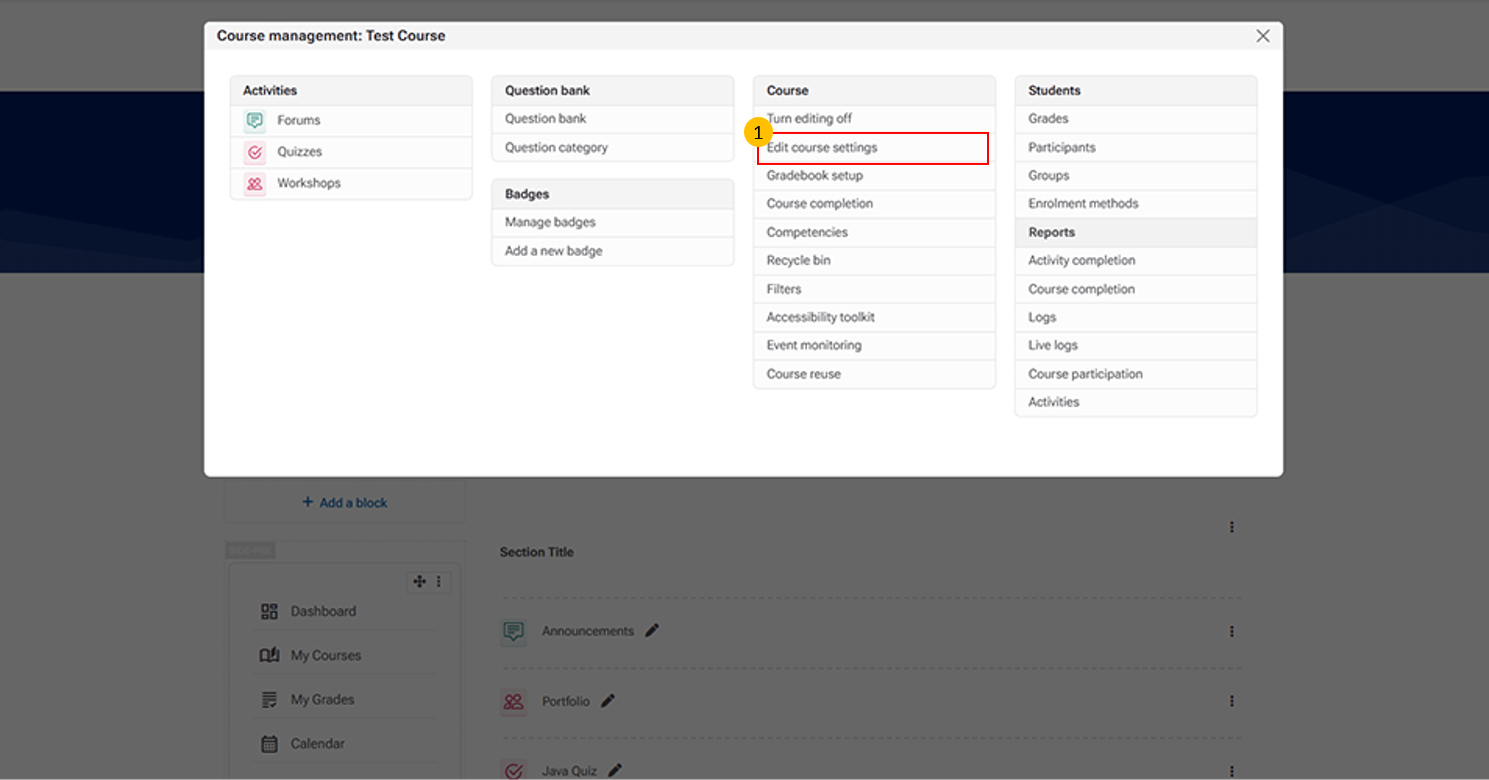
This option allows instructors to modify and update course details.
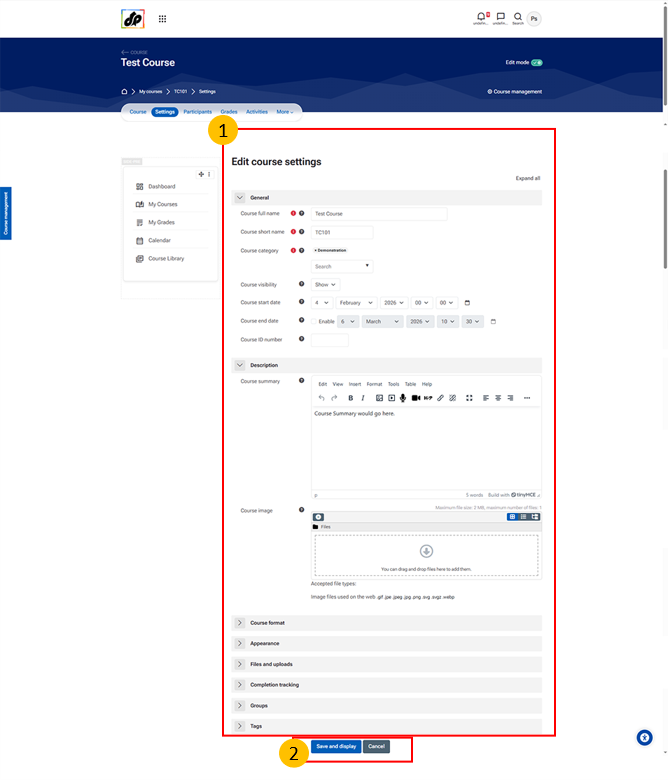
This section allows instructors or administrators to configure the overall course setup and properties.
It includes options such as:
Course name and short name – Used for course identification
Course category – Organizes the course within the LMS
Visibility settings – Controls whether the course is available to learners
Course start and end dates – Defines the course duration
Course ID number – Used for administrative tracking
Summary and course image – Provides an overview and visual identity
Format and appearance – Determines the course layout and display
Completion tracking – Enables monitoring of learner progress
Save and Display Button
This button saves the changes made to the course settings and displays the updated course.