Text size
Line height
Text spacing
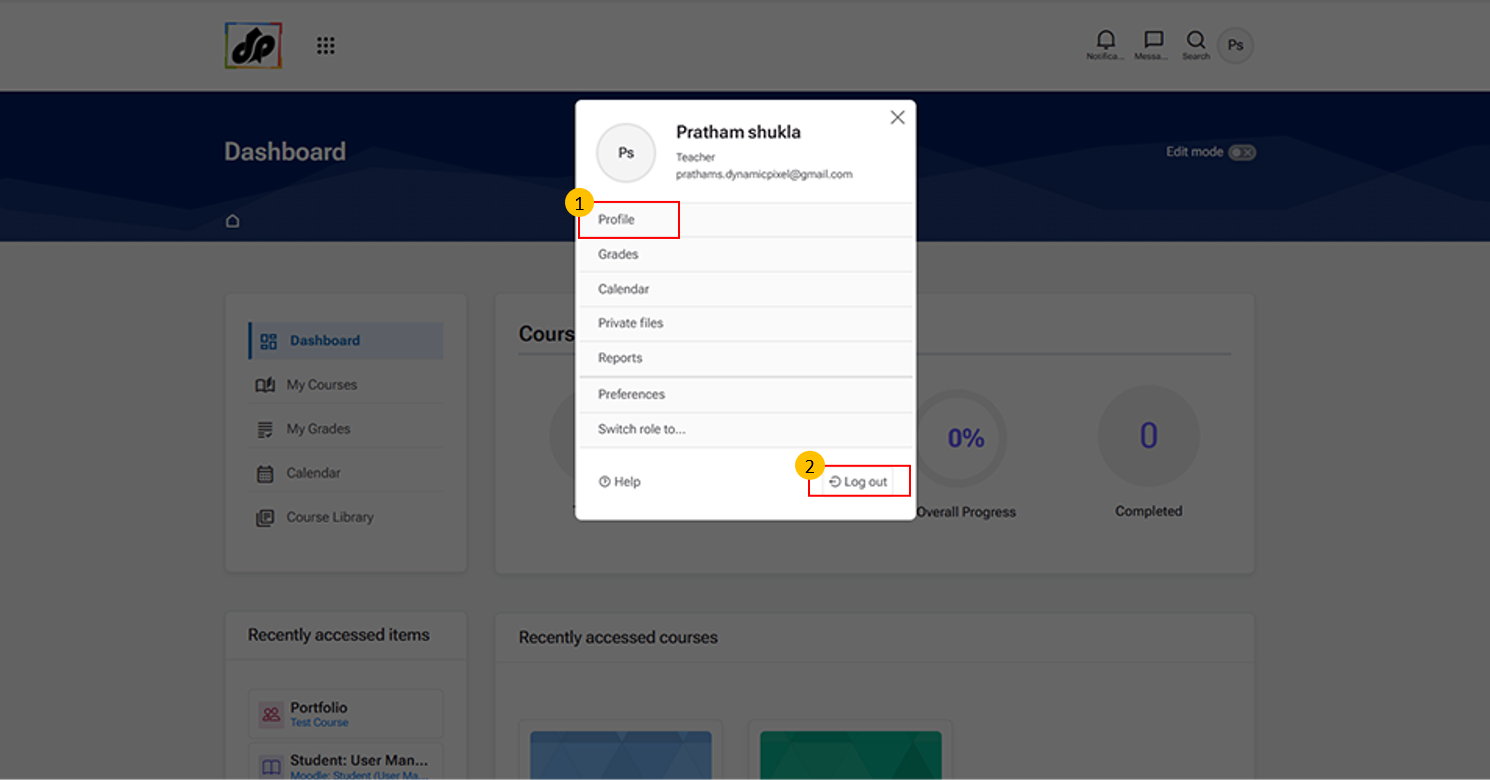
Clicking “Profile” opens the user’s profile page, where learners and teachers can view their personal information.
Logout Option
Click “Log out” to securely sign out of your account. This ensures that your session is closed and prevents unauthorized access.
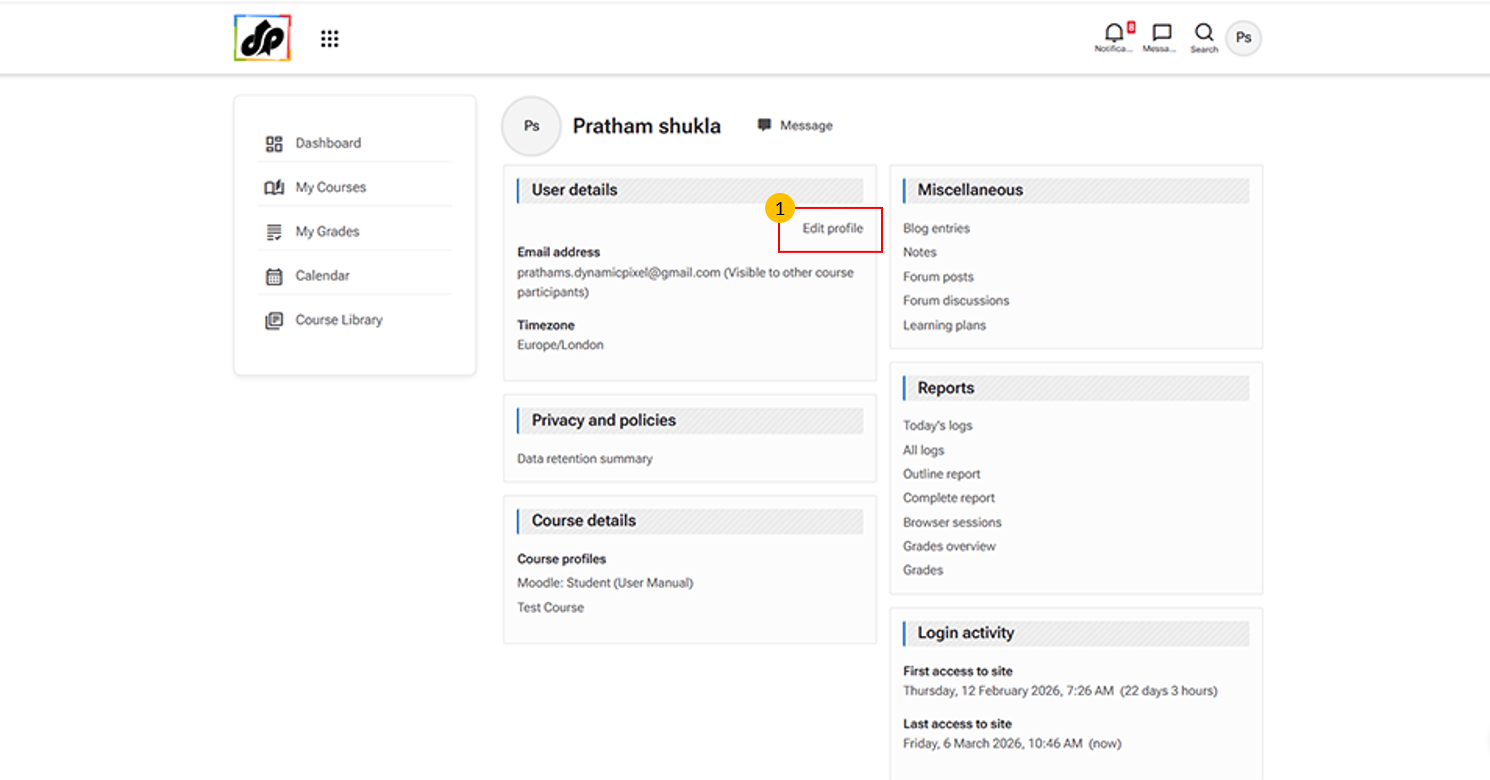
This option allows users to update their personal information within the learning management system.
You can use it to:
Update contact details (e.g., email address, time zone, and other personal information)
Change profile picture and description