Text size
Line height
Text spacing
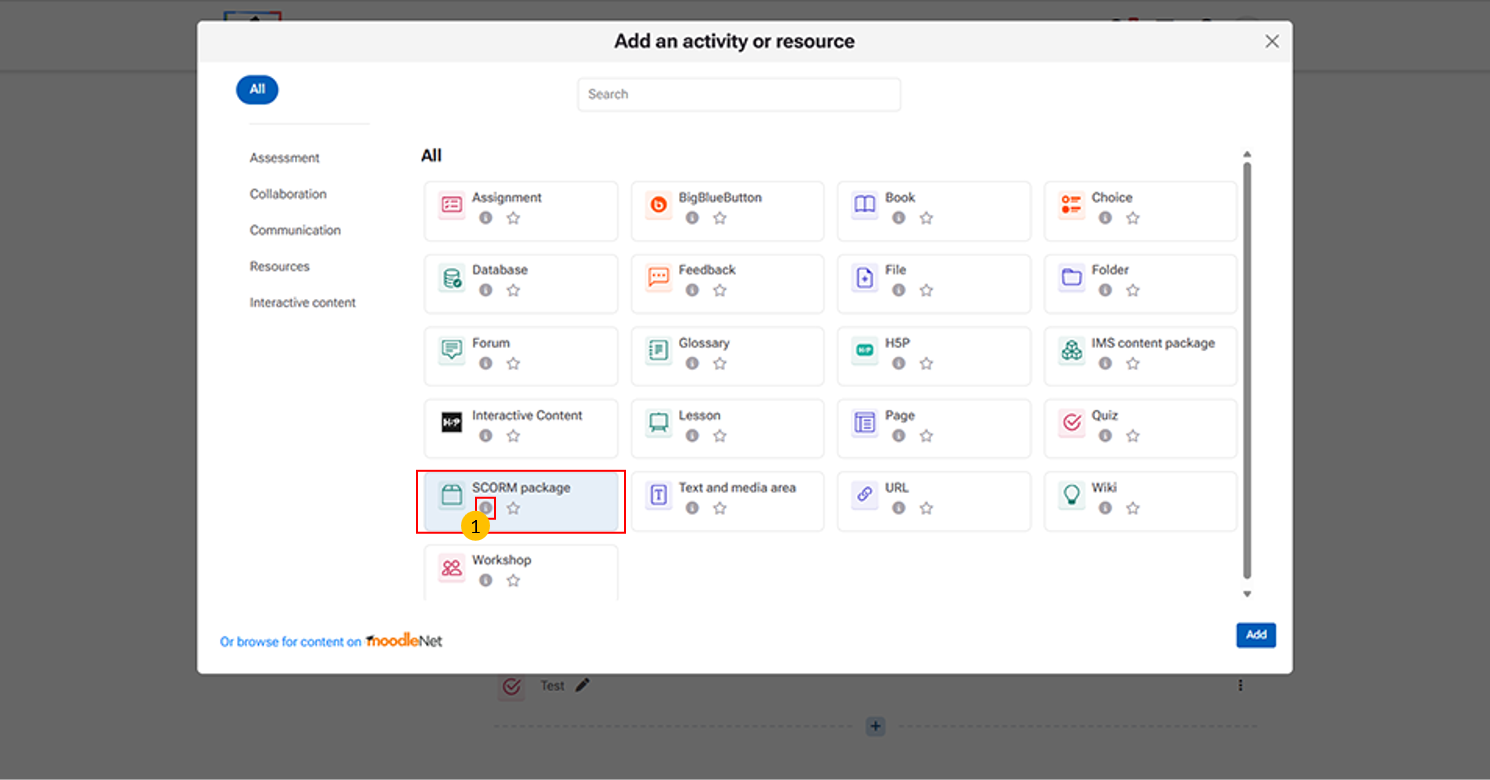
Allows teachers to upload and deliver standardized e-learning content (SCORM/AICC packages).
“i” icon provides quick access to additional information about the SCORM package activity.
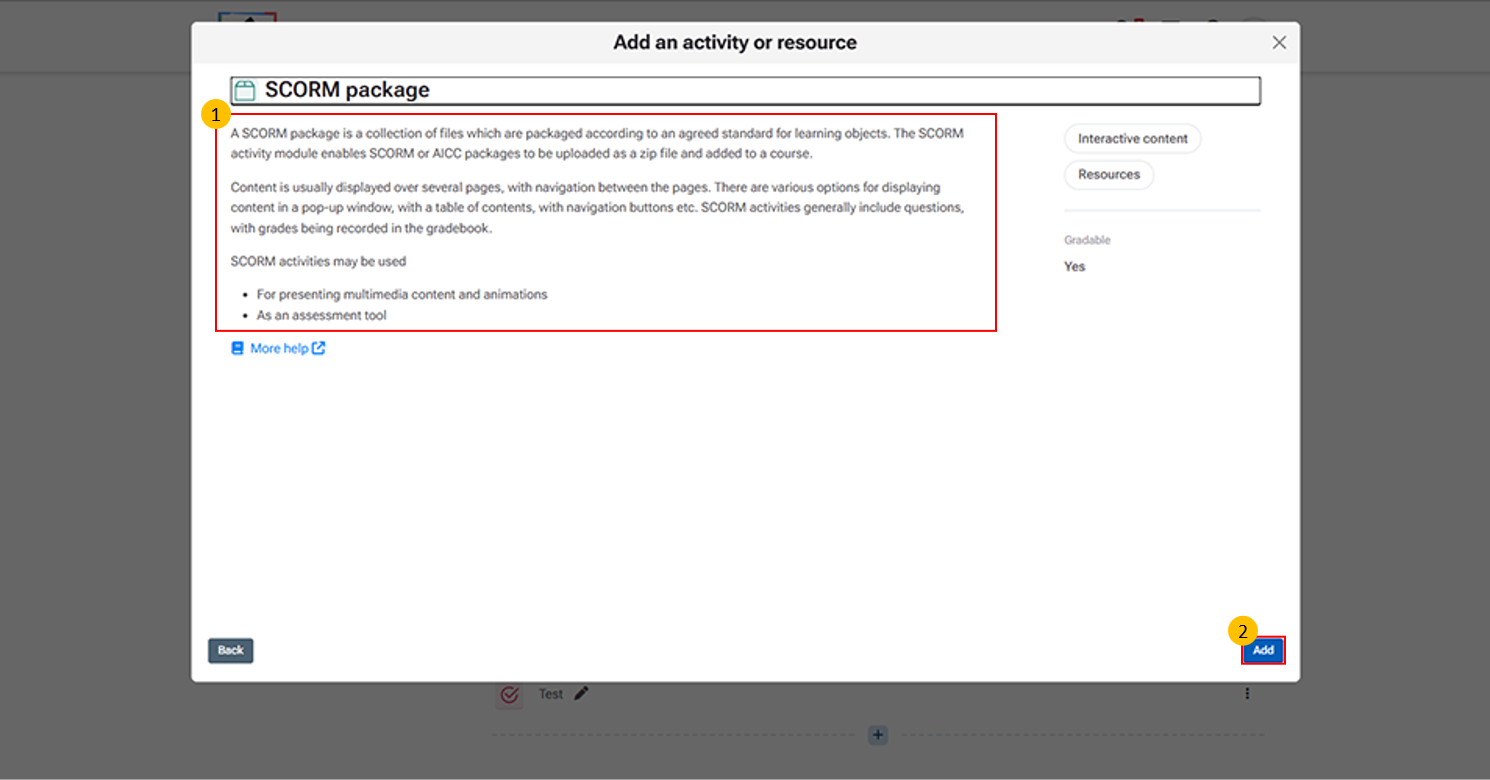
This page essentially shows the overview of SCORM functionality and provides the entry point for adding it into a course.
Add button → Confirms selection and opens configuration for uploading the SCORM file.
Click "More help" to open the official Moodle LMS help page with detailed information on the SCORM activity, including its features and settings.
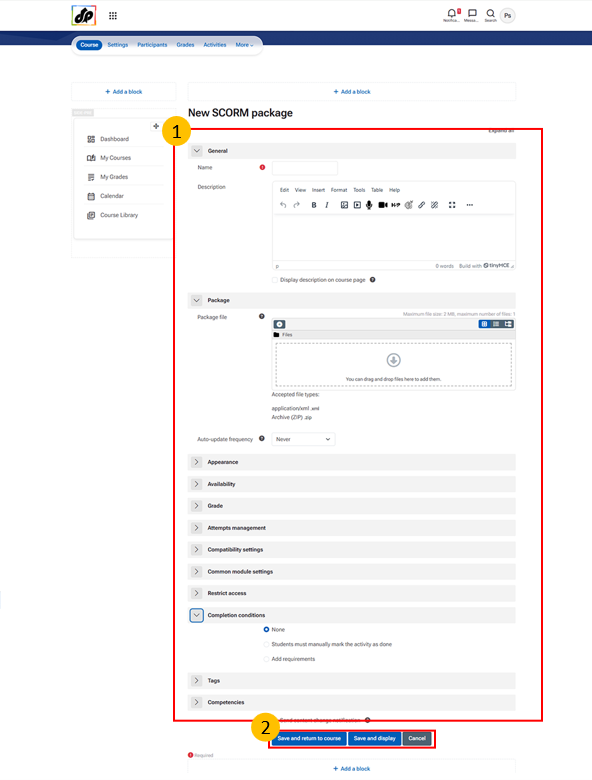
Steps for Creating a SCORM Package Activity