Skip accessibility options10. Grade
10.2. Grade History
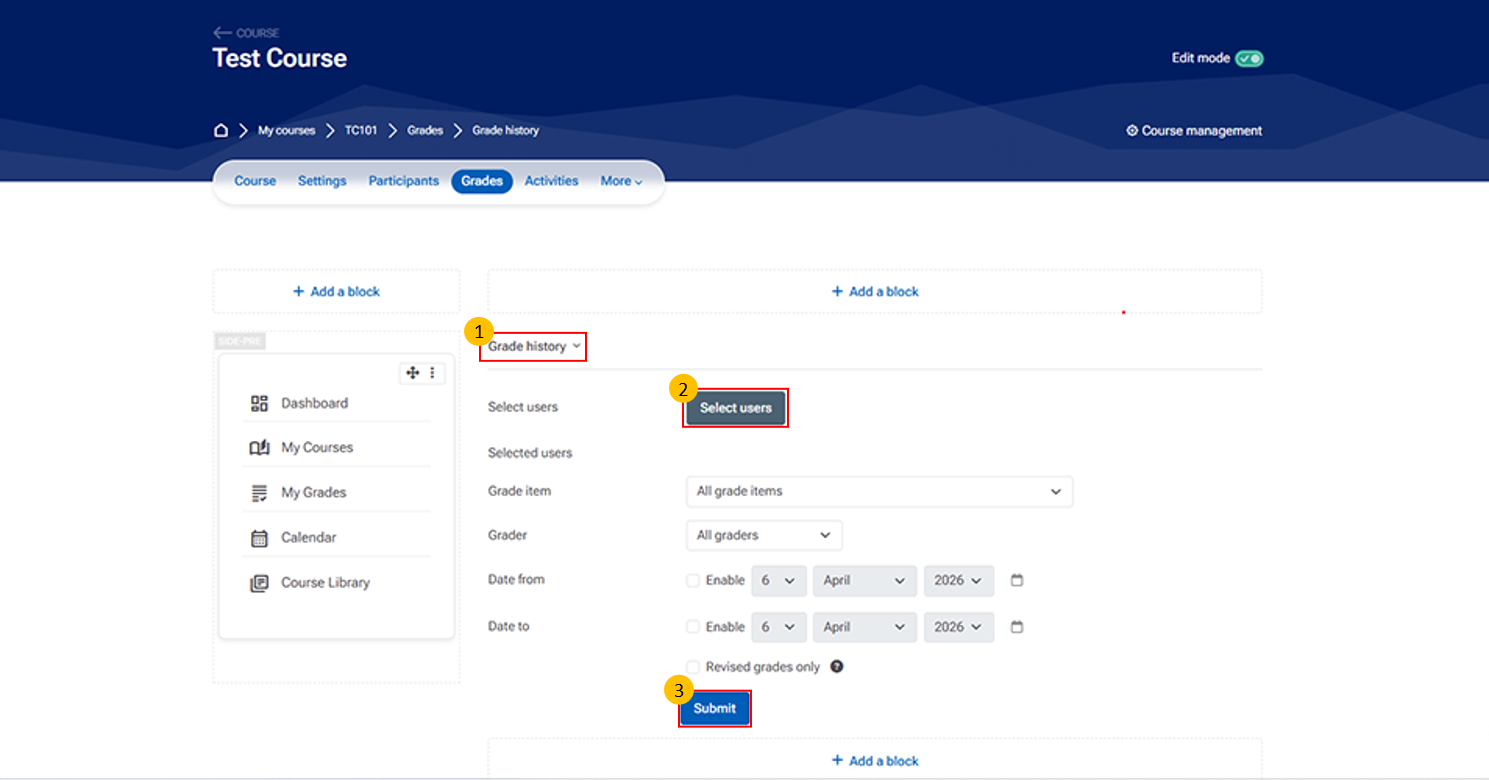
- Grade History:
- The Grade History section allows teachers to track changes made to grades over time. It provides a record of who modified grades, what changes were made, and when.
- Select Users
- Allows you to choose specific students You can:
- View grade history for selected users
- Leave blank to view for all users
- Submit Button
- Click to generate the Grade History report
- Displays results based on selected filters
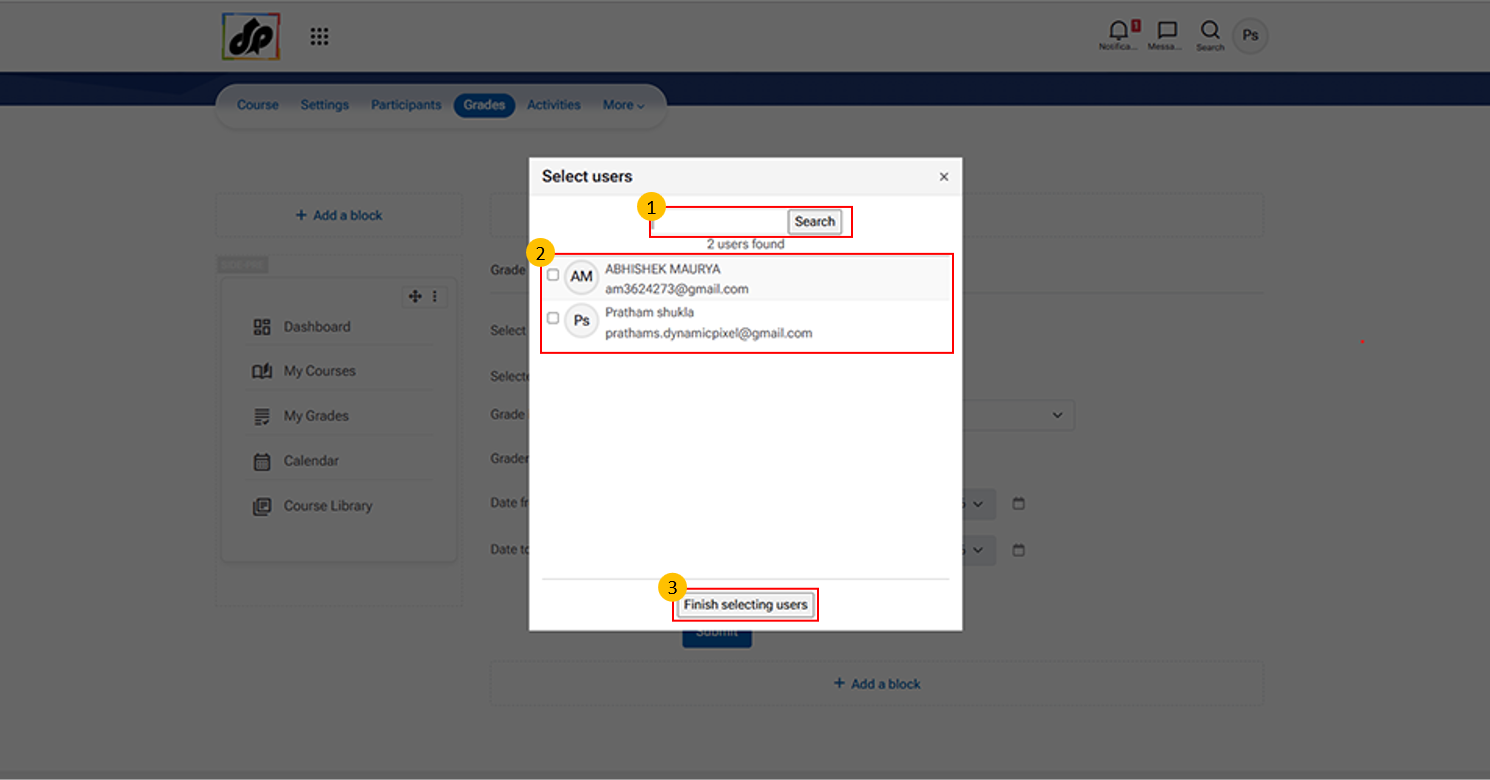
- When you click on “Select users” in the Grade History section. It allows teachers to choose specific students for viewing grade records.
- Multiple users can be selected if needed
- Finish Selecting Users Button
- Click this button after selecting users
- Adds selected users to the Grade History filter