Text size
Line height
Text spacing
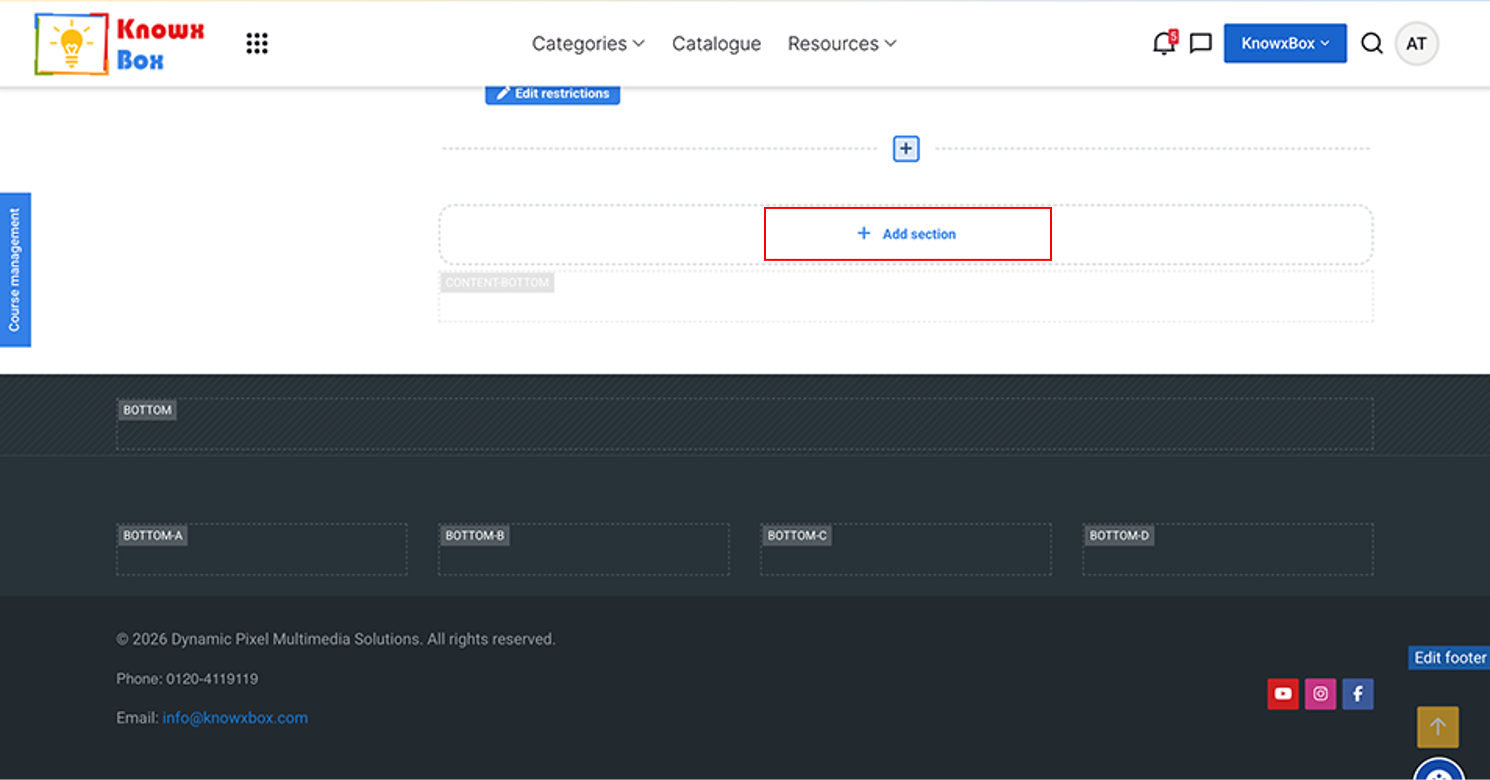
Now, click on Add section to add a new section.
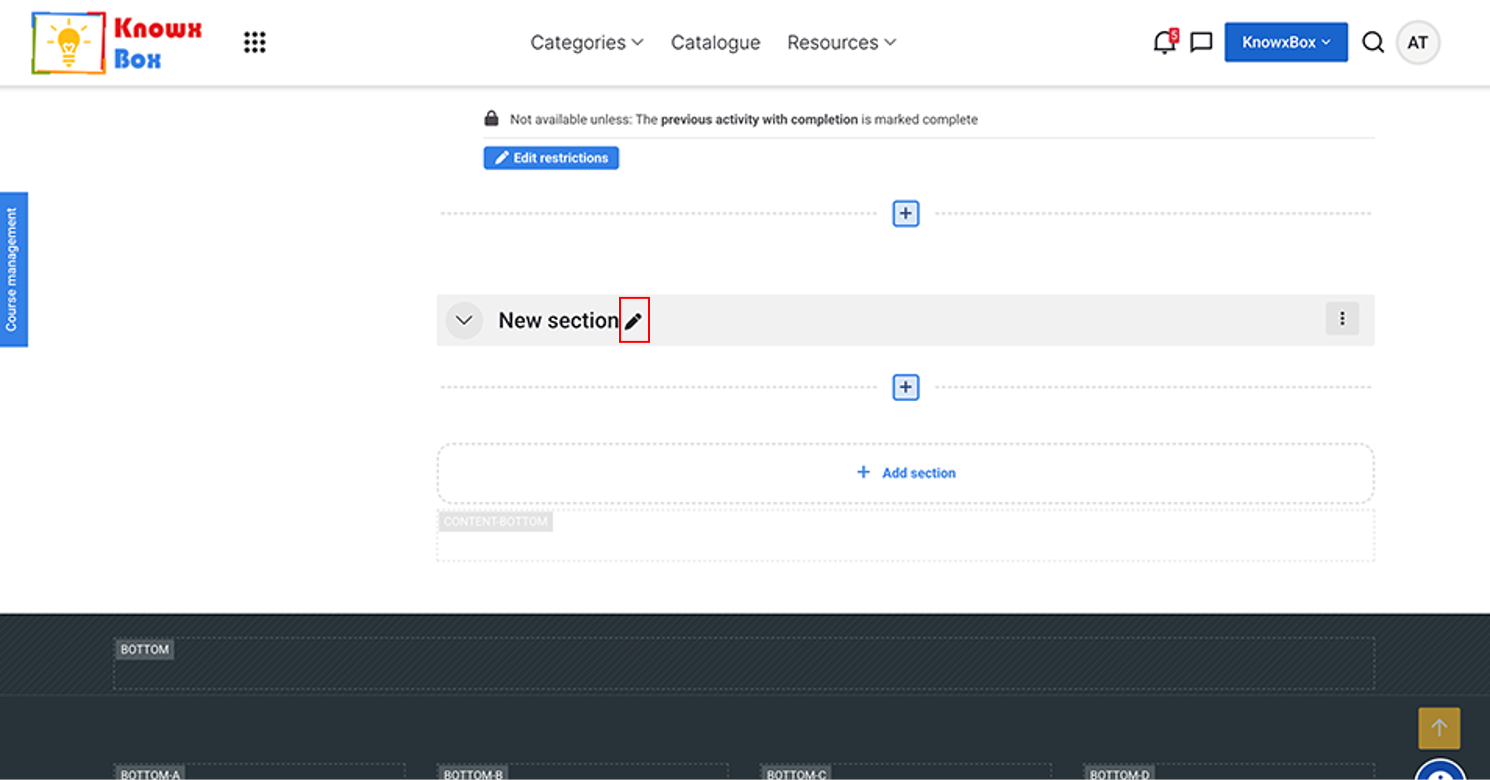
Clink on edit icon to name it.
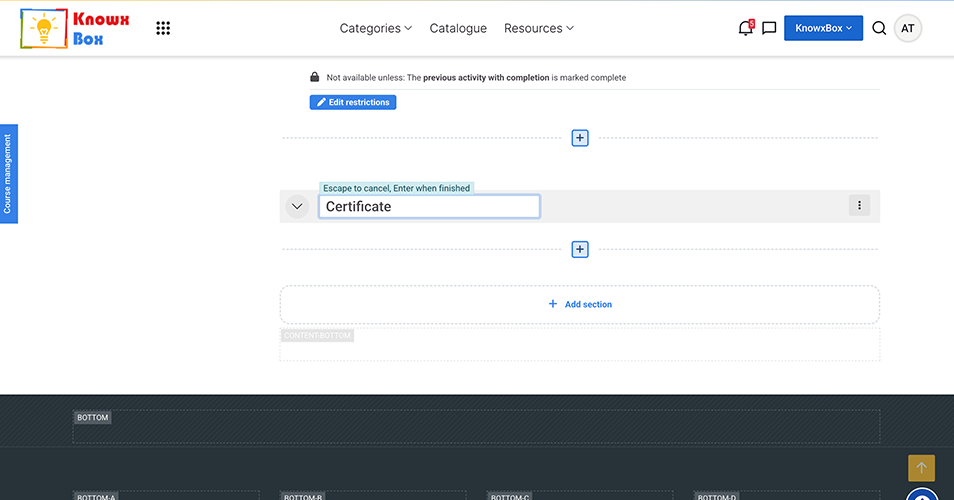
Type Certificate in the field.
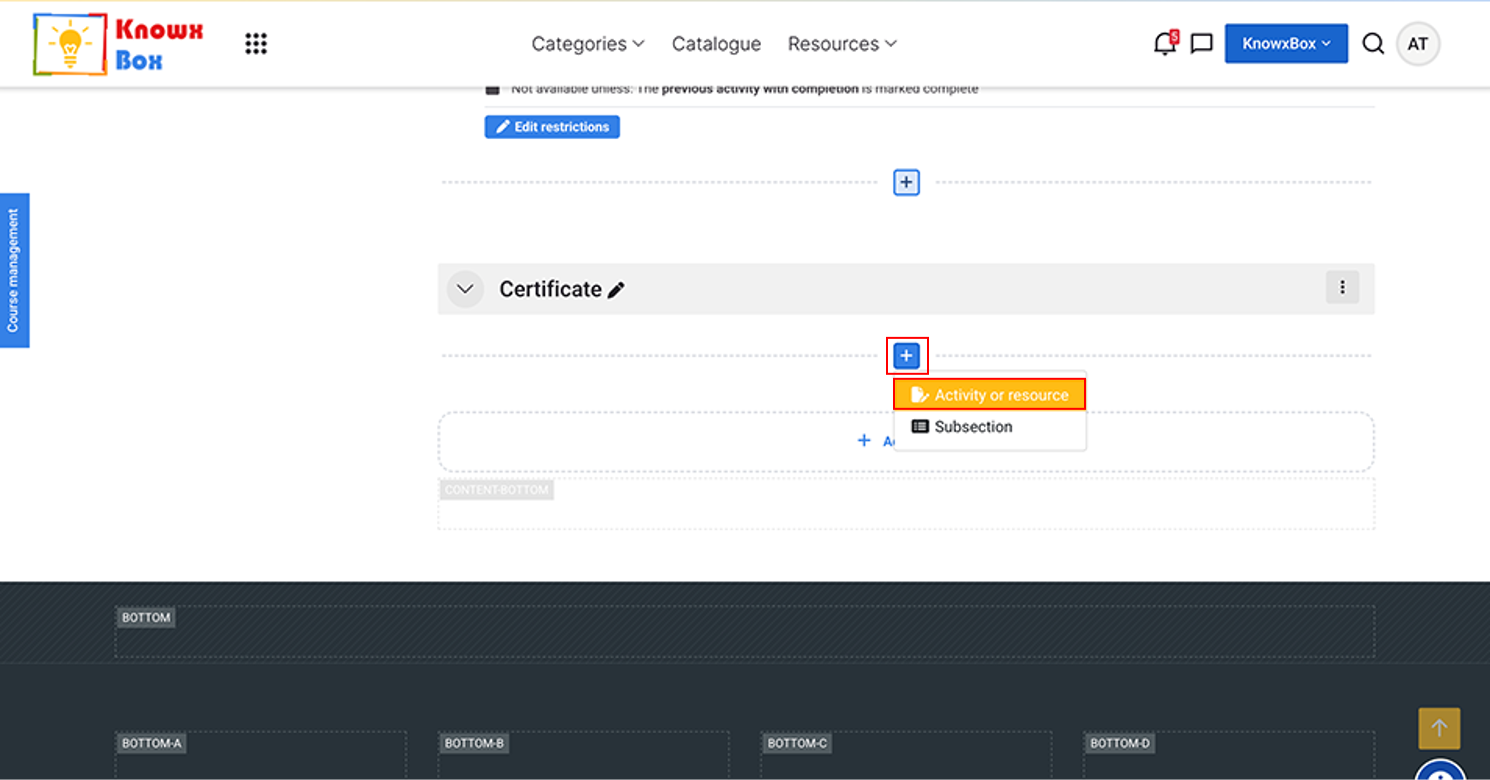
To add the certificate, click on plus sign and select Activity or resource from dropdown.
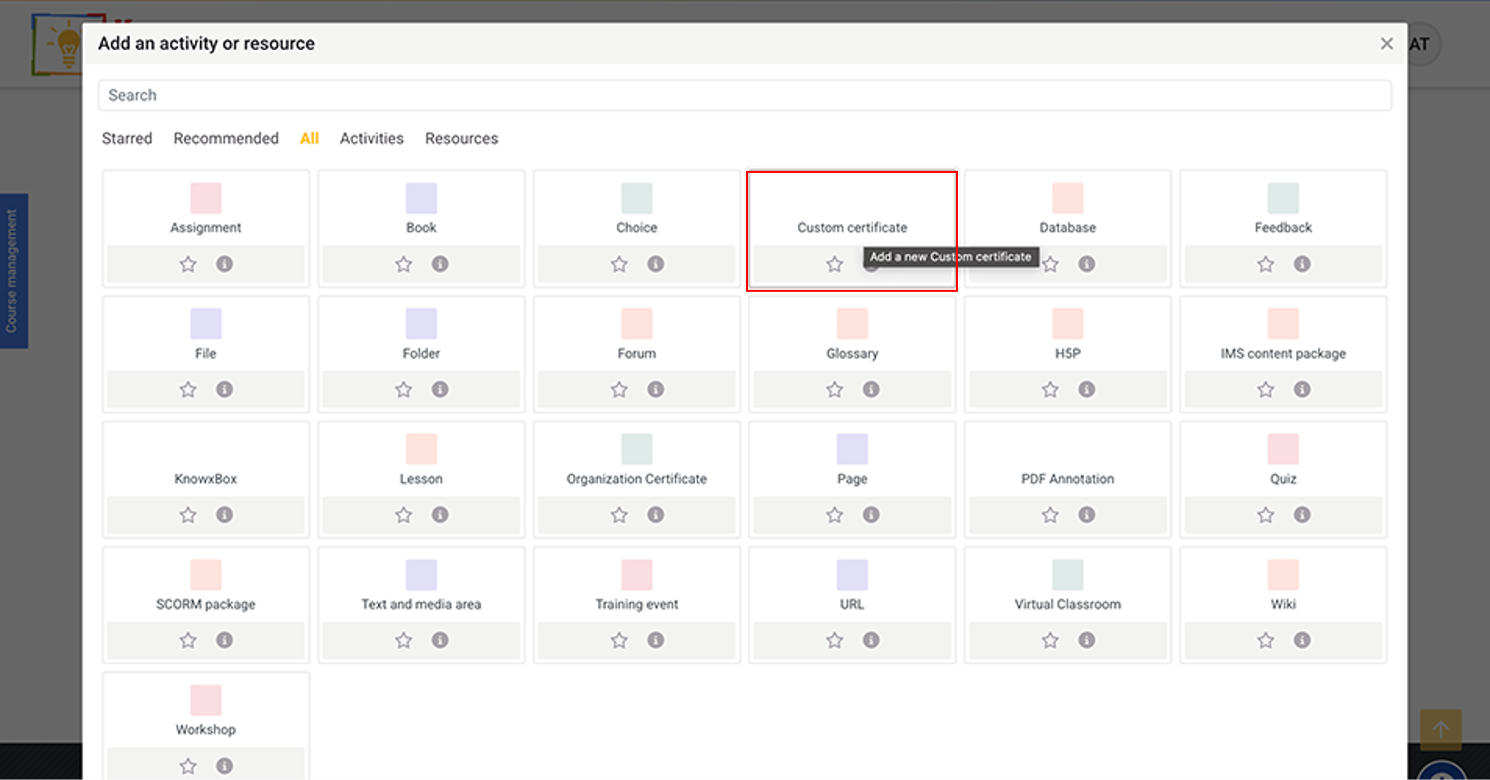
Click on Custom certificate.
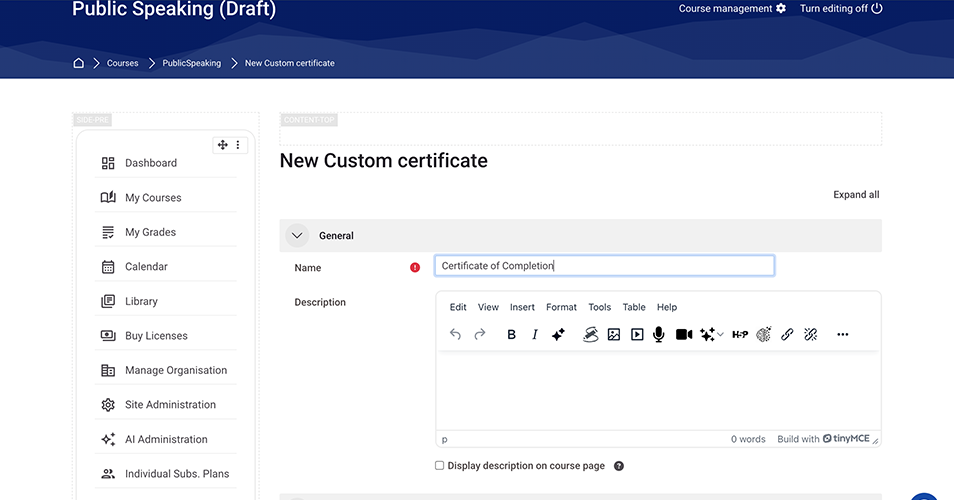
Now, fill the general details.
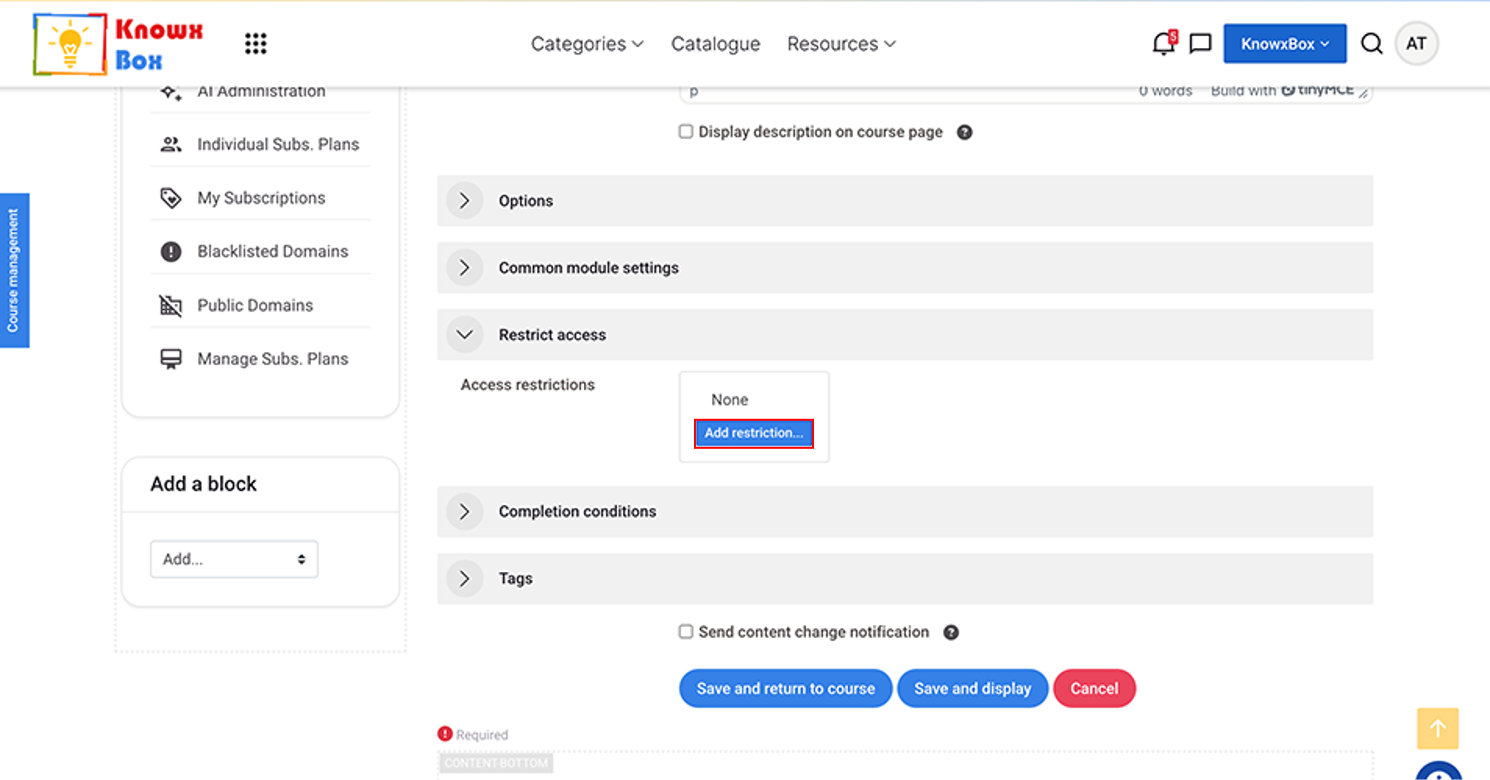
Select Restriction Access dropdown and Click Add Restriction.
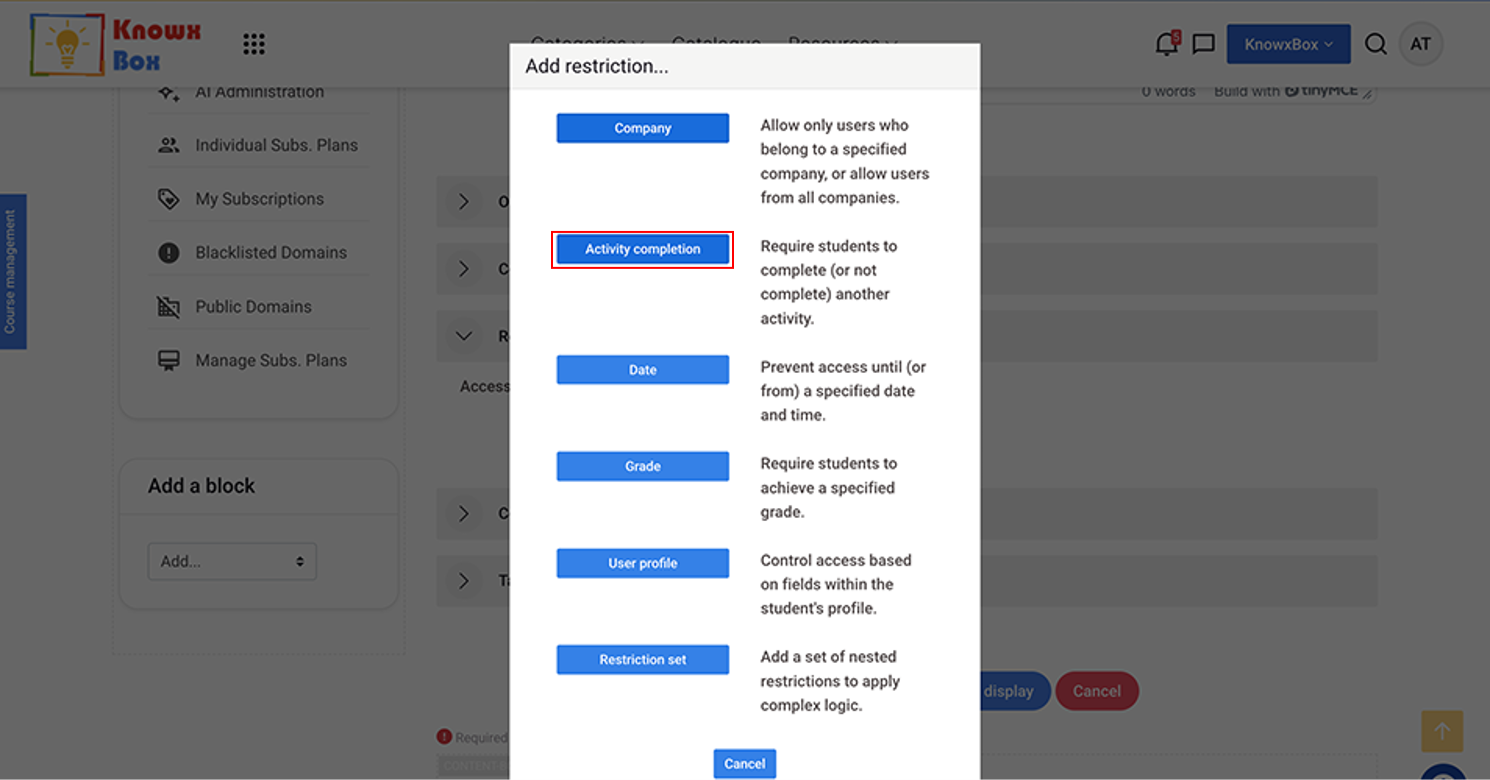
Click Activity Completion.
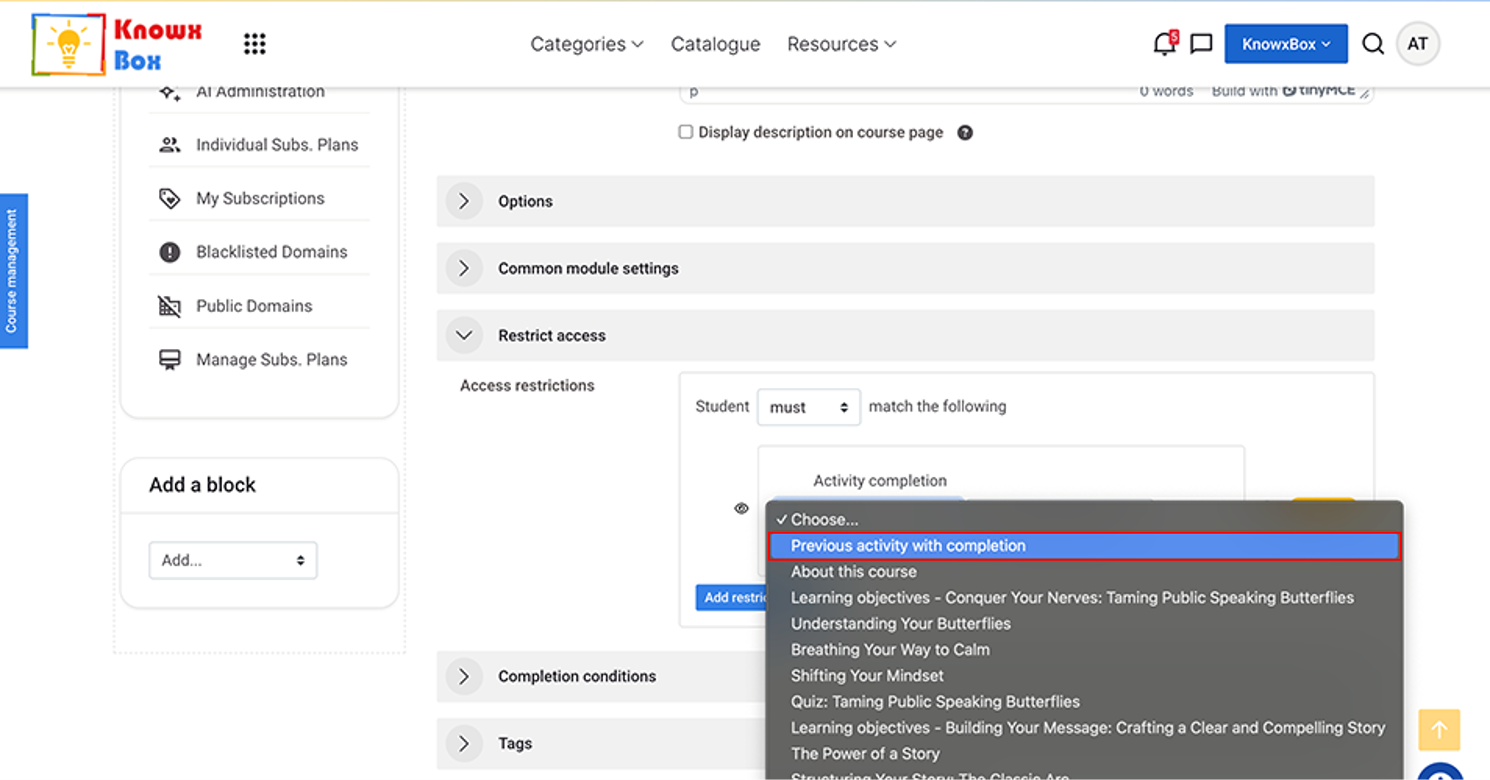
Click on choose dropdown and Select Previous Activity with Completion.
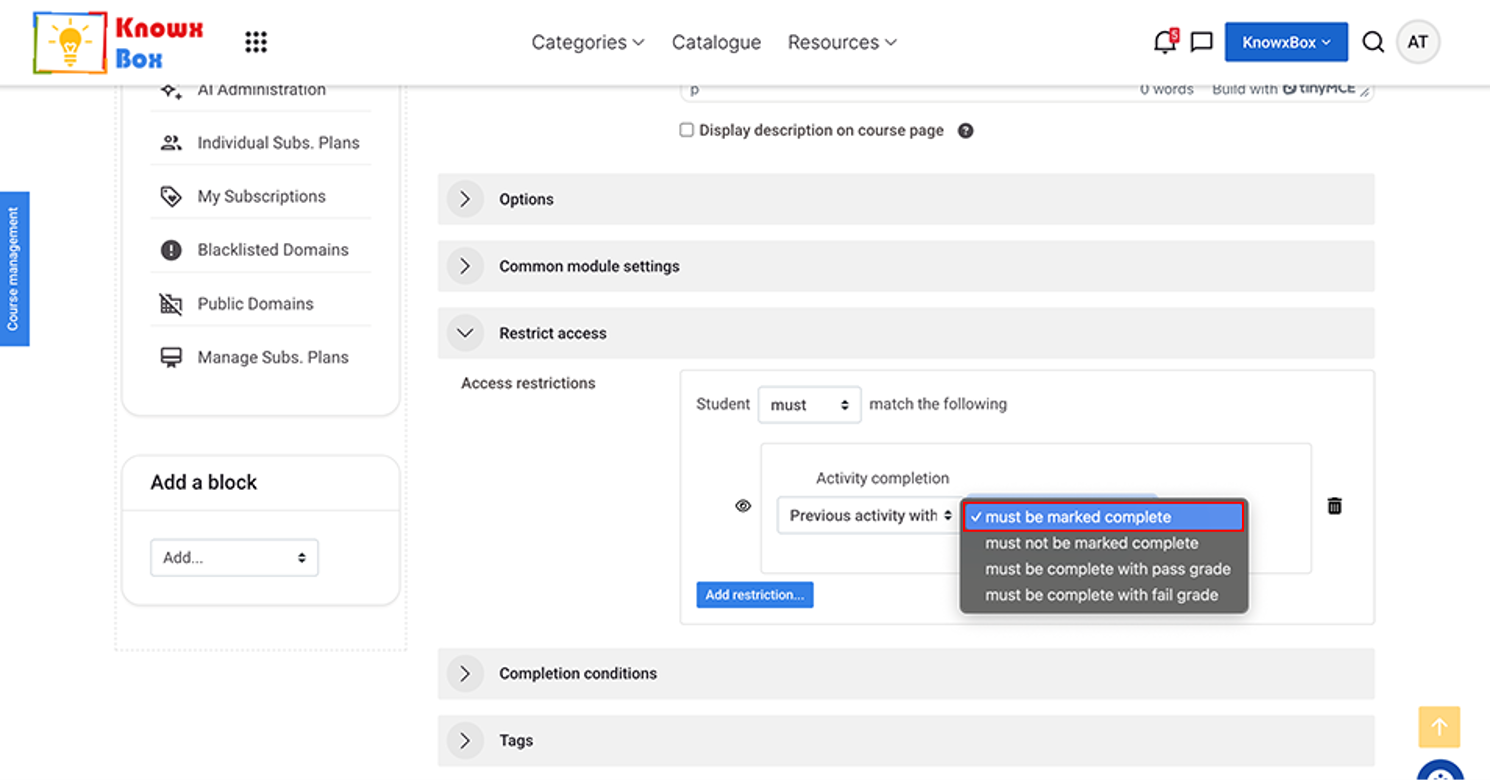
Previous activity with completion must be marked complete.
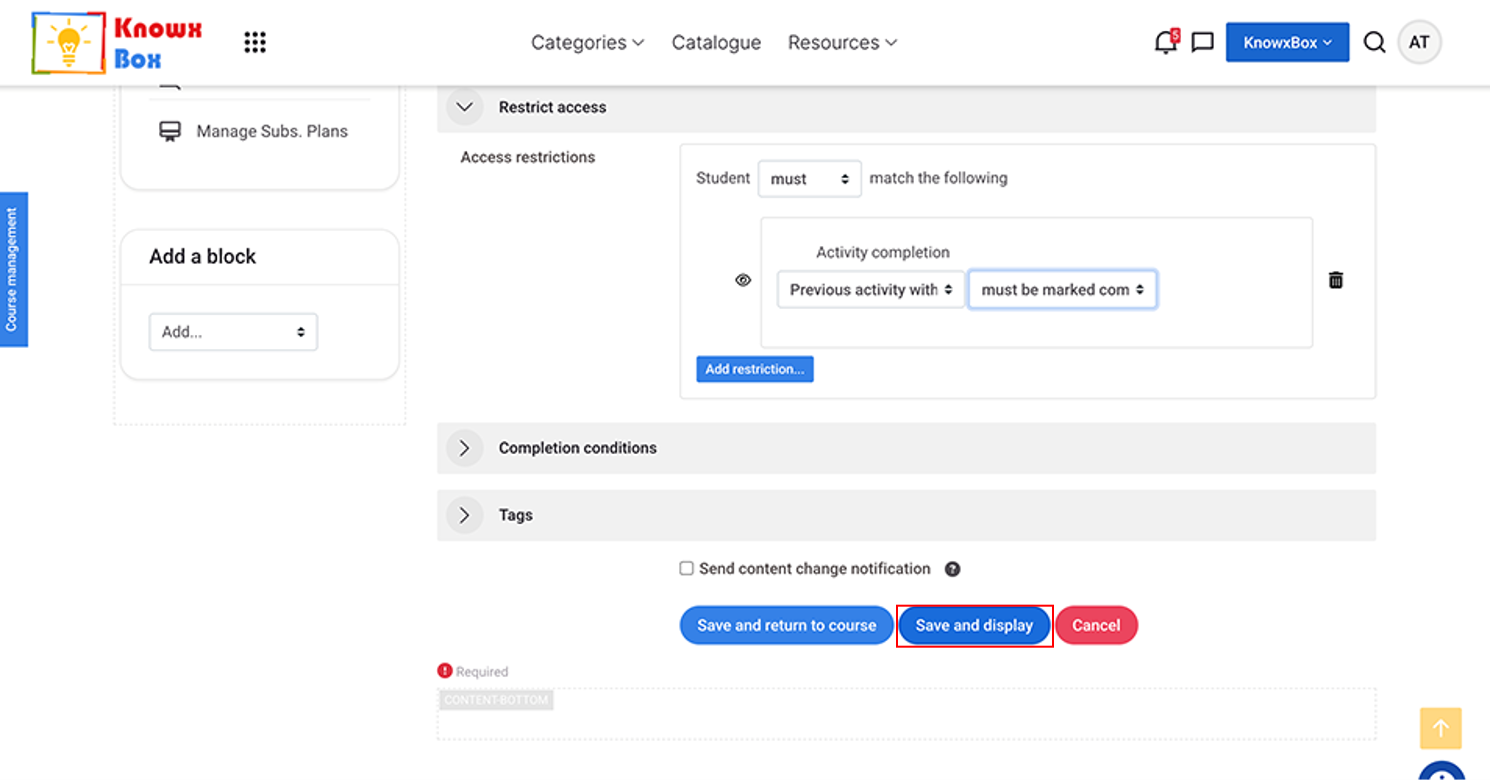
Now, Click Save and display.
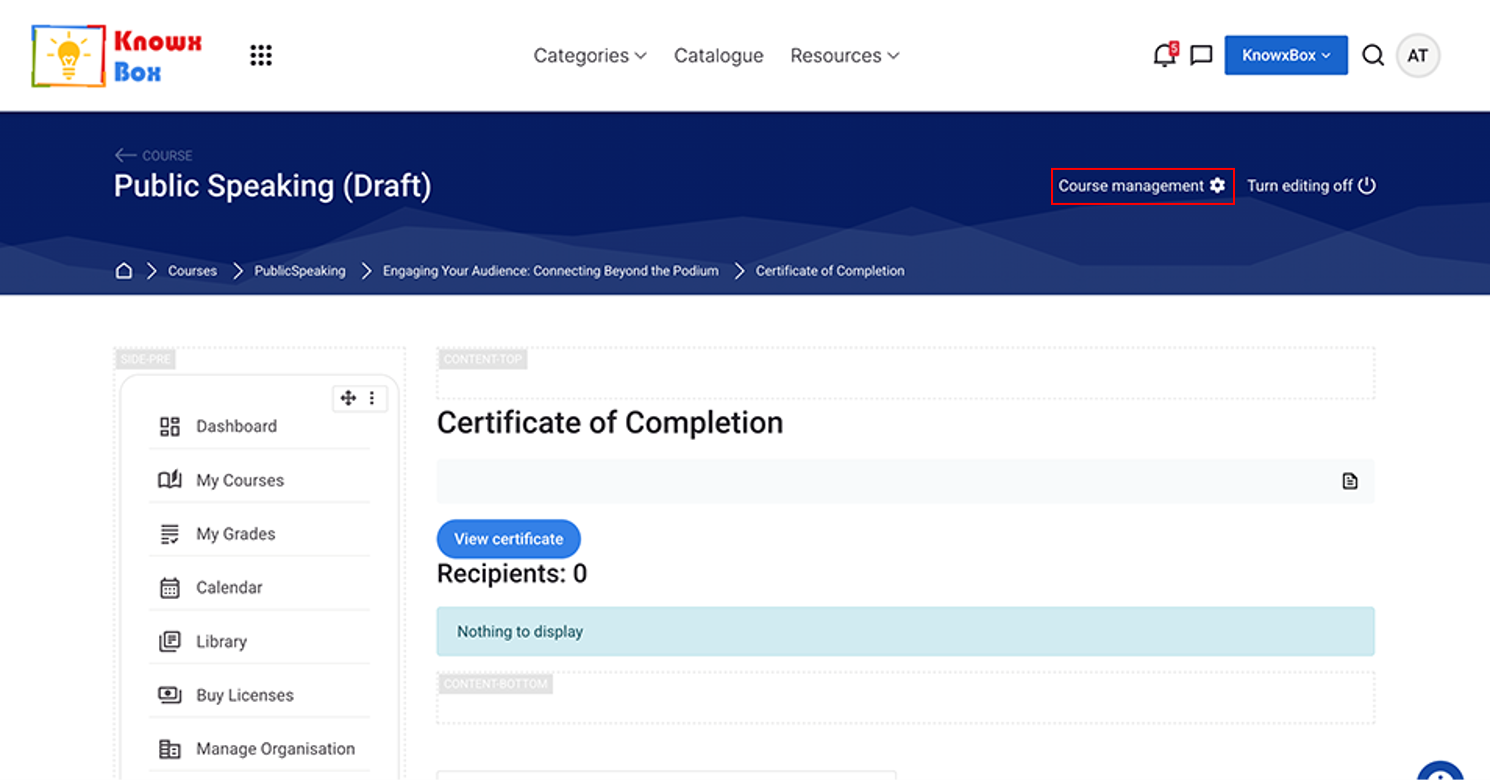
Click on Course management.
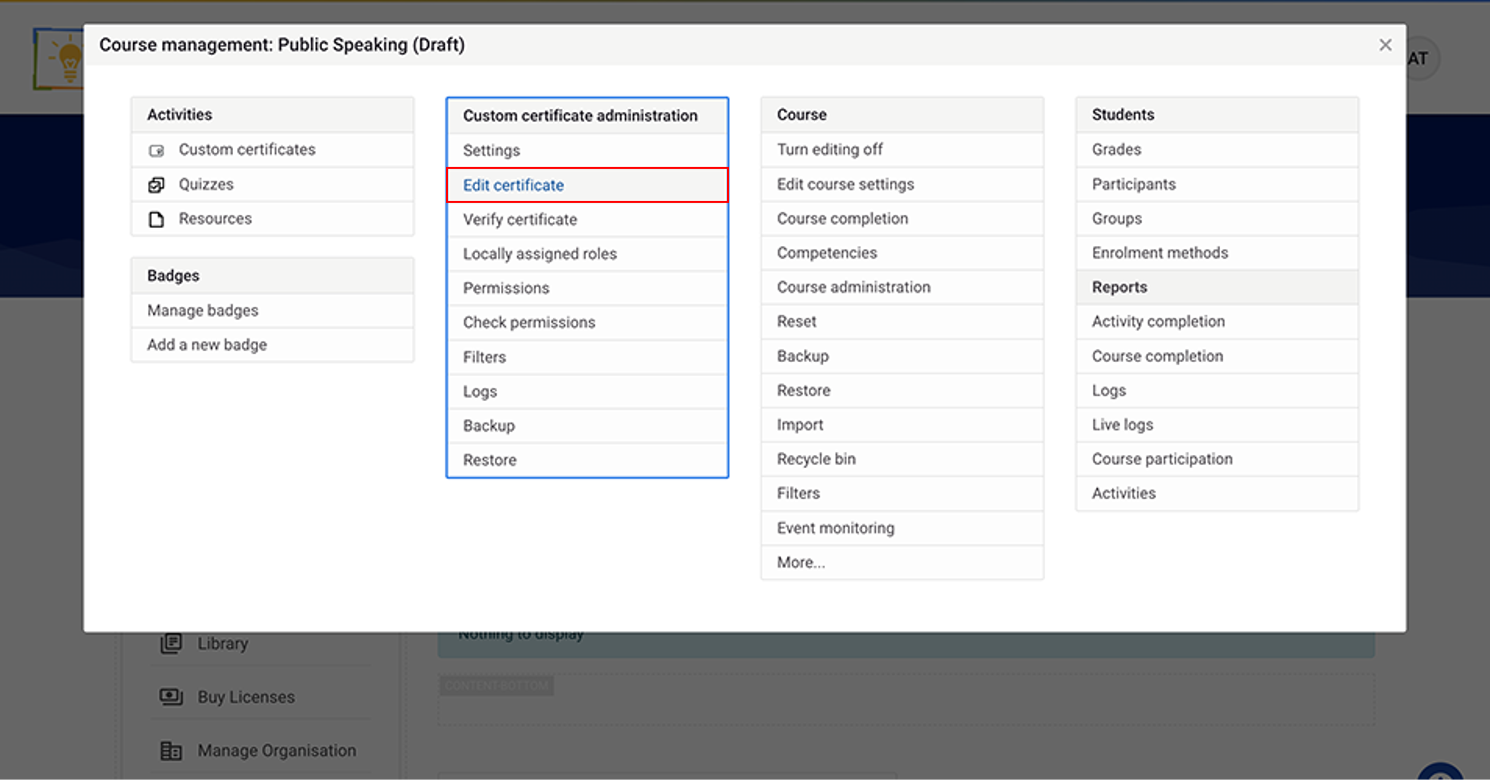
Select Edit certificate.
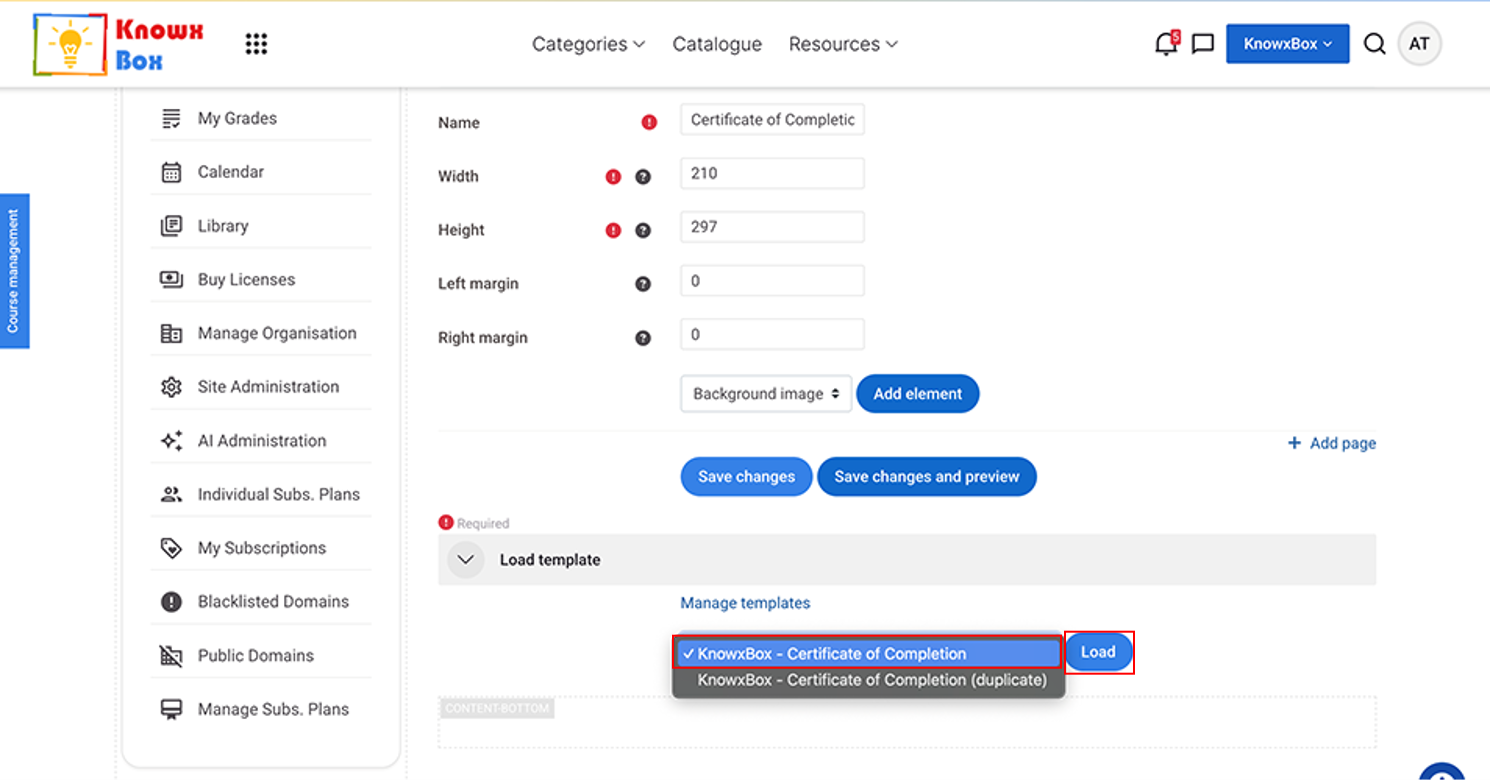
Load the template now.
Select Knowxbox- Certificate of Completion from the dropdpwn then click Load.
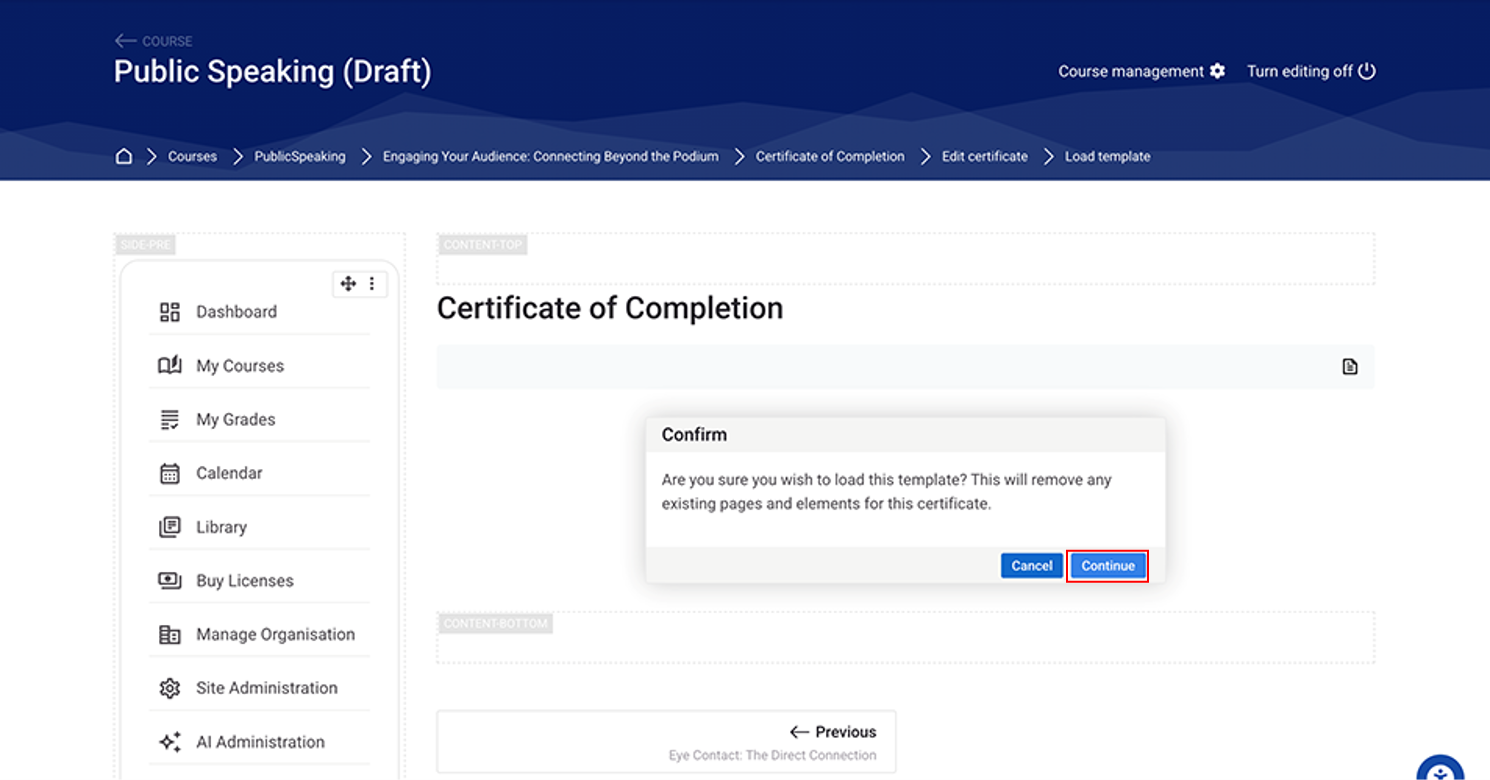
Click Continue to proceed.
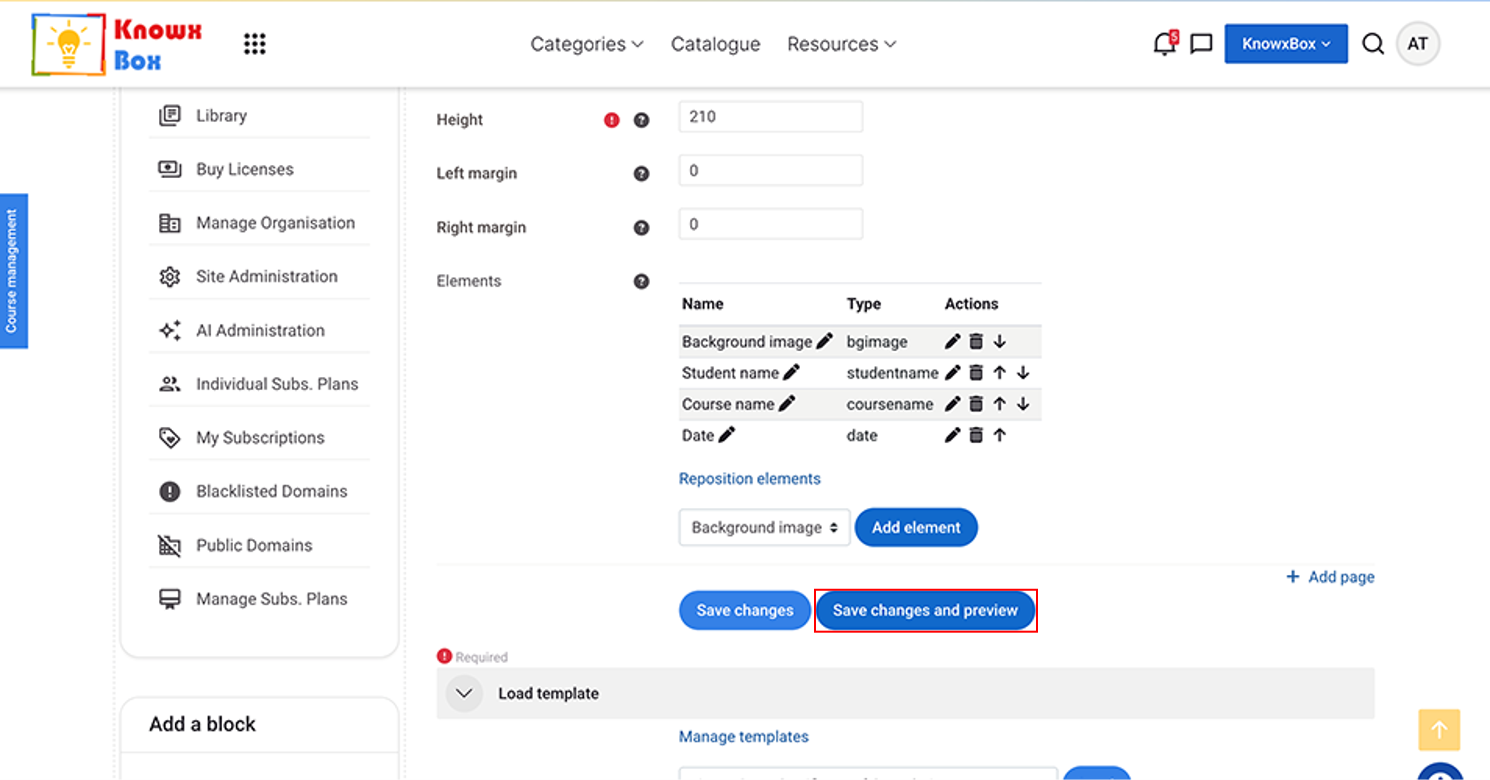
Then, Click on Save changes and preview.