Text size
Line height
Text spacing
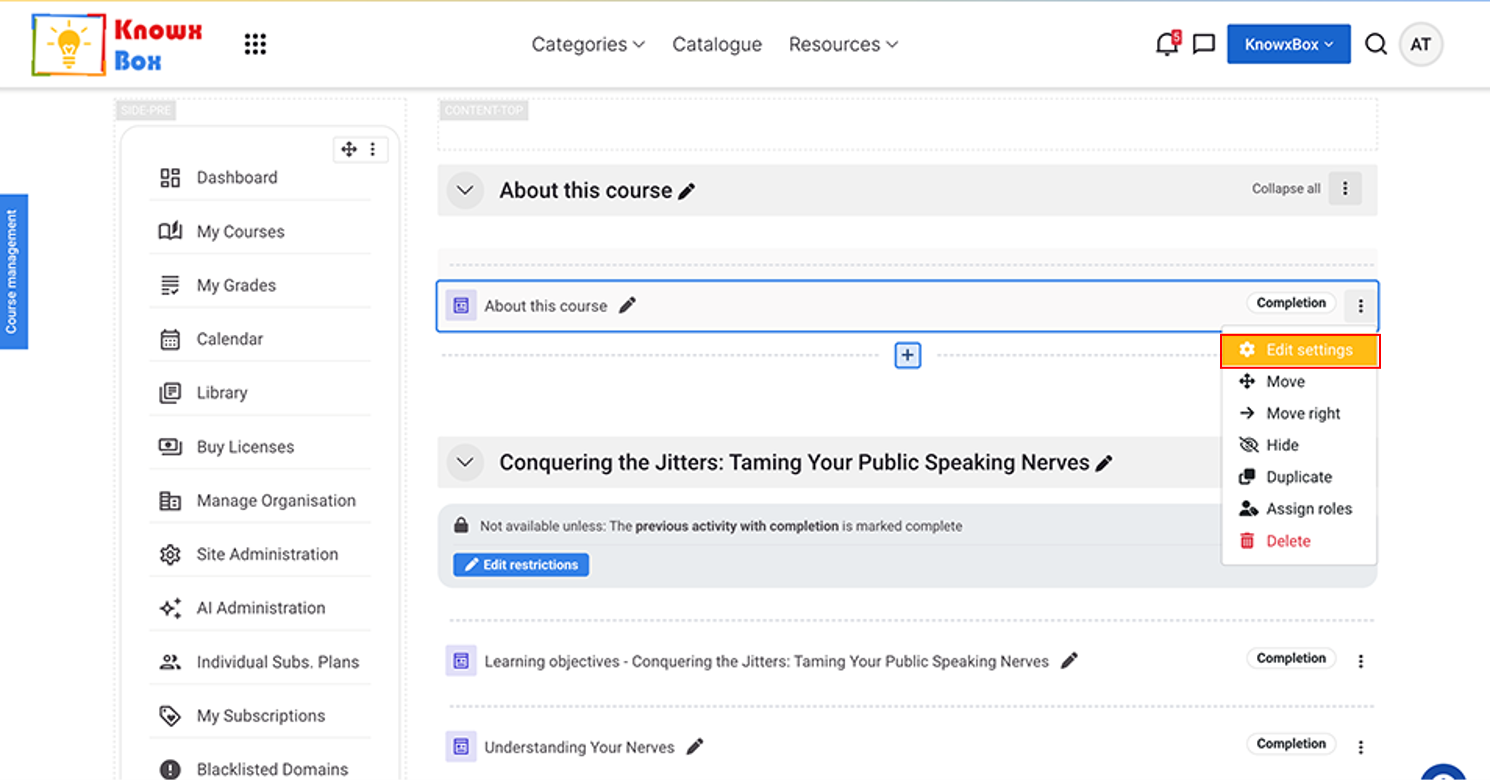
Click on Edit setting from dropdown.
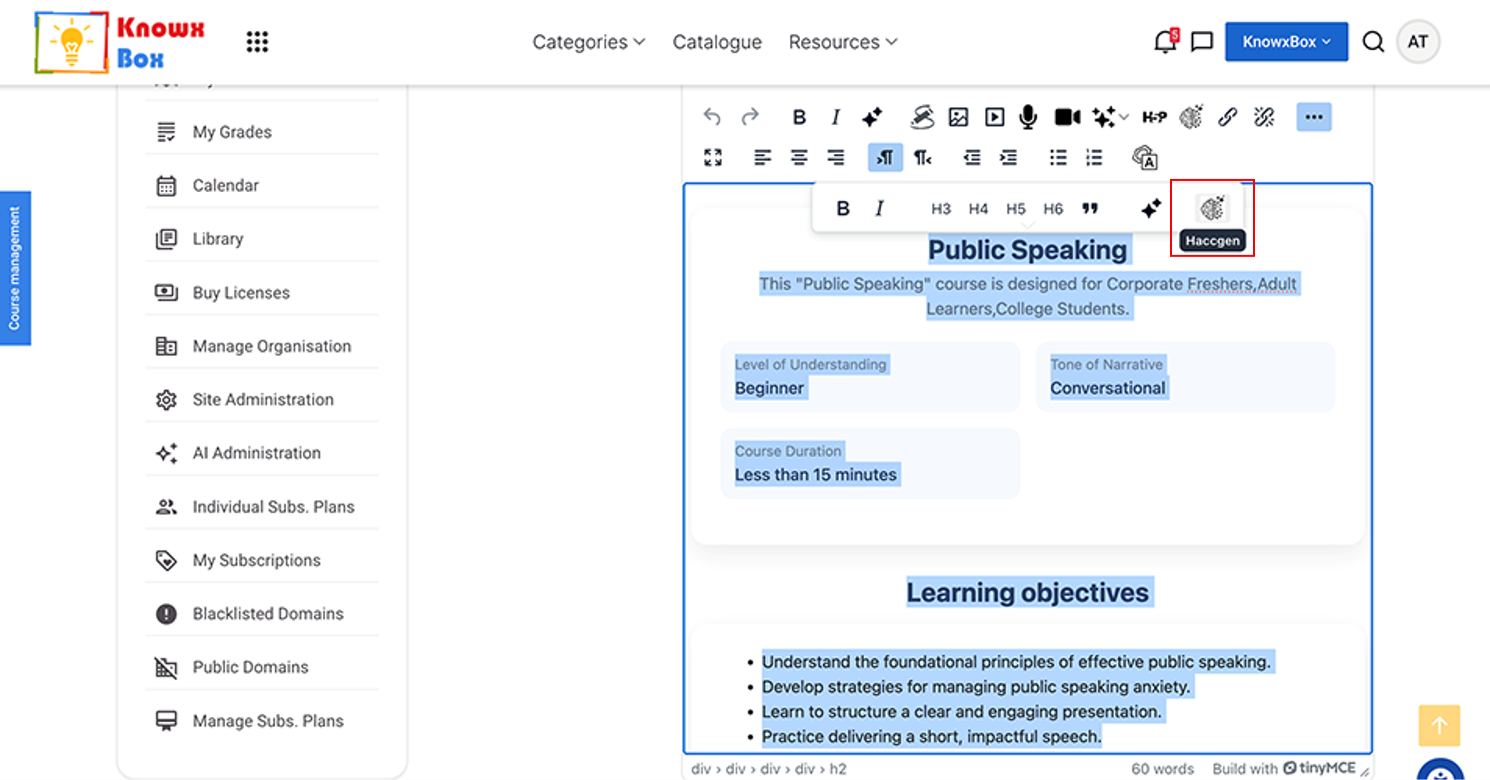
Go inside the settings of About this Course.
Select All content and click on HACCGen Extender.
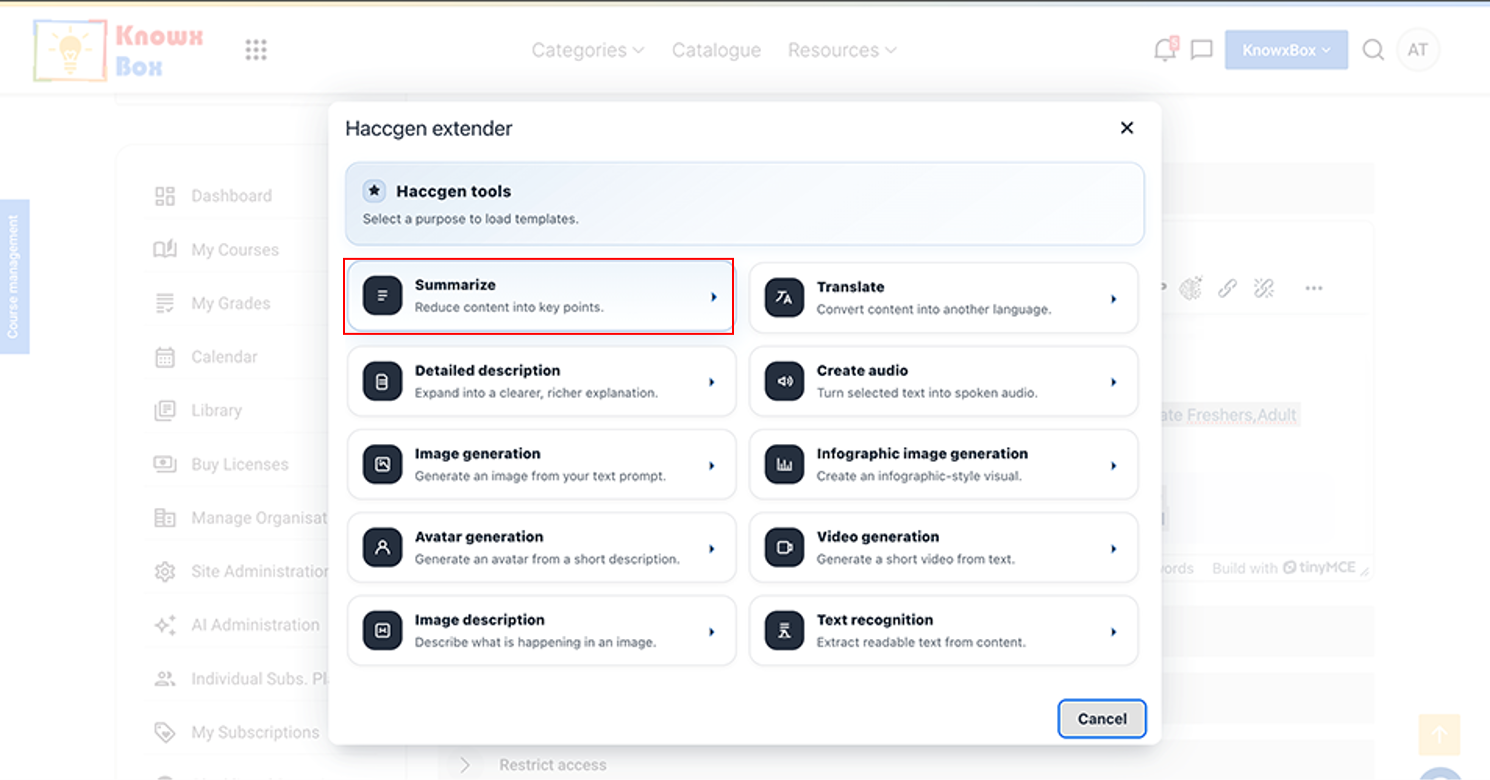
Select Summarize option out of these.
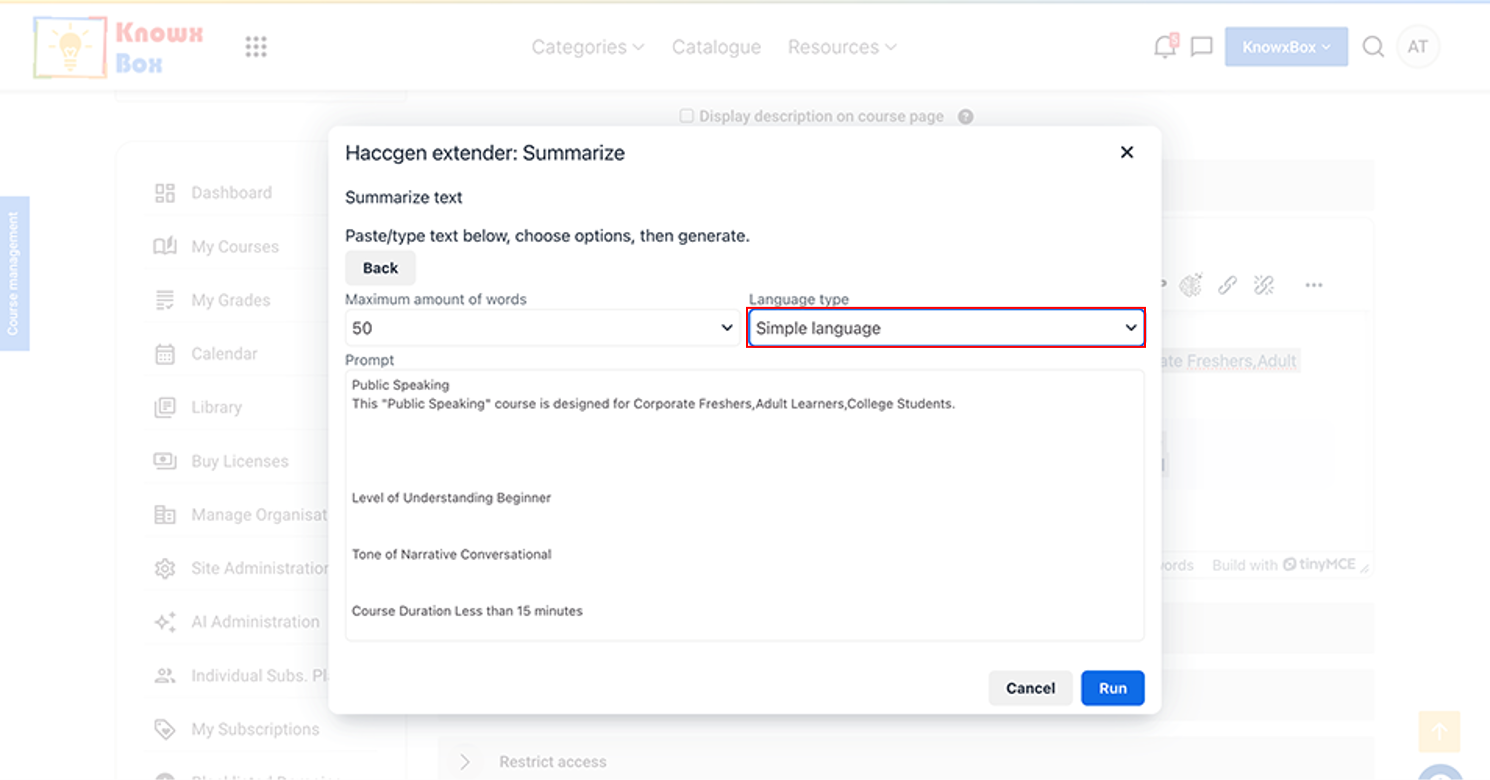
Select the language type to Simple Language from drop down and click Run.
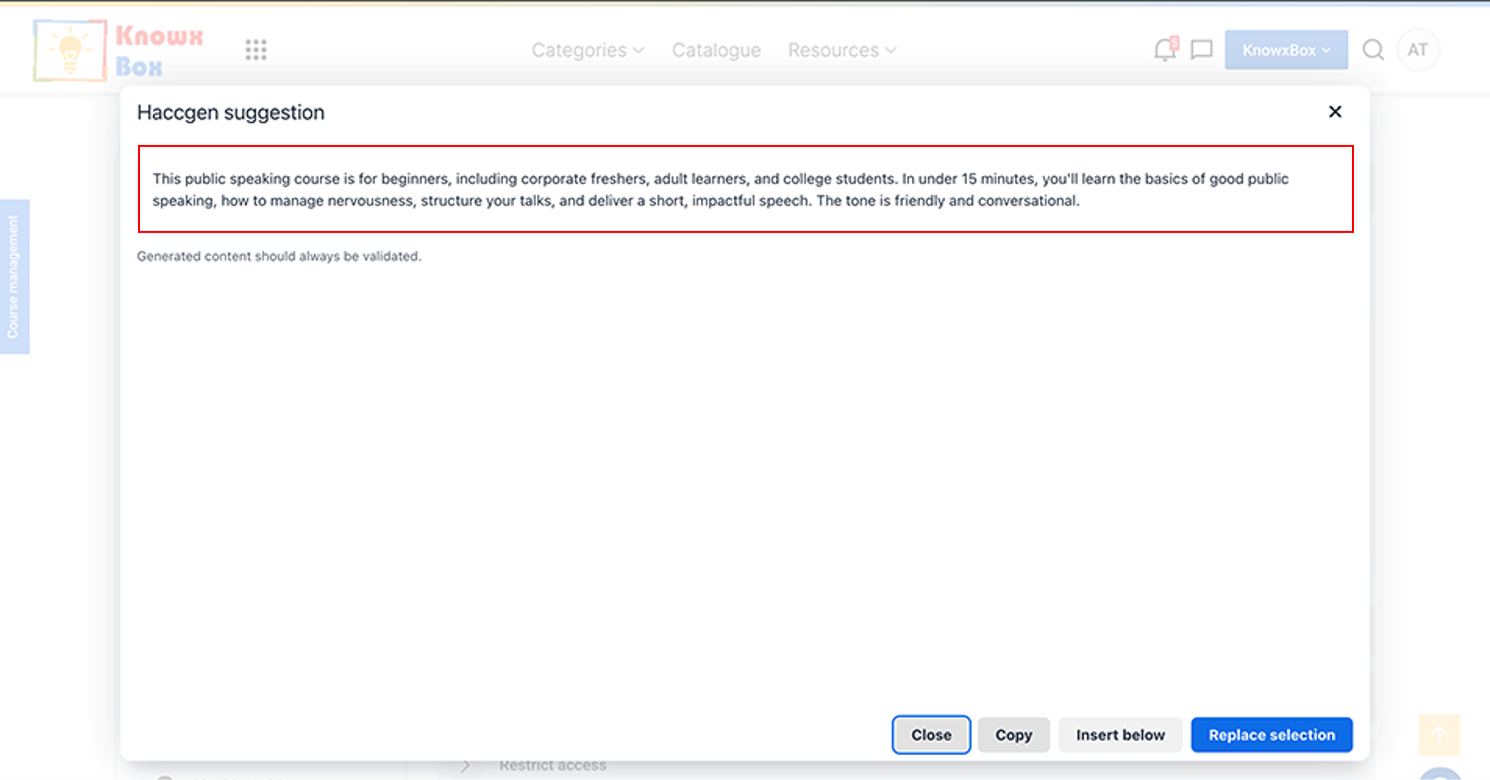
Copy the content from here and paste it in the Course Summary.
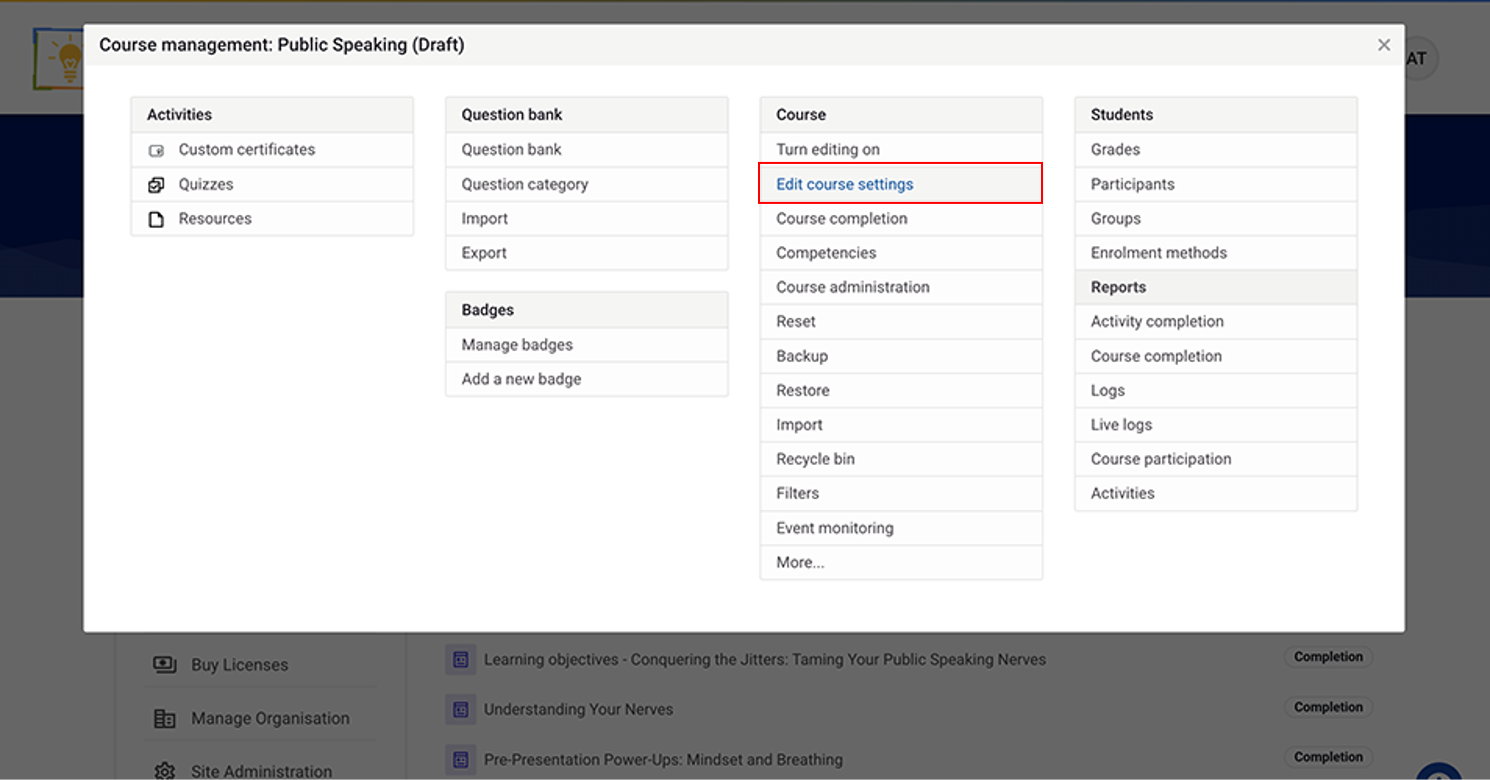
Again, click on Edit course setting.
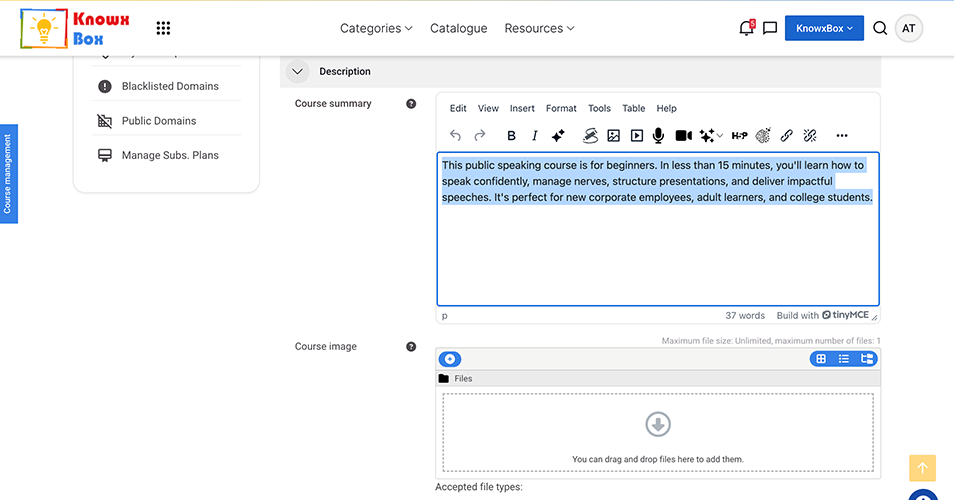
Paste the copied content in the Course Summary.
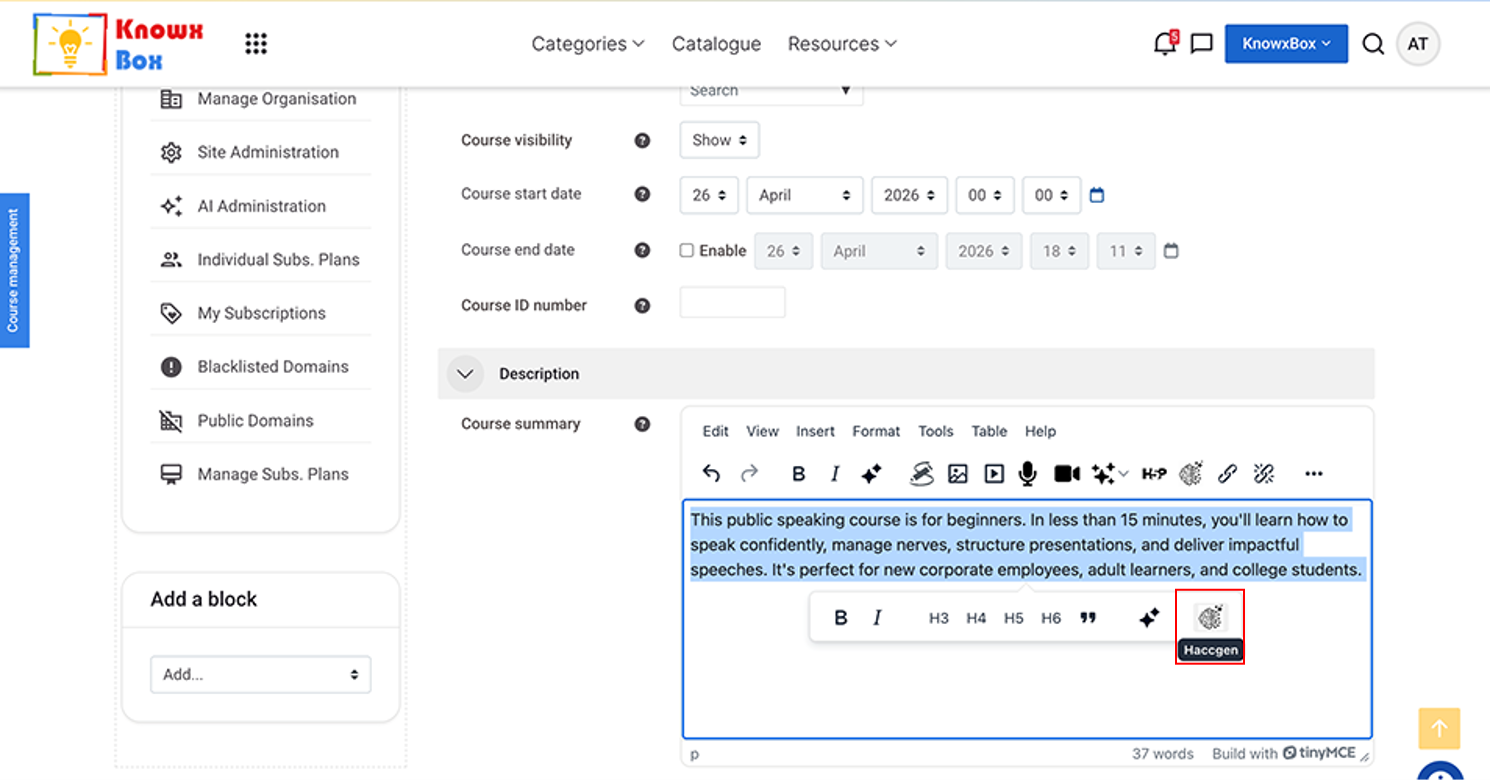
Select All content and click on HACCGen Extender.
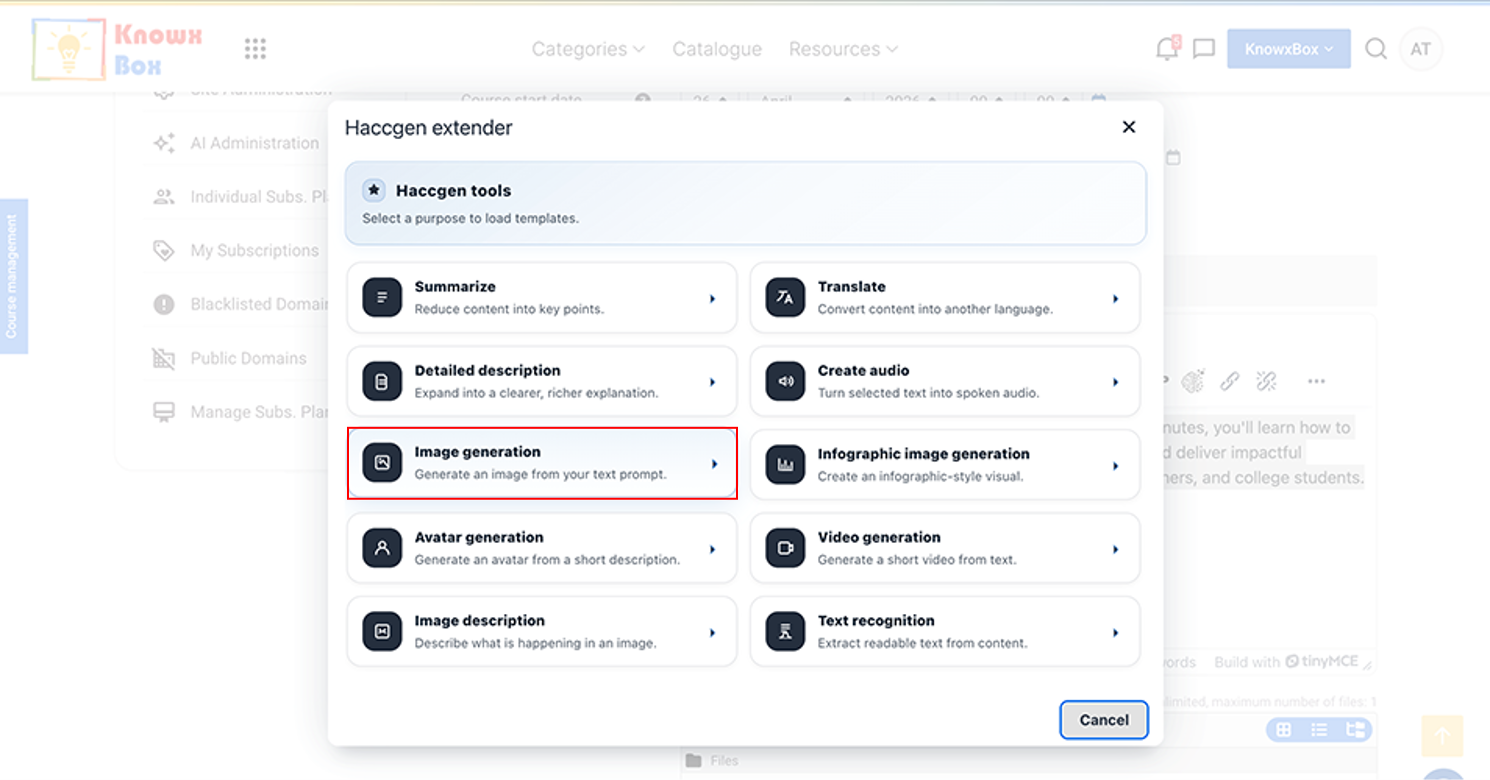
Now, Select Image generation option then click Run.
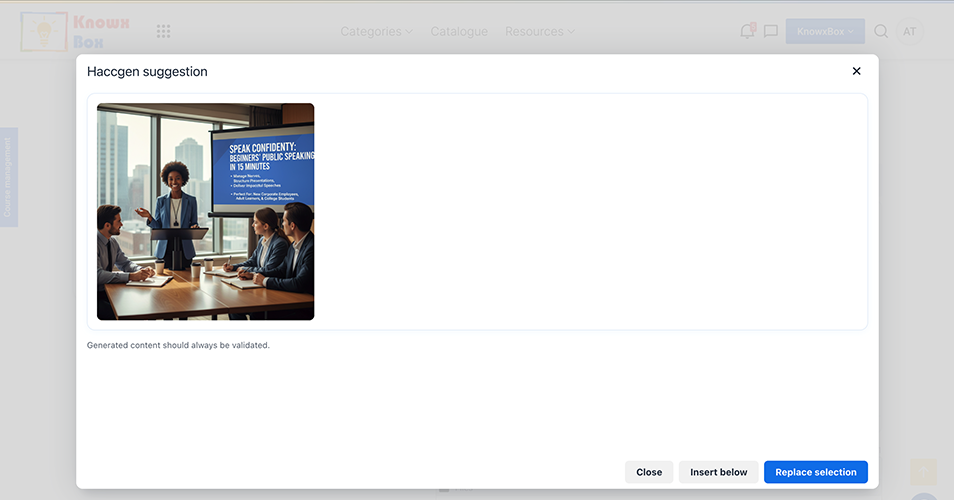
Image is ready. Now, click Insert below.
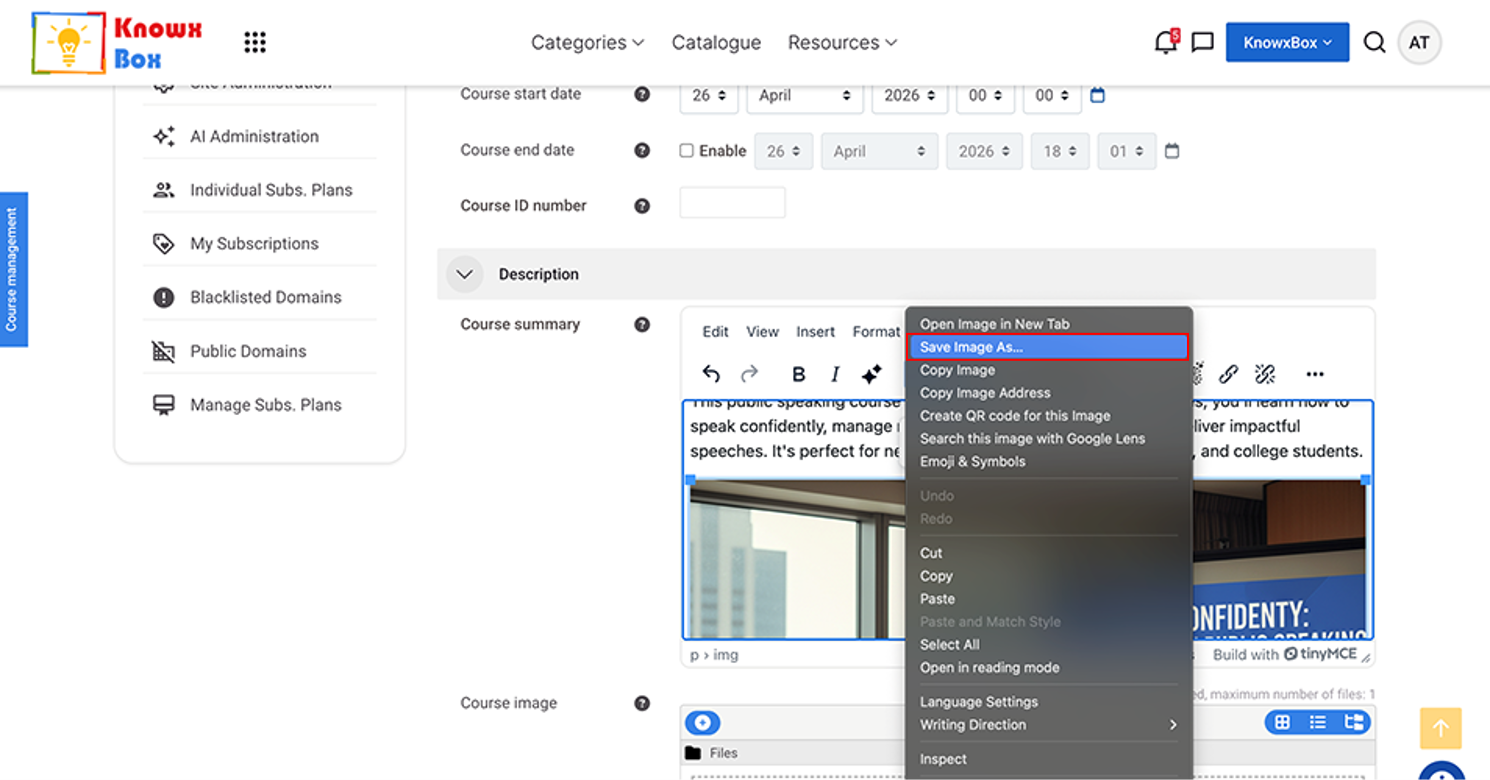
Now save the Image here or Cut it and past under Course image section.
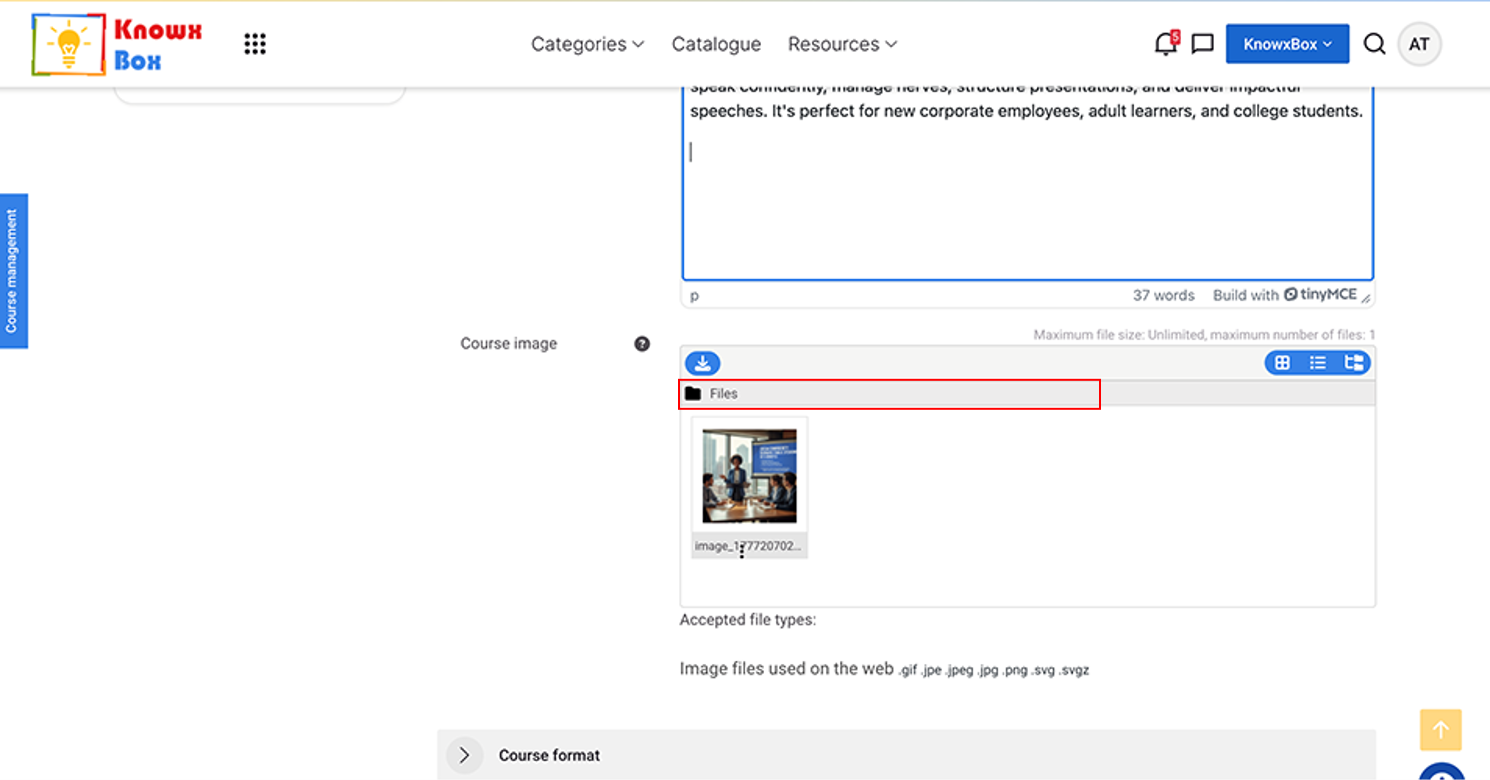
Add Course image.
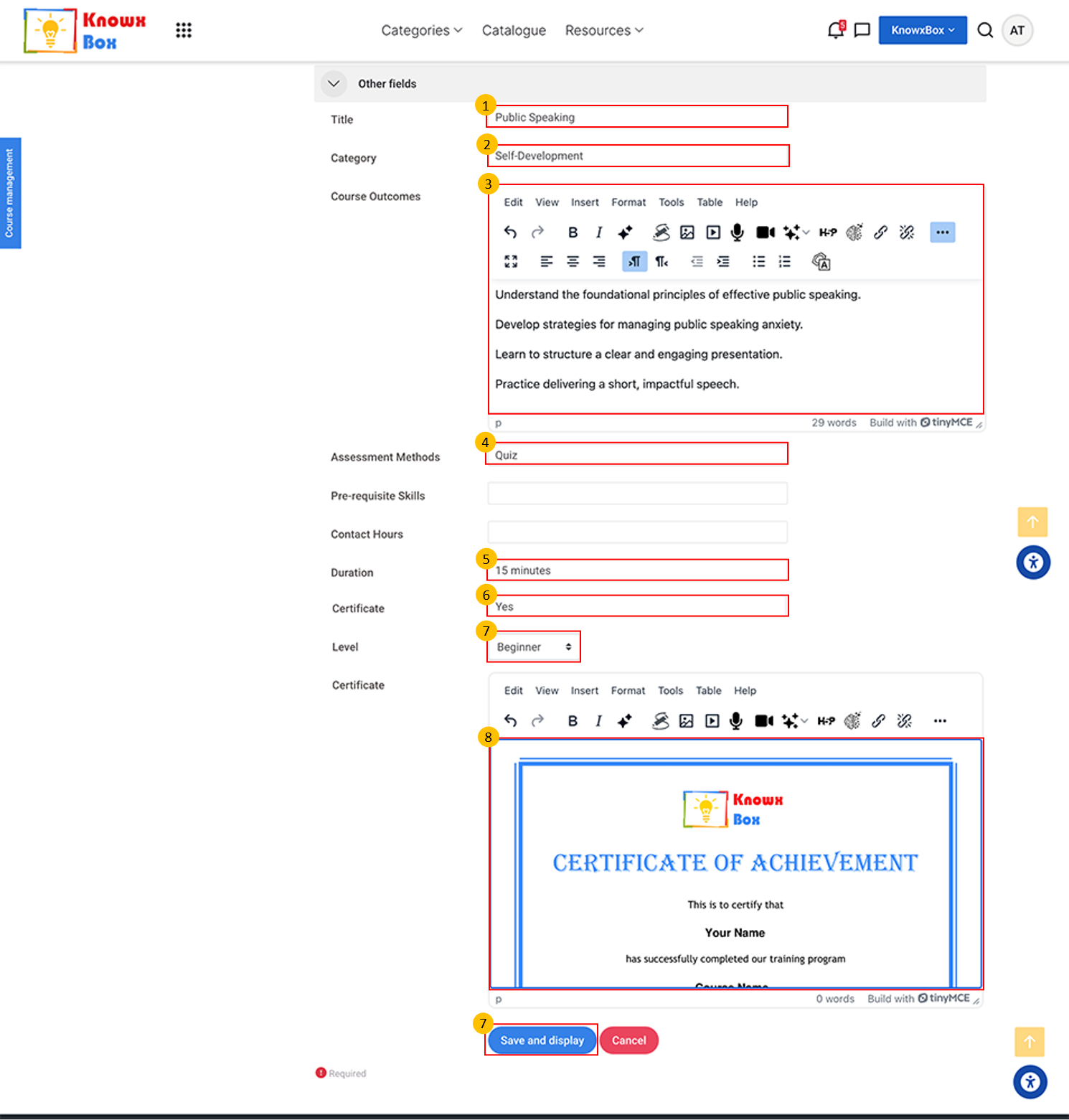
Fill all other details and click Save and display.