Text size
Line height
Text spacing
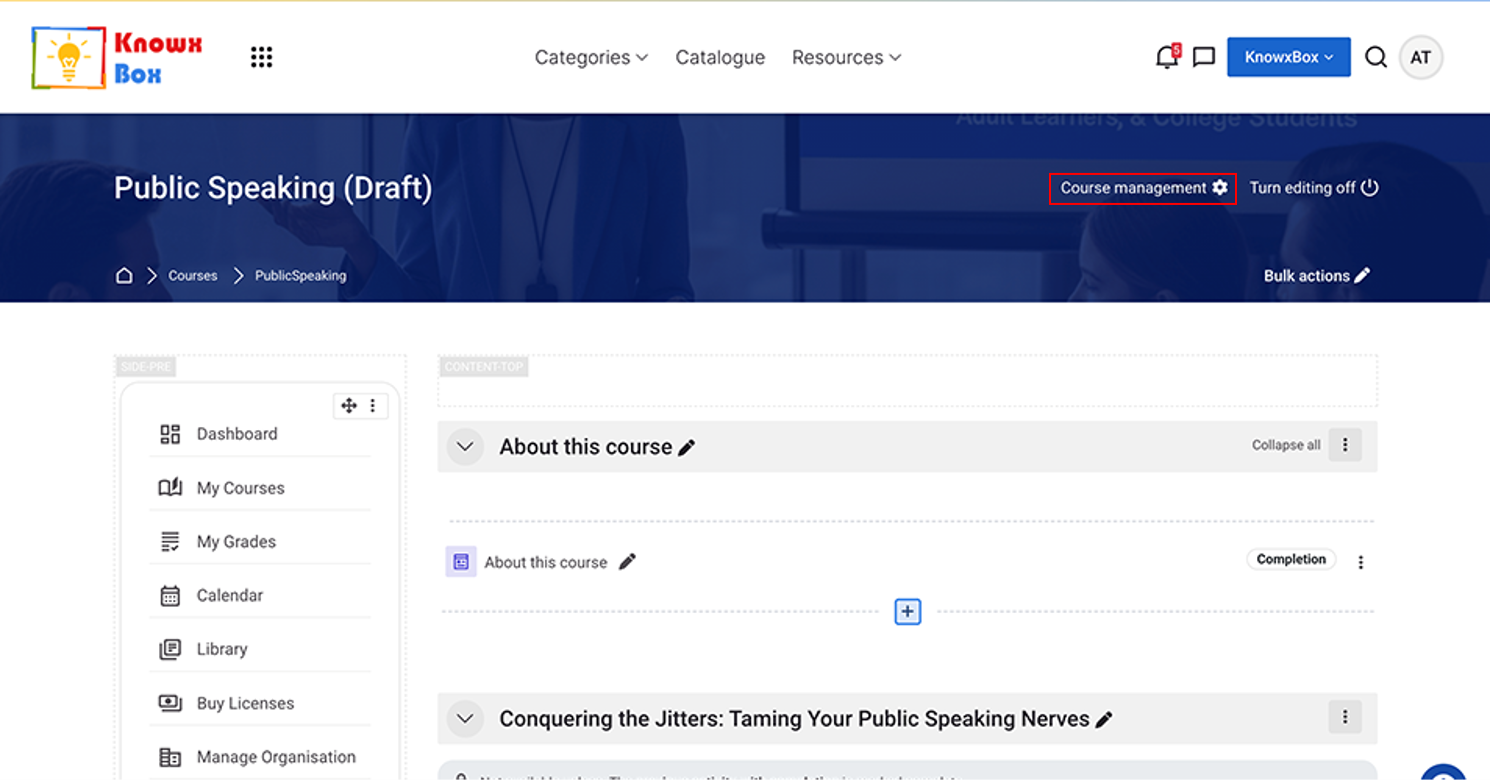
Click on Course management.
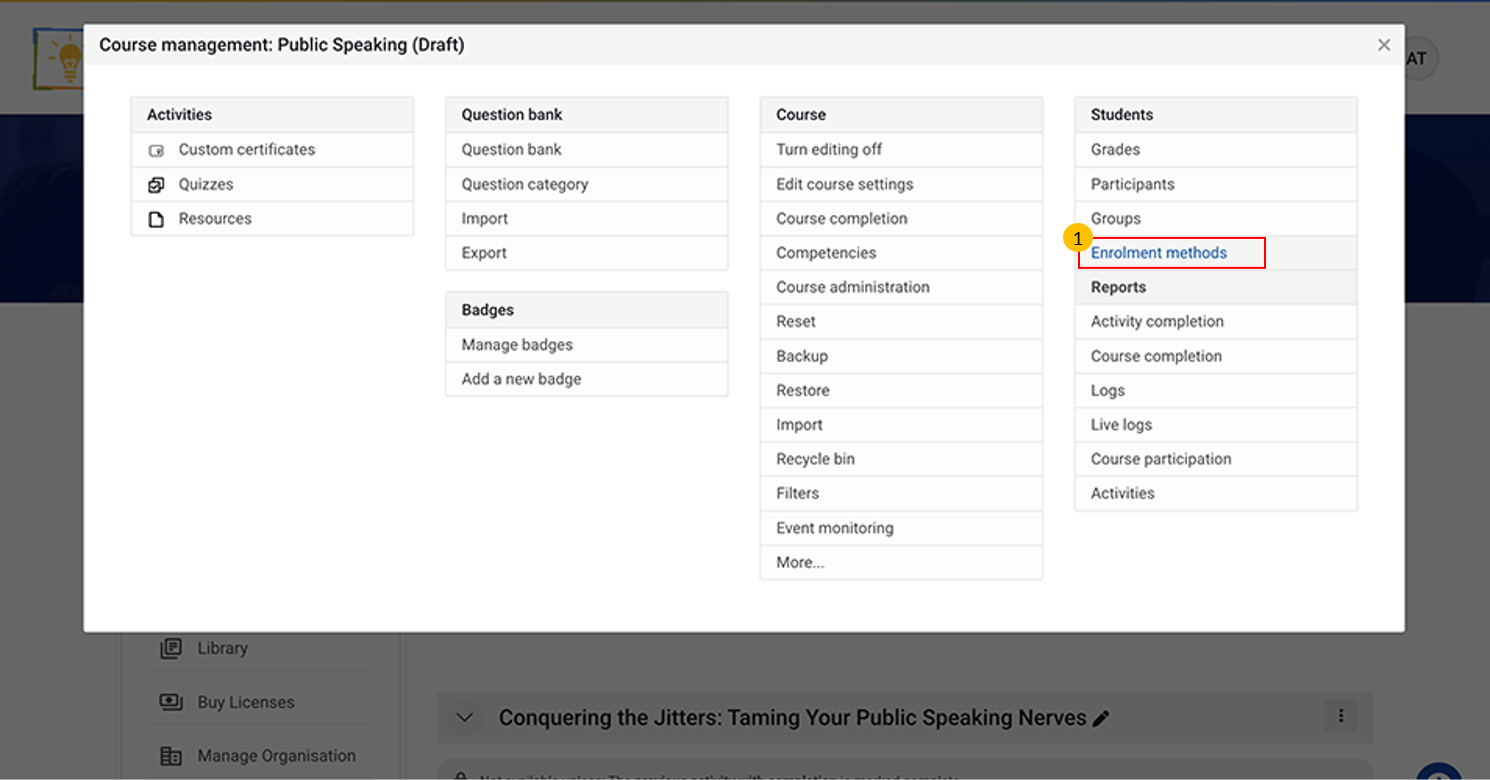
Click on Enrolment methods.
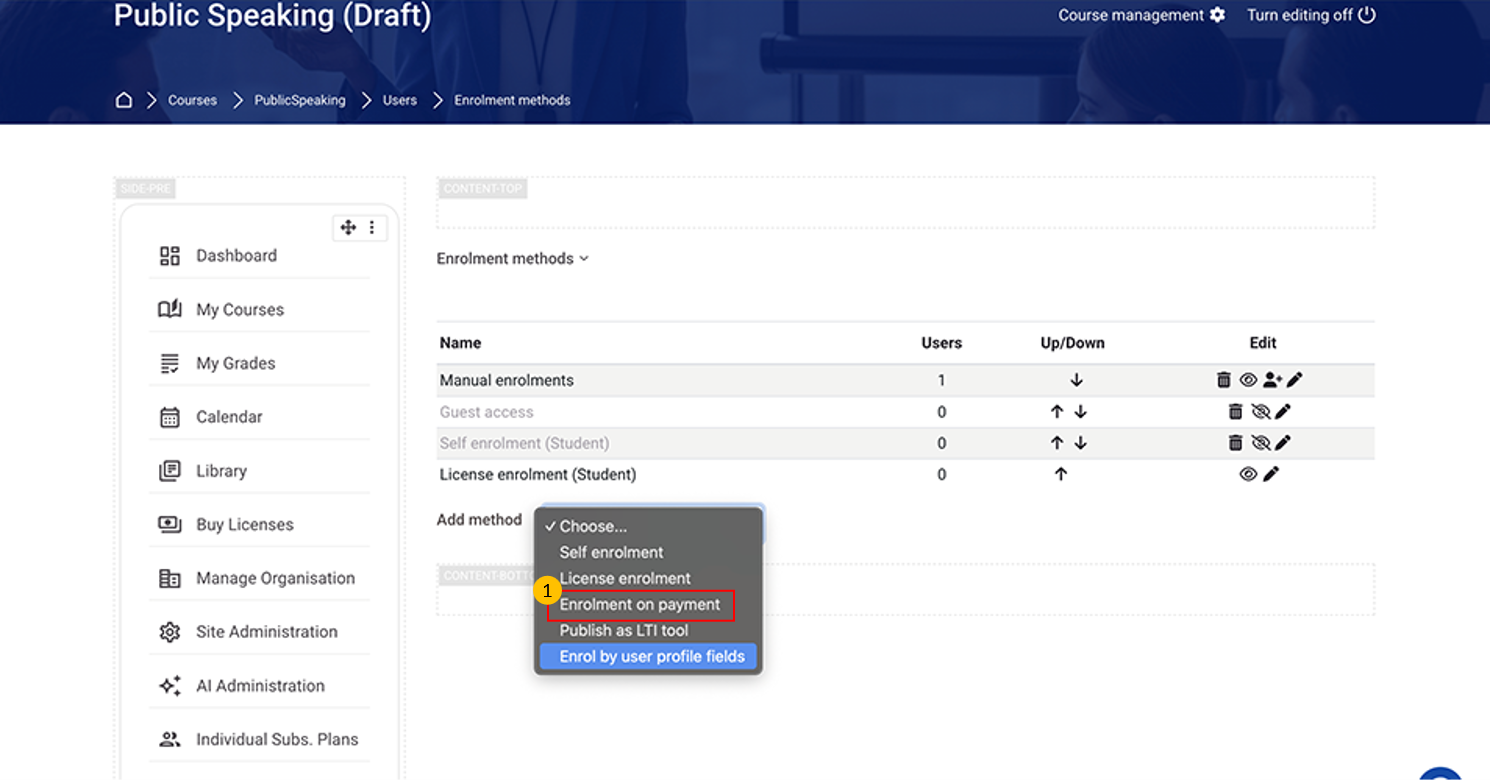
Select Enrolment on payment from dropdown.
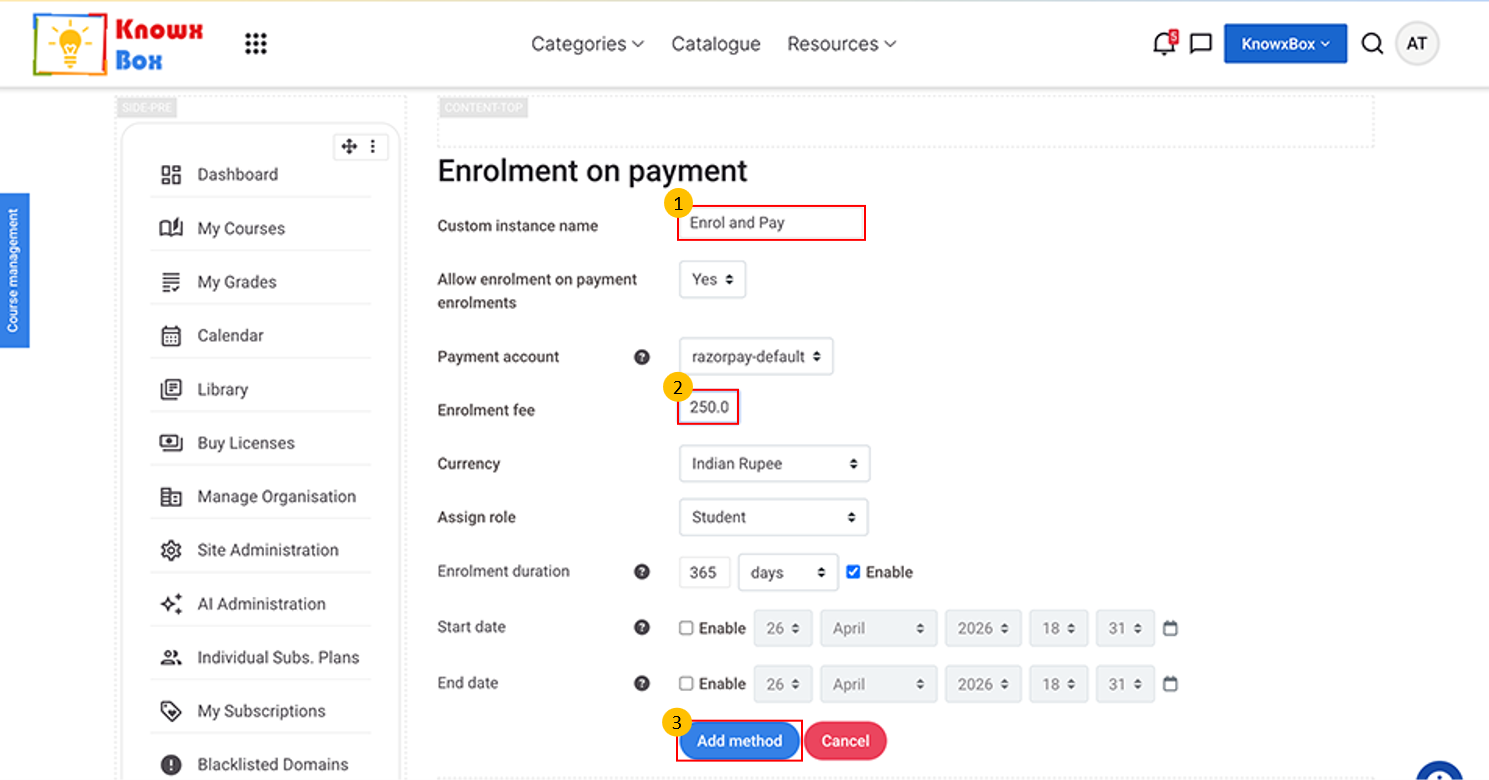
Fill the Custom instance name and Enrolment fee then click on Add method.
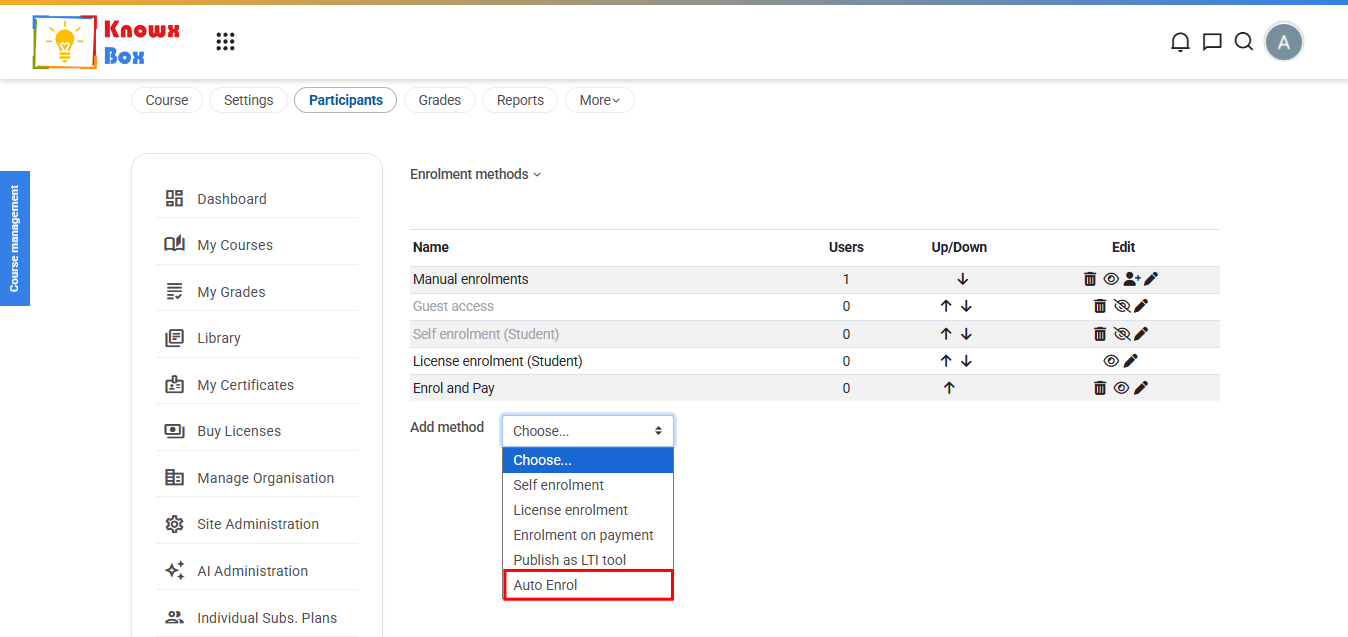
You can also select Auto Enrol option from add method dropdown.
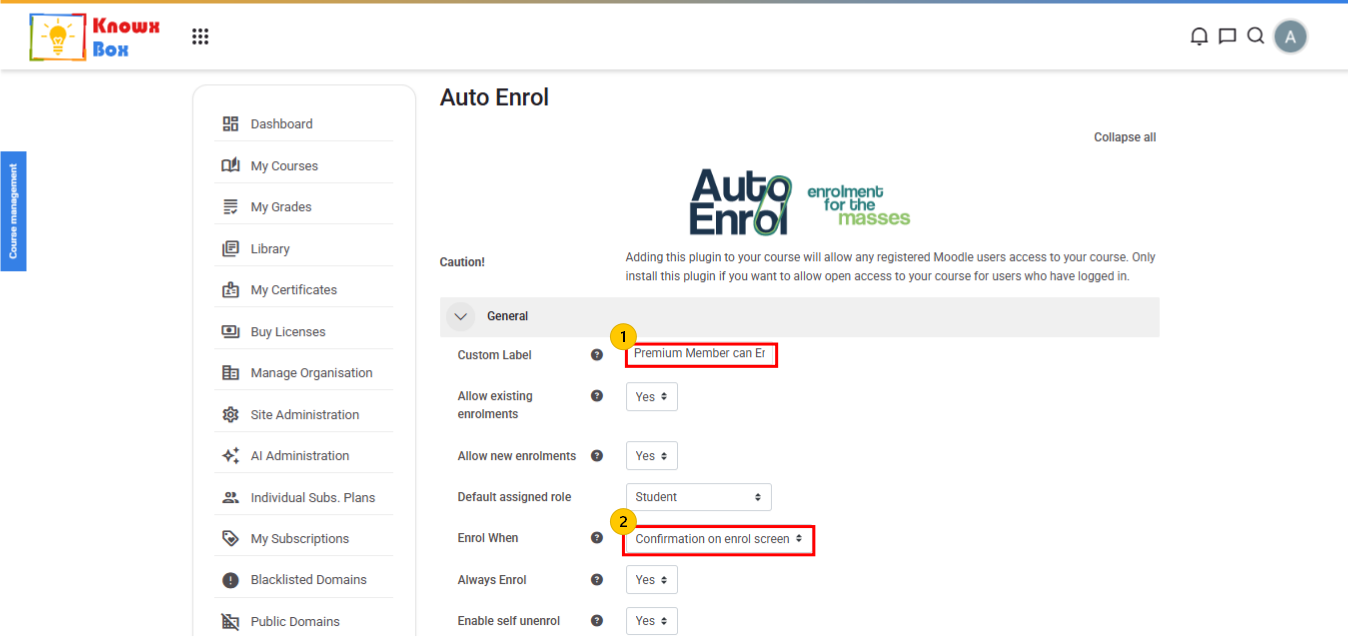
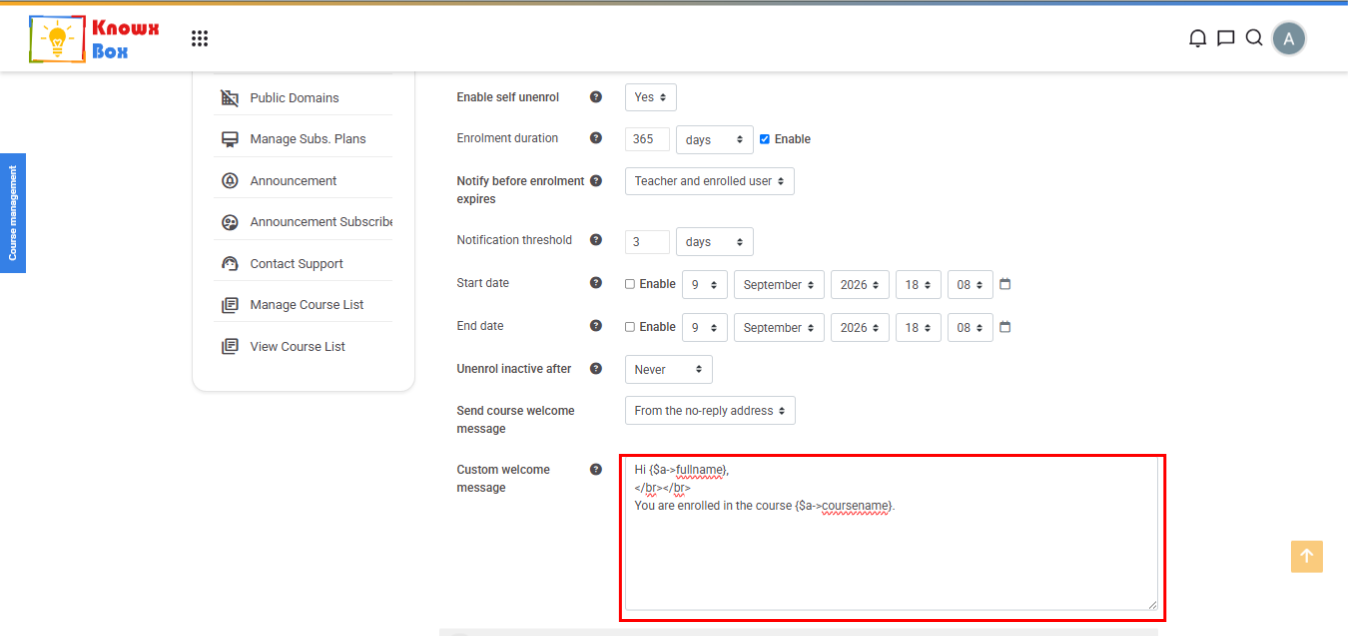
Provide Custom Welcome Message for the users.
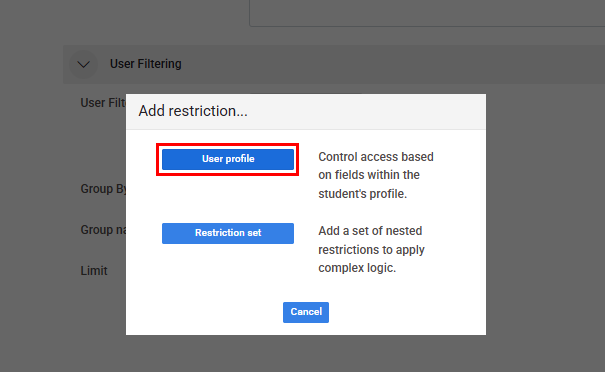
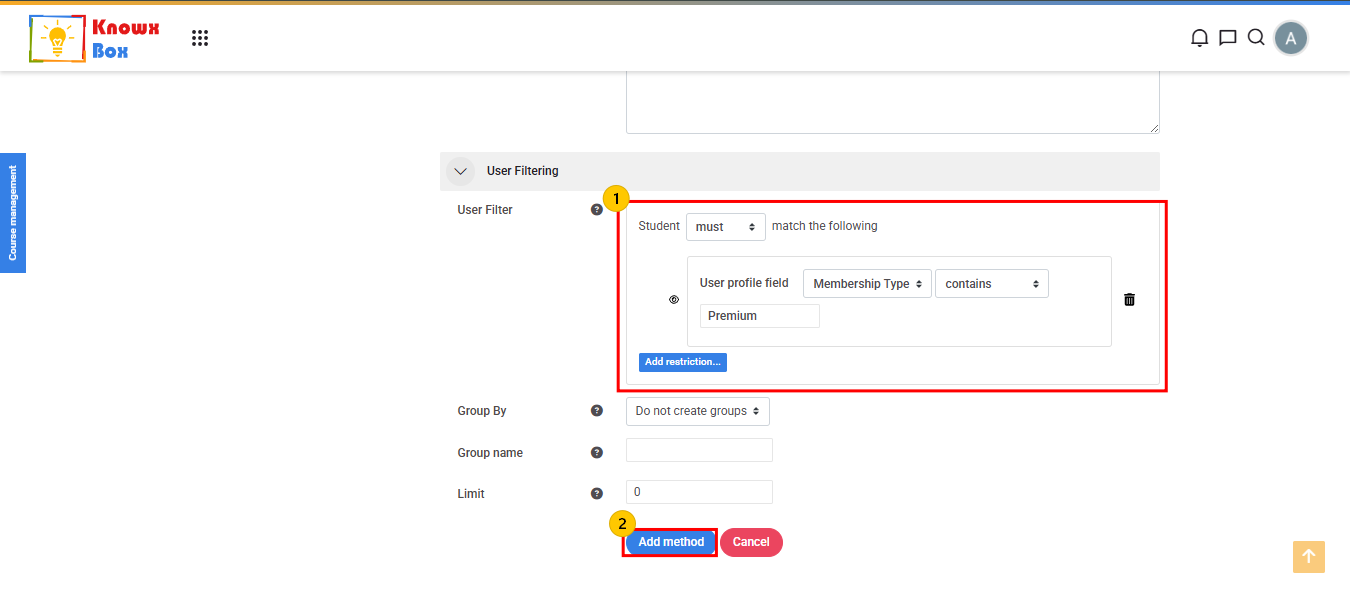
In User Filtering Field, add restriction in User Profile.